
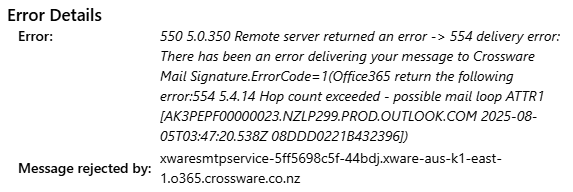
The error 554 5.4.14 Hop count exceeded - possible mail loop occurs when an email exceeds the maximum number of hops (mail server transfers) allowed during delivery. This often indicates a mail loop caused by misconfigured connectors or routing issues in hybrid or on-premises Exchange environments.
Problem
When sending an email, it bounced and returned a Non-Delivery Report (NDR) with the following error:
Solution
This will require administrator access to your Microsoft Exchange Admin Center
-
Log in to Microsoft Exchange Admin Center.
-
Click on Mail Flow > Rules
-
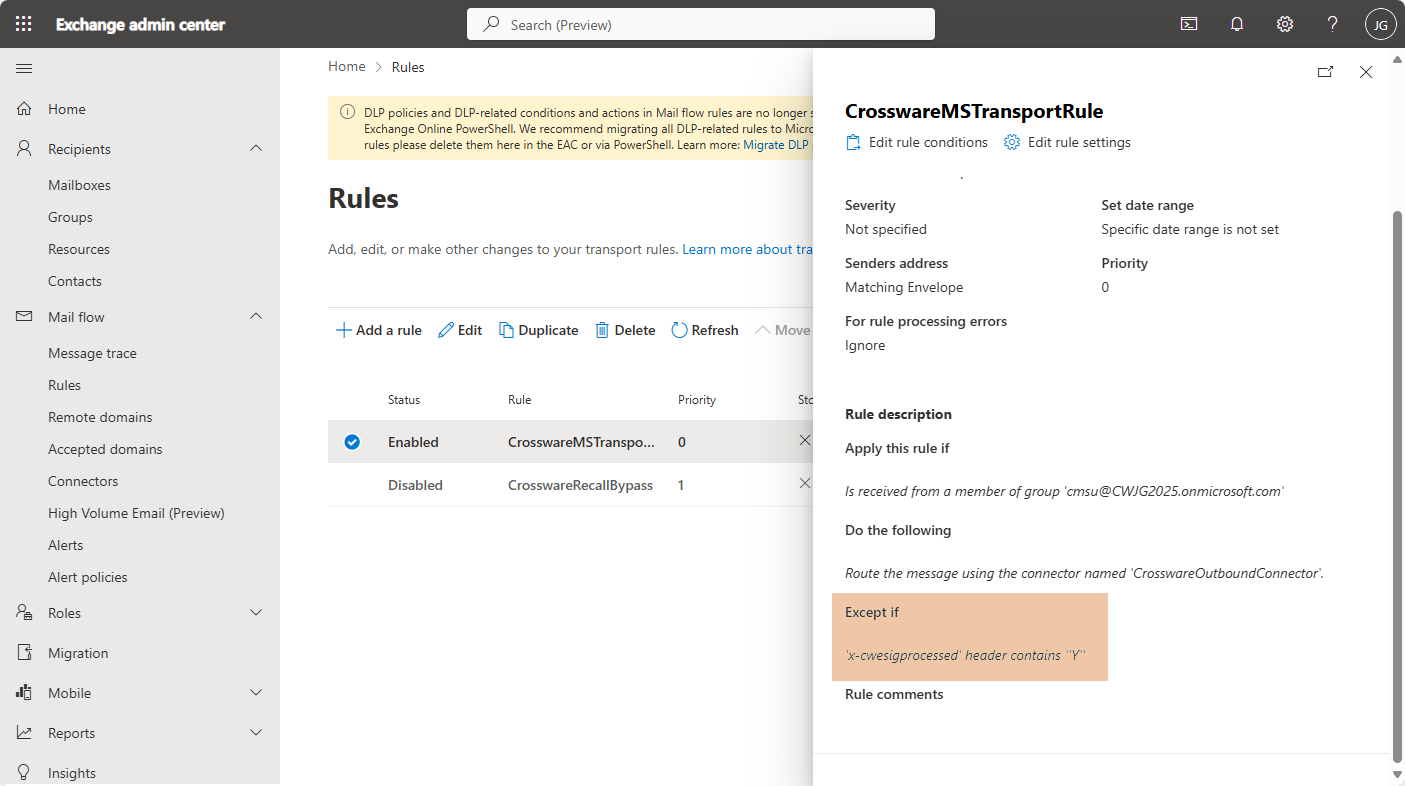
Click the Crossware Transport Rule.
-
Check the Except if... section. It should contain the following field set highlighted below.
-
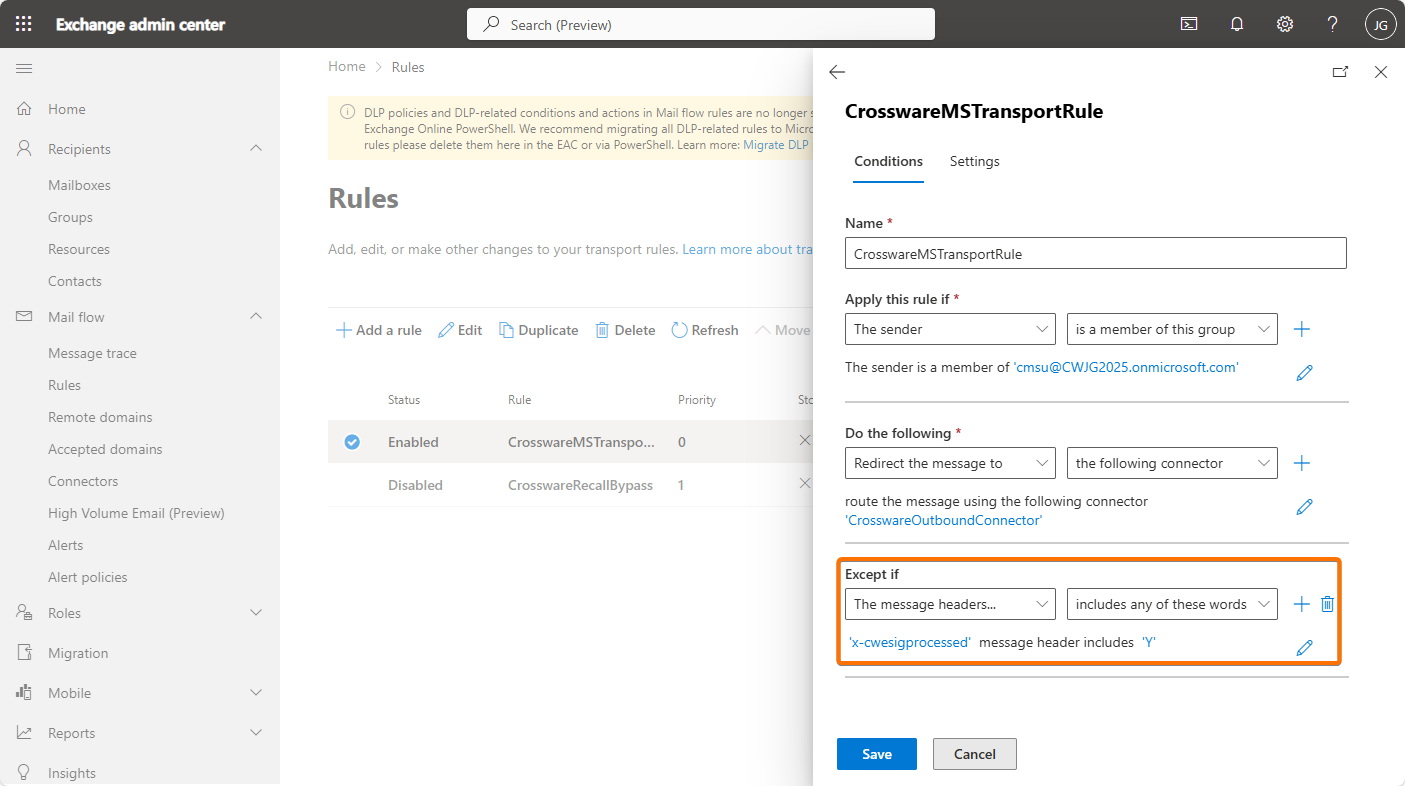
If this exception is missing. Add the Except if condition in the Transport rule.
Choose A message header → matches these text patterns.
Set the fields as follows:
A message header… → x-cwesigprocessed
Enter text patterns… → Y
-
Save Changes
The exception ensures that emails already processed by Crossware are not re-processed.