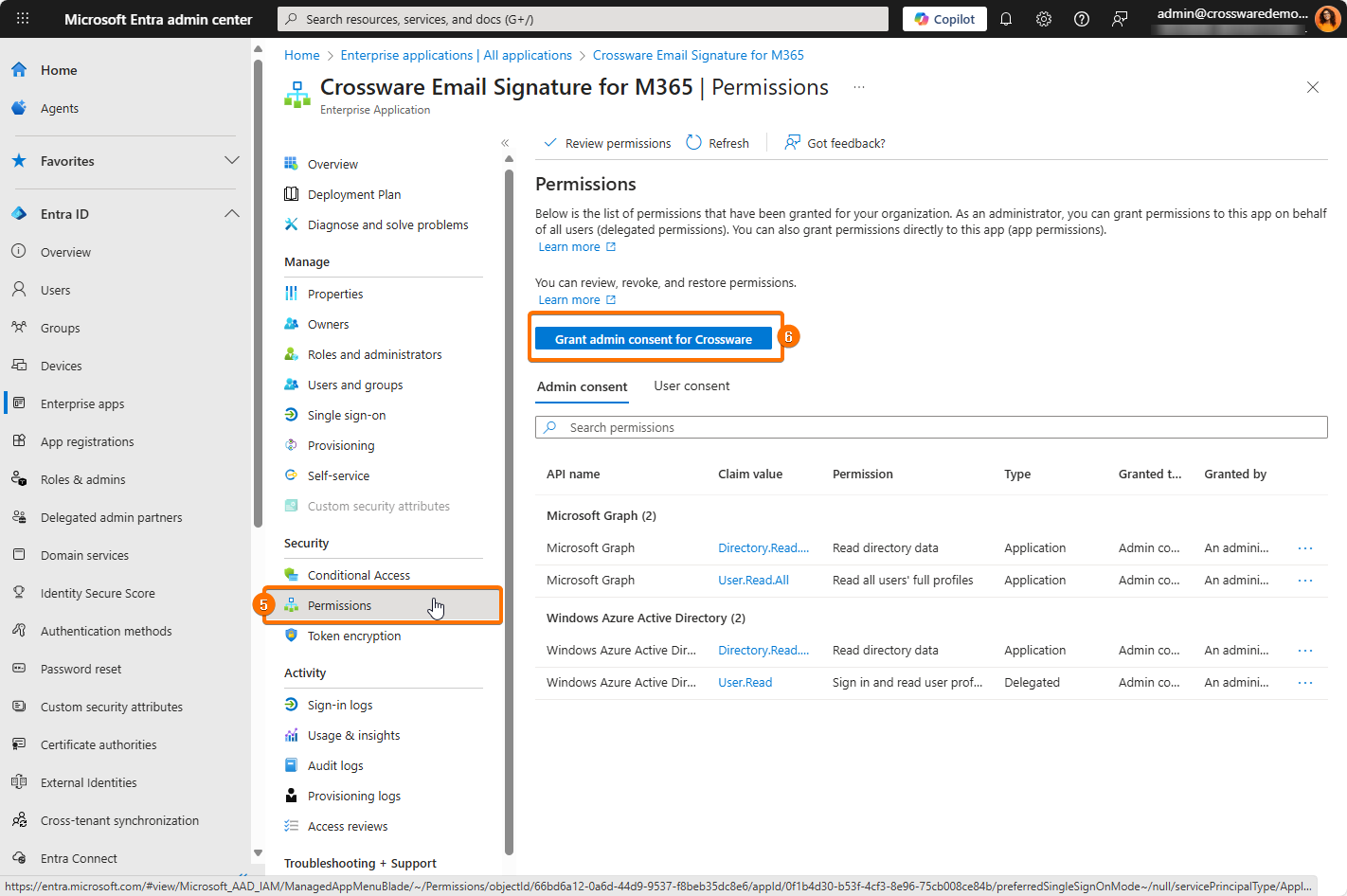
To ensure proper functionality of Crossware Email Signature with Microsoft 365, it's essential to re-accept the necessary permissions.
This process involves granting admin consent for both the Portal and Engine Keys, which allows the Graph API to be updated accordingly.
Before proceeding with the steps below, ensure that you have Global Admin permissions
Portal Keys
-
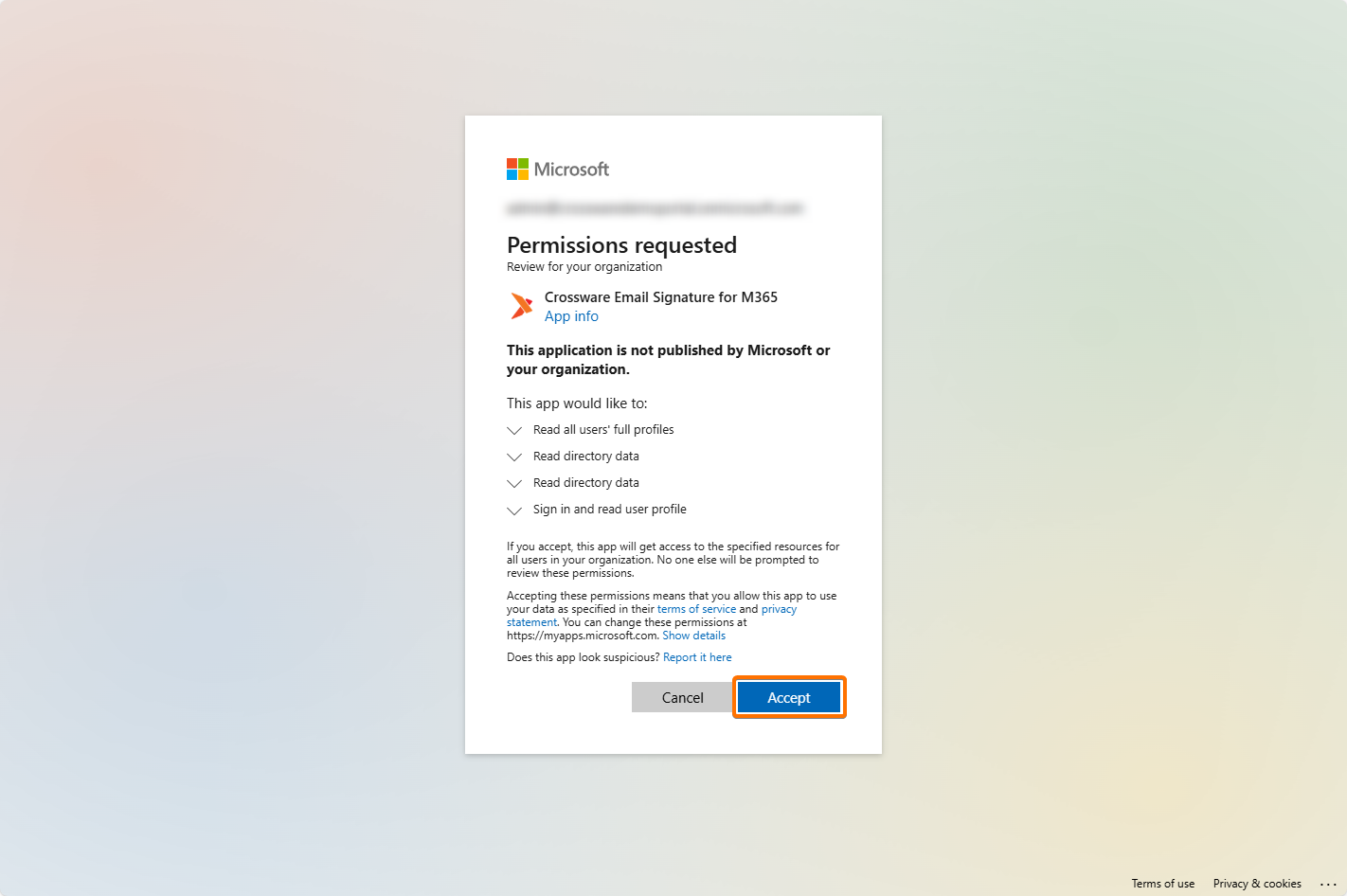
Click on the provided link to accept the Portal Keys.
SMTP Engine Keys
-
Log into your Microsoft Entra admin center.
-
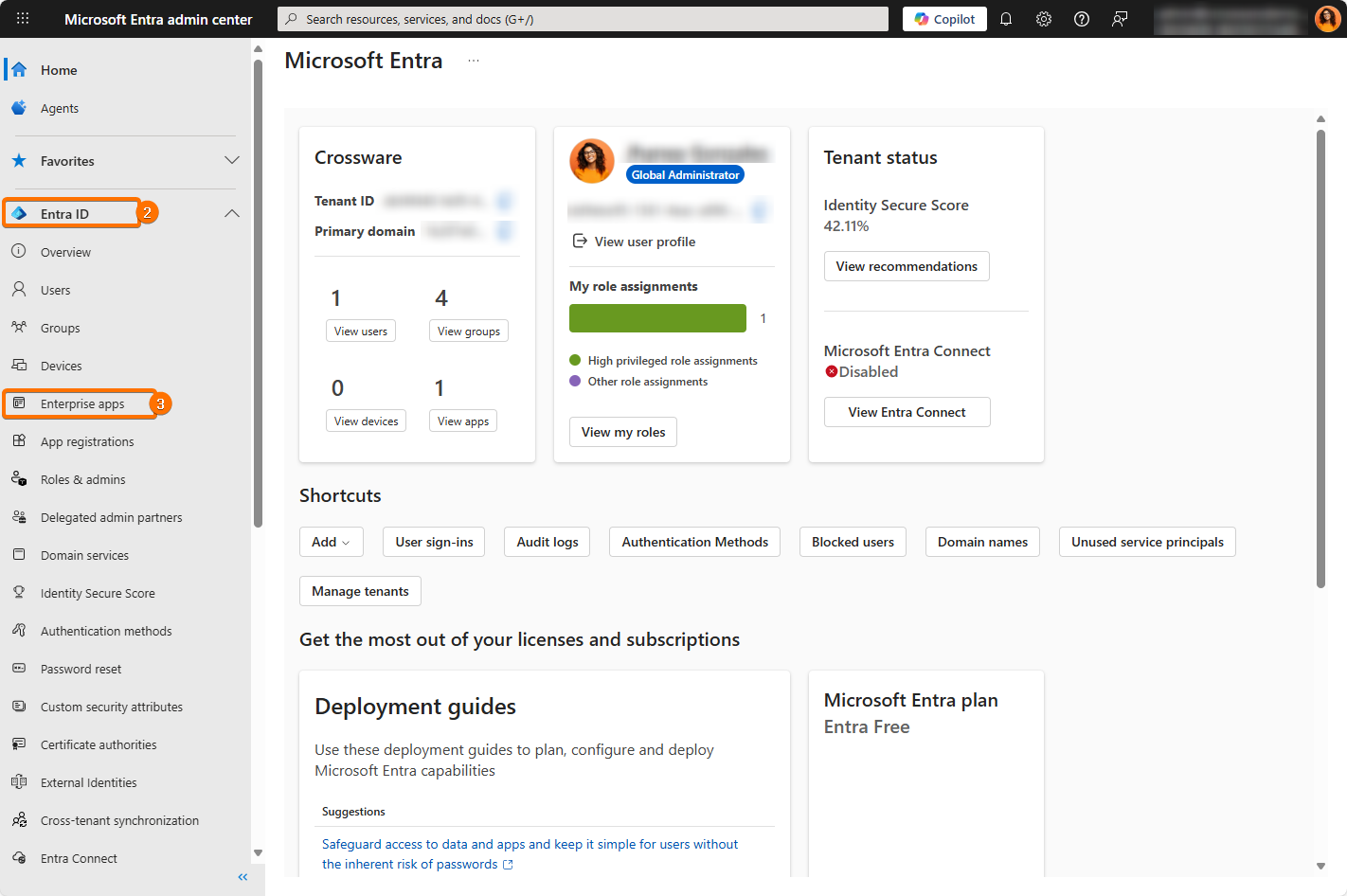
Navigate to Microsoft Entra ID.
-
Select Enterprise Apps.
-
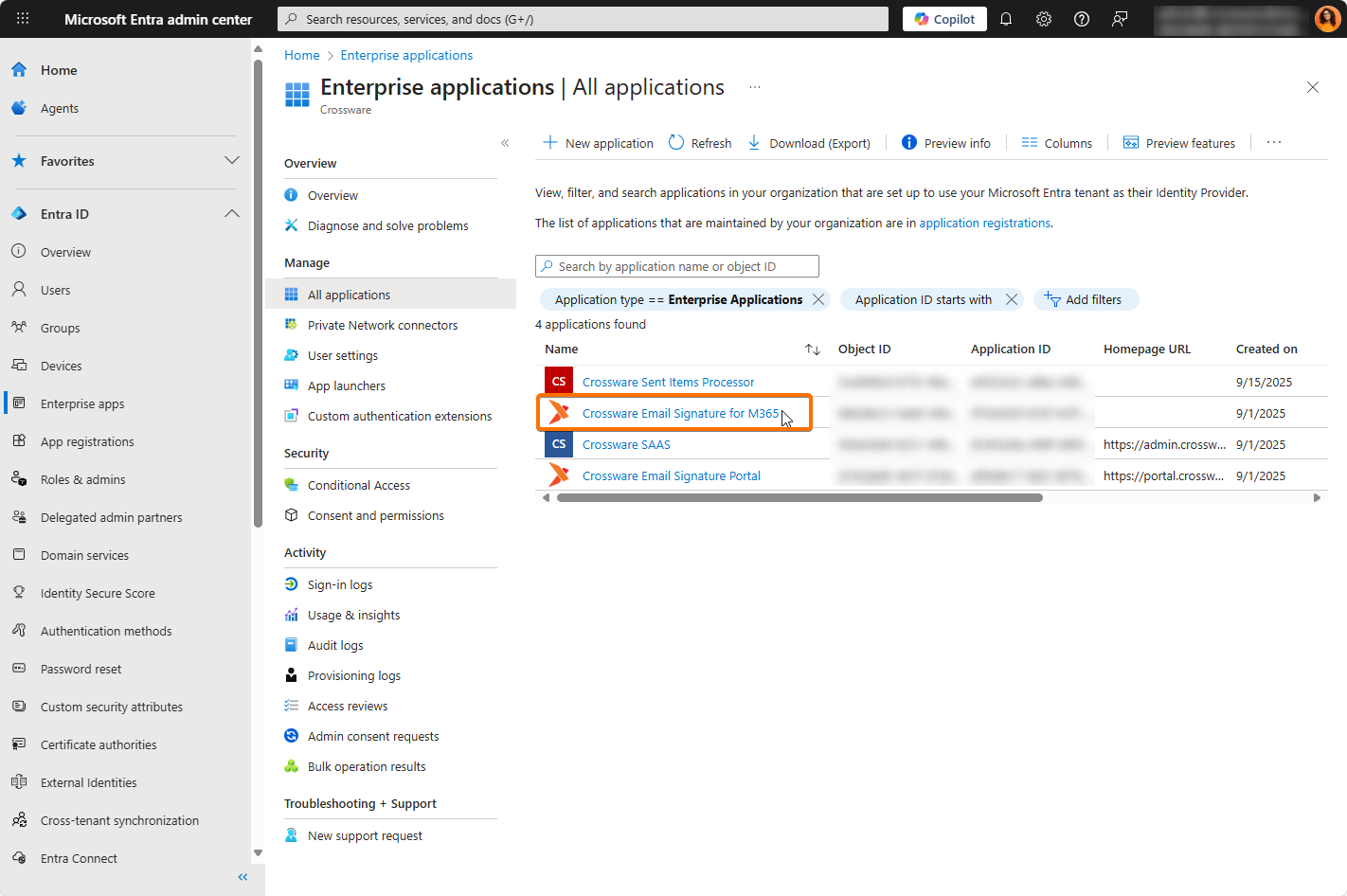
Click on the Crossware Email Signature for Office 365 application.
-
Under the Security tab. Select the Permissions option.
-
Click Grant admin consent.