
Overview
If the Outlook add-in has been deployed through the Microsoft 365 Admin Centre but is not appearing for users, the issue is usually related to Microsoft 365’s deployment process rather than Crossware.
Cause
The rollout of add-ins is managed entirely by Microsoft 365. Crossware does not have control over how or when the deployment is completed.
Common causes include:
-
The deployment process can take up to 72 hours to reach all users.
-
When deploying to specific groups, users in nested (sub) groups are not included.
Resolution
-
Allow time for deployment
Microsoft 365 can take up to 72 hours to make the add-in available for all targeted users. Wait at least this period before assuming the deployment has failed. -
Verify group membership
If you have deployed the add-in to specific groups, ensure that:-
All intended users are direct members of the group.
-
No users rely on membership through nested groups, as Microsoft 365 does not process these.
-
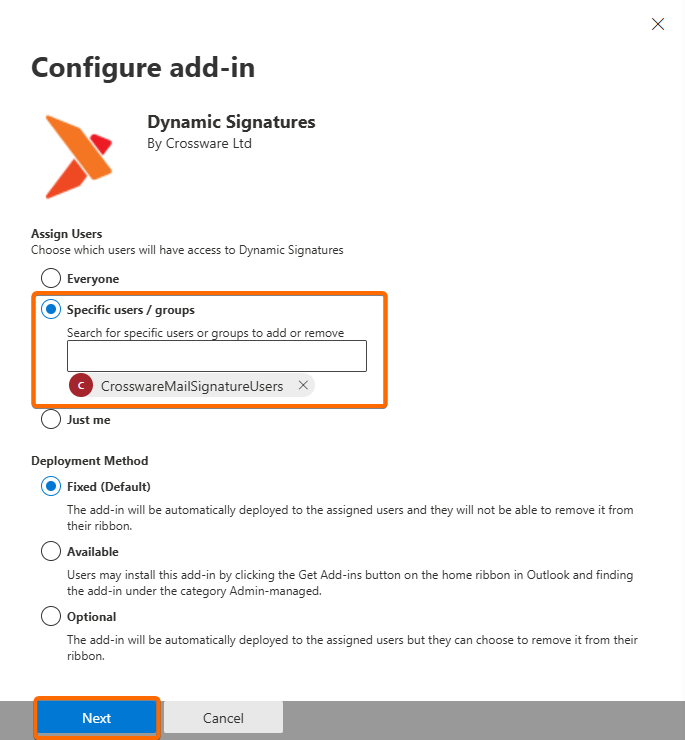
If needed, add users directly to the group or select a different group structure for deployment.
Recommendation
After confirming the above, allow additional time for Microsoft 365 to complete the deployment and verify that users can access the add-in within Outlook.