
By default, Crossware applies signatures to all outgoing messages including meeting invitations. However, Exchange Online doesn’t fully support signatures in calendar invites, which can cause formatting issues.
How To Exclude Signatures for Meeting Invitation
-
Sign in to your Exchange Admin Center.
-
Navigate to Mail flow > Rules.
-
Find the Crossware Transport rule. Click Edit for that rule.
-
Add a new exception:
-
Under Message Properties, select Include the message type.
-
Choose Calendaring.
-
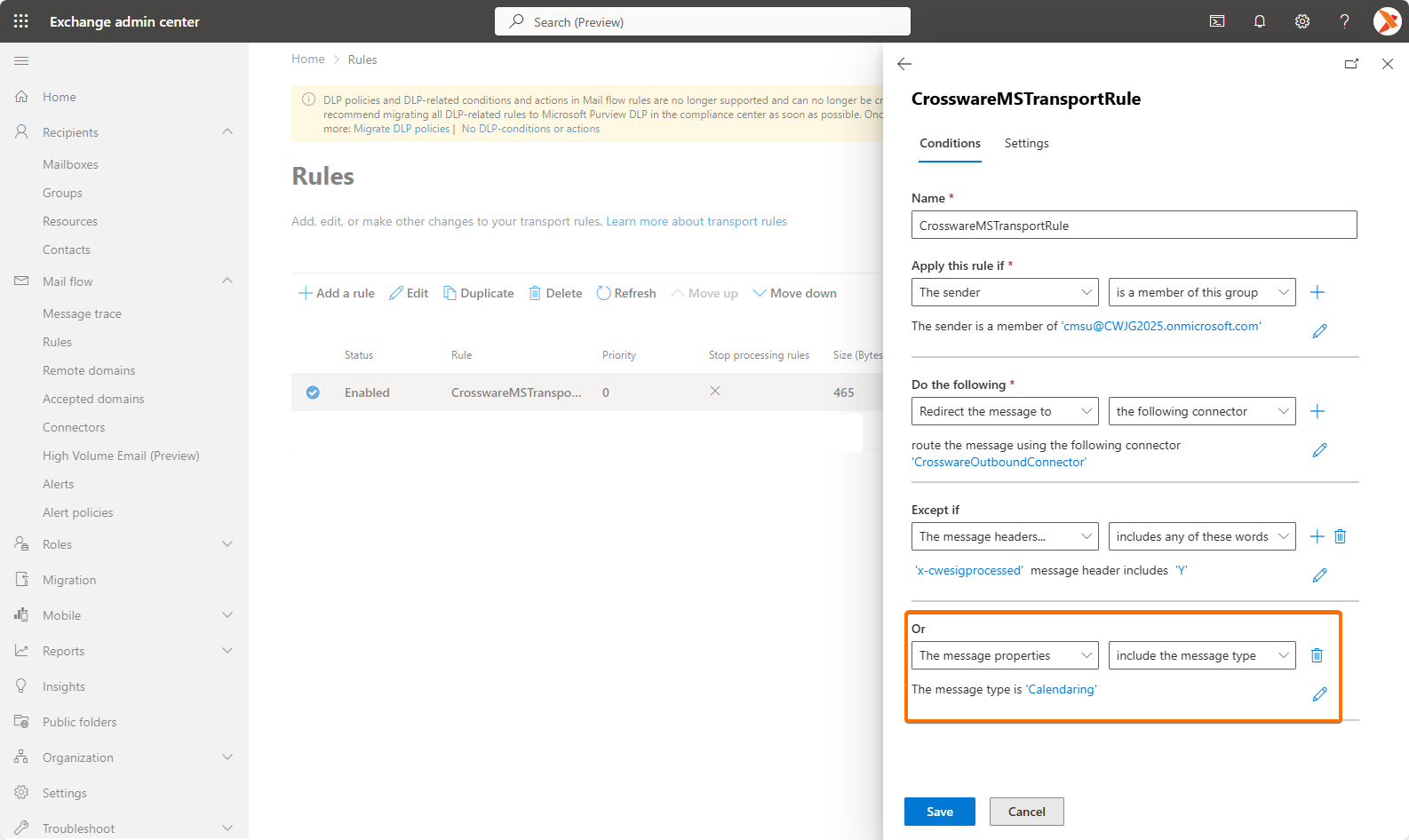
-
Save your changes.
Once this is set, signatures will no longer be applied to meeting requests or calendar-related messages.