
Crossware signatures are applied to most message types, including read receipts.
If you don't want signatures added to read receipt messages, you can create an exception in the Crossware Transport rule. This bypass ensures that read receipts are delivered without any signature.
How To Exclude Signatures for Read Receipts
-
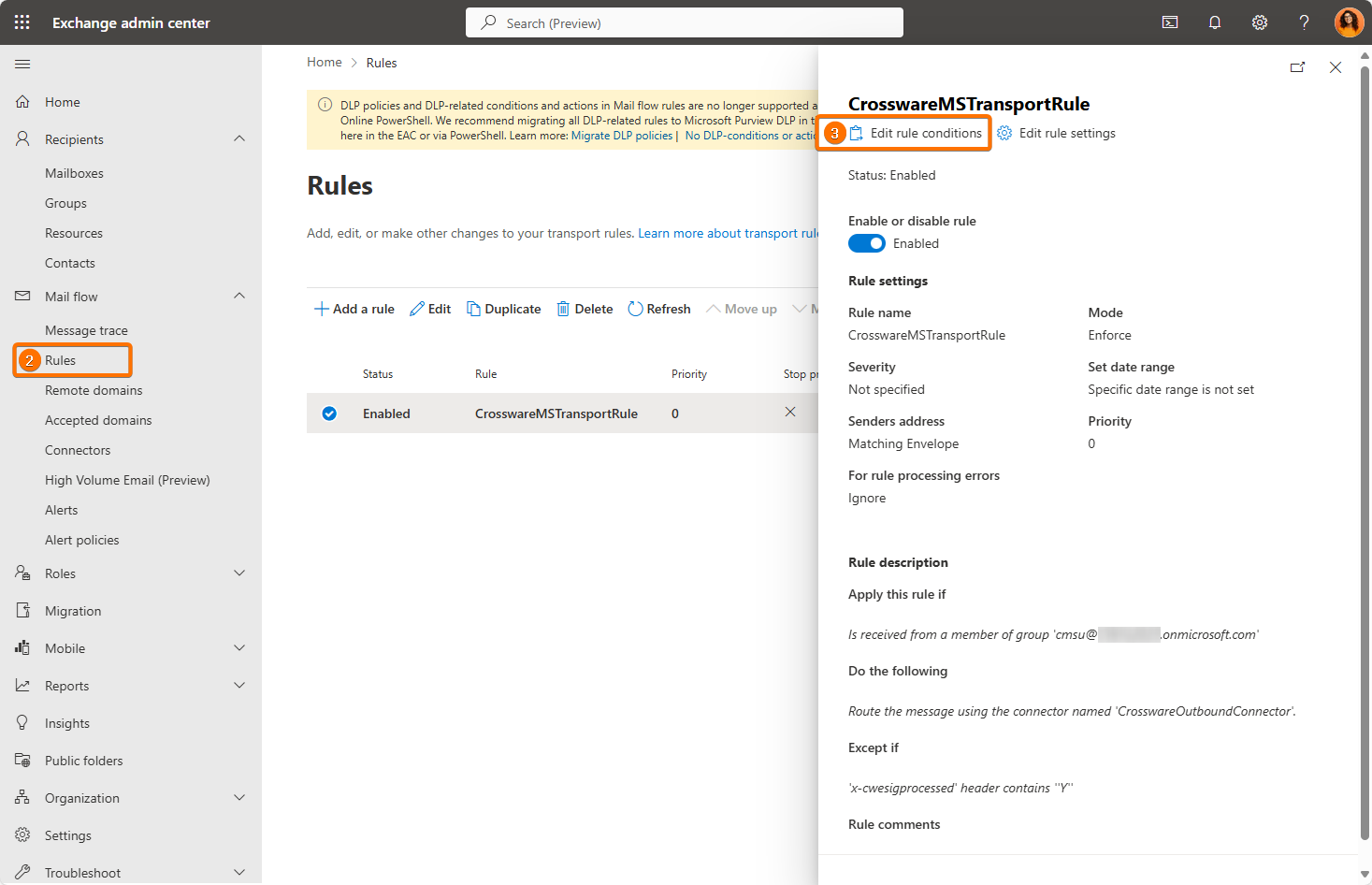
Sign in to your Exchange Admin Center.
-
Navigate to Mail flow > Rules.
-
Find the Crossware Transport rule. Click Edit for that rule.
-
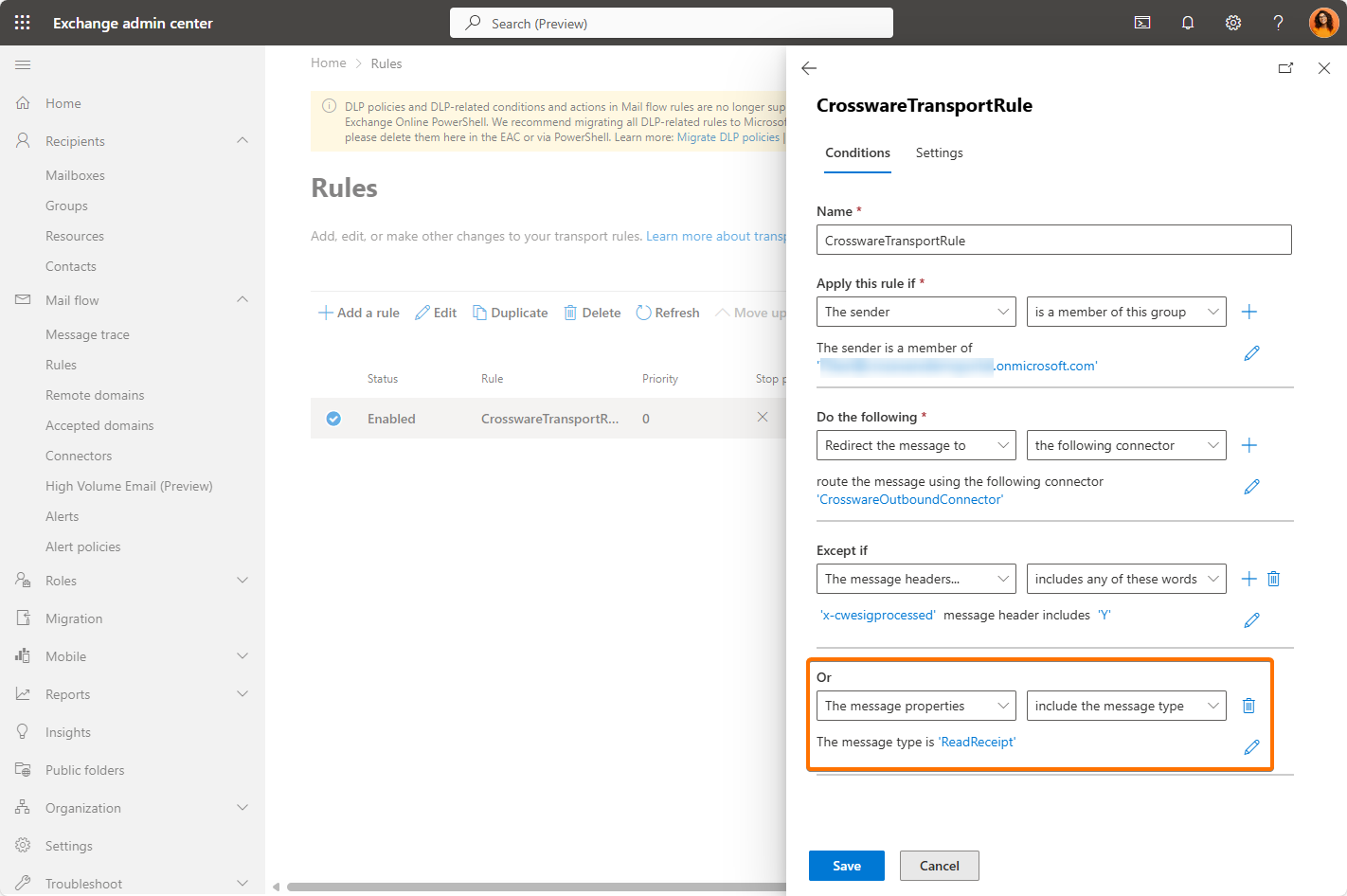
Scroll down to the Except If section of the rule.
-
Add a new exception:
-
From the dropdown, select: The message properties → include the message type.
-
For the Message Type, choose ReadReceipt.
-
-
Save the changes to the rule.