
Problem
When using Outlook, you may find that:
-
Message recall does not successfully remove the original message from the recipient’s inbox.
-
Voting buttons (such as Approve/Reject or Yes/No) are missing or do not work.
Cause
Outlook relies on a unique property called SearchKey to track messages. When your email passes through a connector (for example, during server-side signature processing), this property can change.
-
If it changes, Outlook cannot match the original message, so recall fails.
-
Voting buttons can also be affected because they depend on this property being preserved.
Solutions
You have two options to fix this issue:
Option 1: Create Remote Domains (Recommended)
By setting up Remote Domains in Exchange, you can keep the SearchKey property intact, allowing message recall and voting buttons to continue working.
Steps:
-
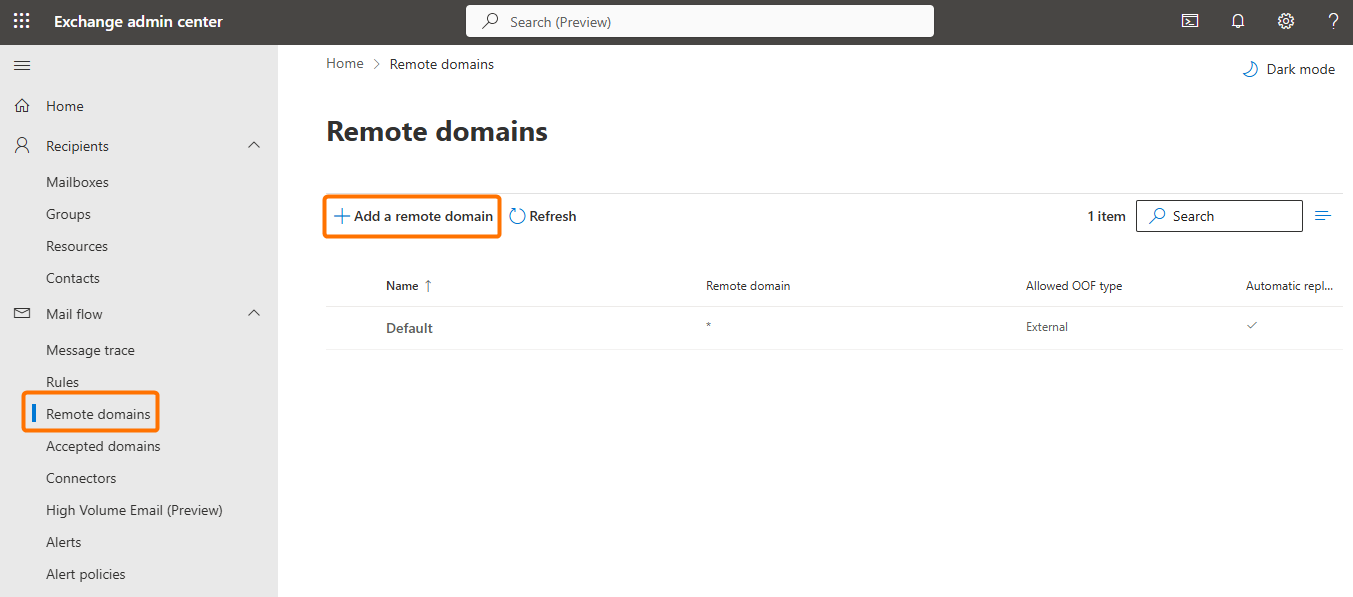
In the Exchange Admin Center, go to Mail flow > Remote domains.
-
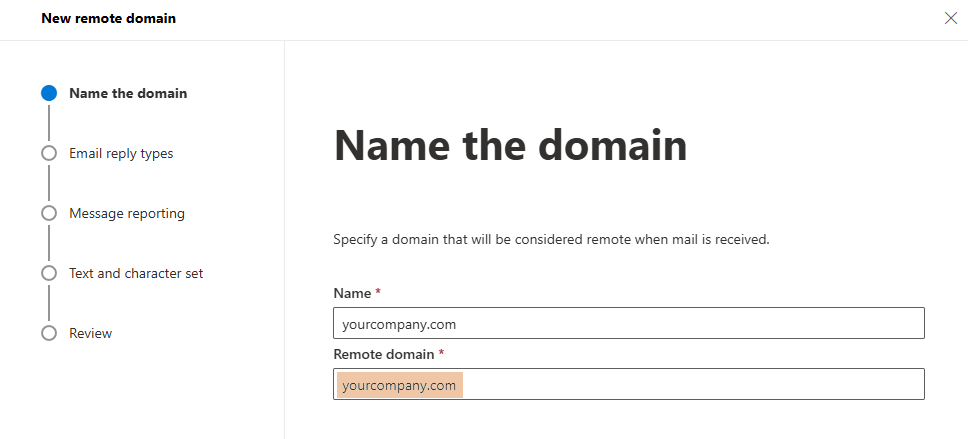
Add a new remote domain for each of your internal domains (for example:
yourcompany.com).
-
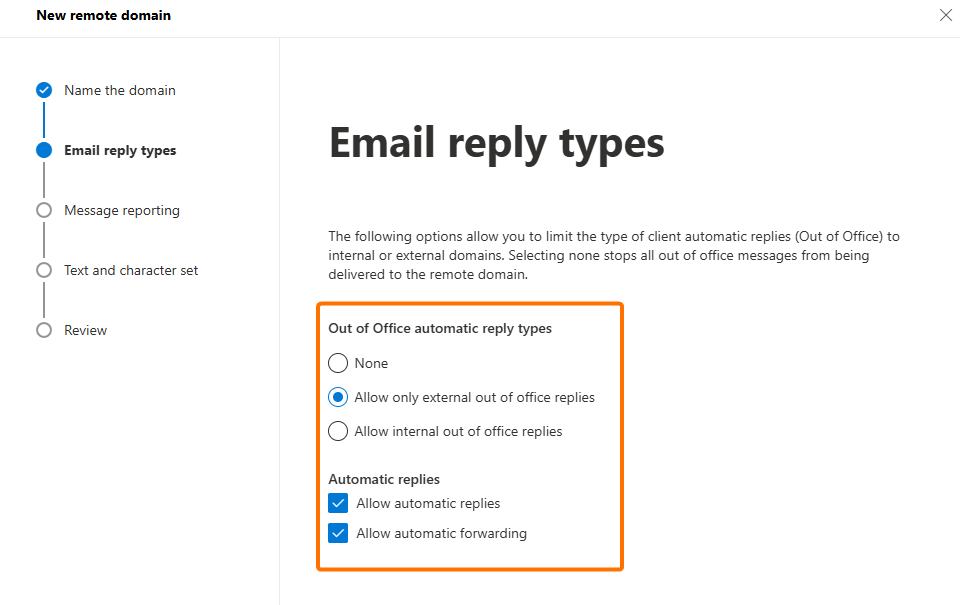
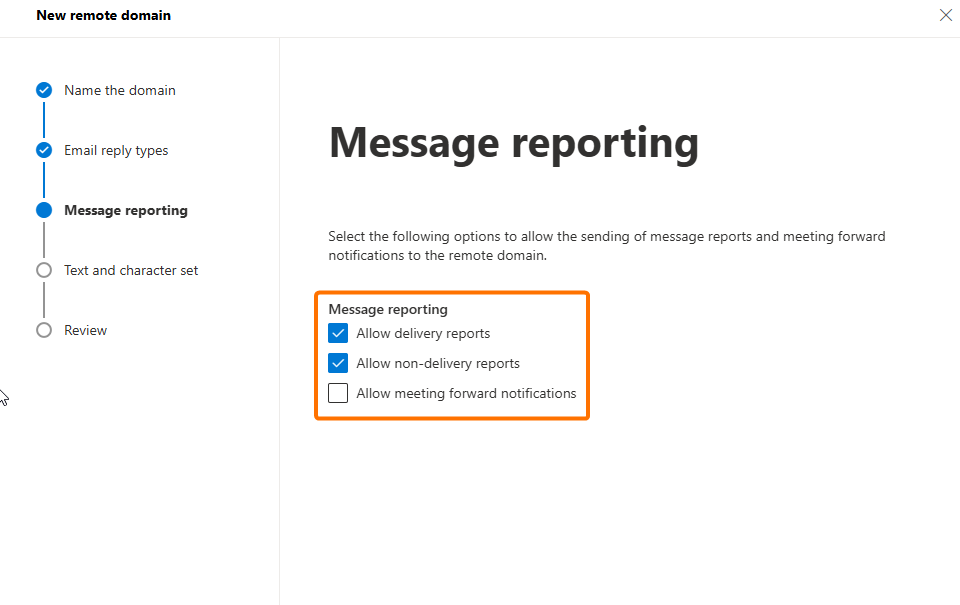
Apply the following settings:
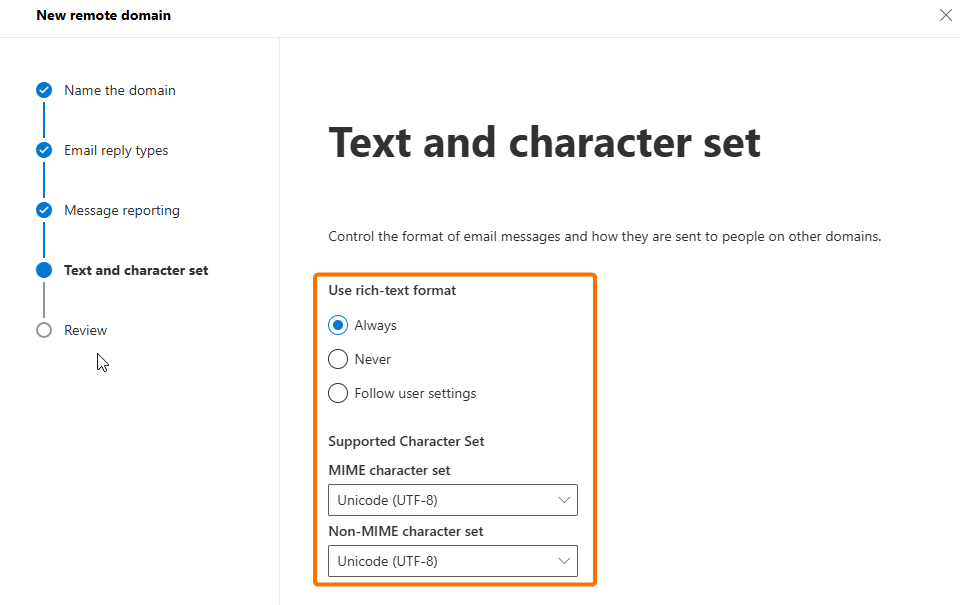
-
Save your changes.
-
Repeat this process for all of your internal domains.
Option 2: Use Client-Side Signatures
If setting up Remote Domains is not possible, you can switch to Dynamic Signatures (client-side signatures).
-
These are applied directly in Outlook before the email is sent.
-
Because the message is not changed in transit, the SearchKey remains intact.
-
This ensures that recall and voting buttons continue to work as expected.