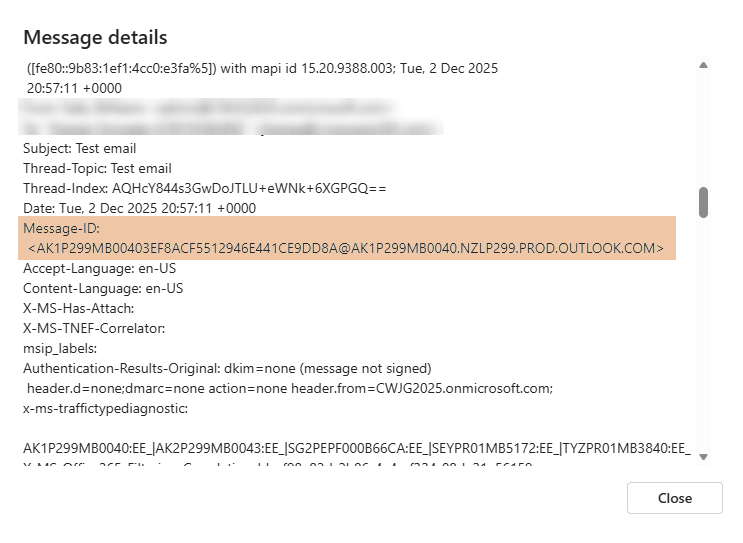
The Message-ID is a unique identifier assigned to every email. Support may request this ID when investigating delivery issues, NDRs, or problems with email content or signatures.
Retrieve the Message-ID via the Exchange Admin Centre
-
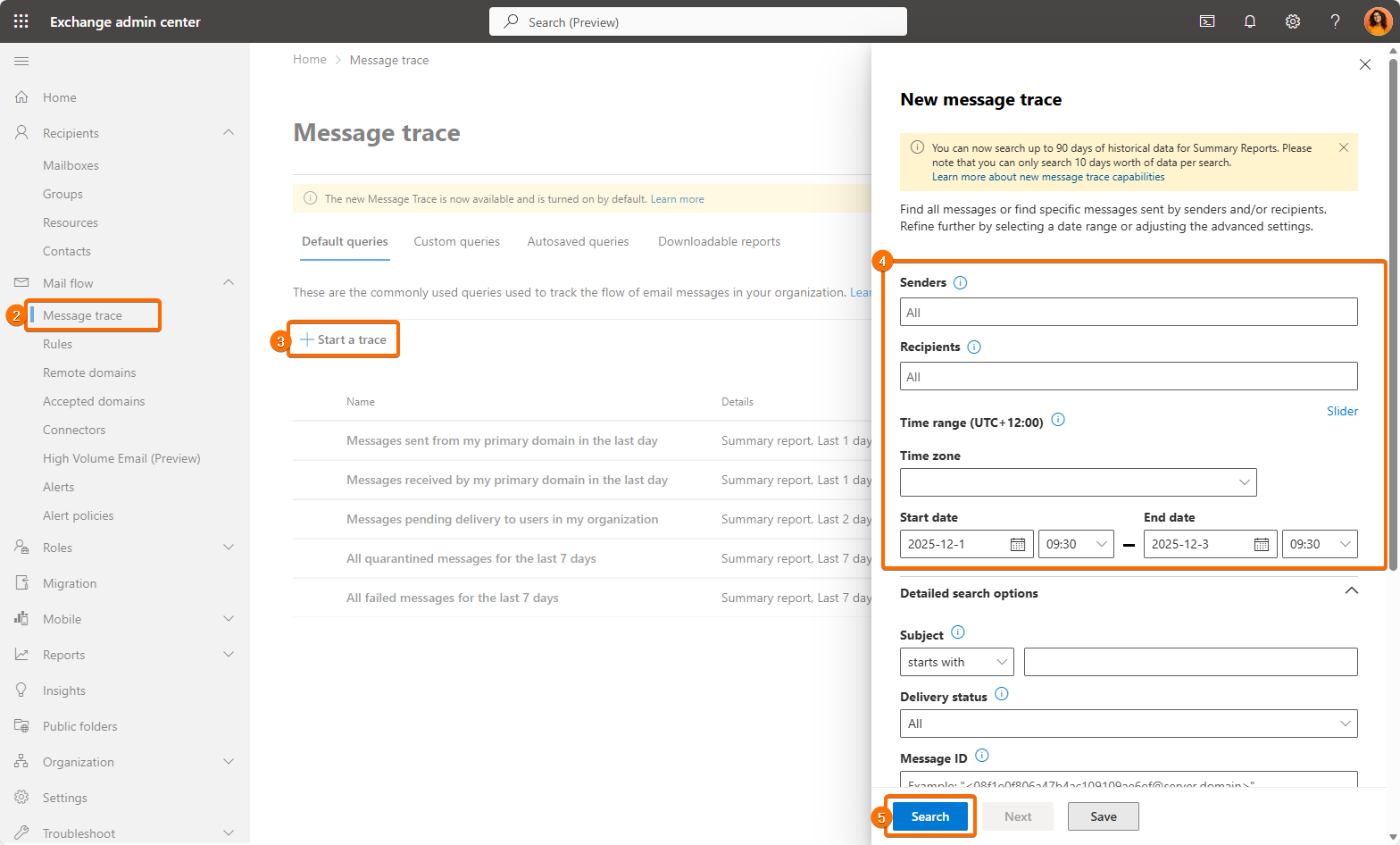
Sign in to the Exchange Admin Center.
-
Go to Mail flow > Message trace.
-
Select Start a trace.
-
Enter your search criteria (such as sender, recipient, date range, or subject).
-
Click Search.
-
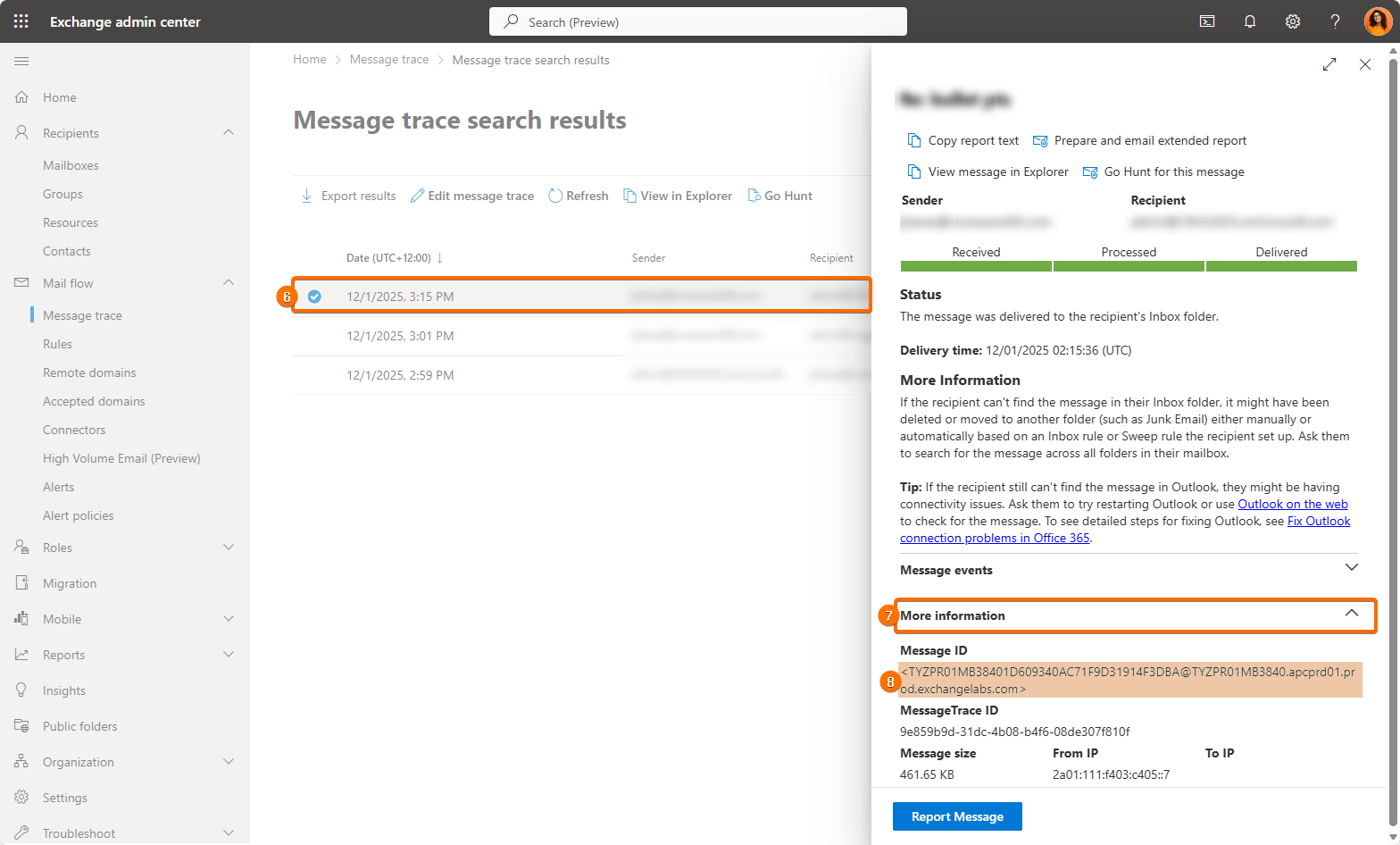
From the results list, click the email you want to inspect.
-
In the details panel that opens on the right, expand More information.
-
The Message ID field will be displayed - copy this value and provide it to support.
Retrieve the Message-ID from Email Headers (for end users)
If you received the email yourself, you may also view the Message-ID in the message headers:
Outlook (Desktop)
-
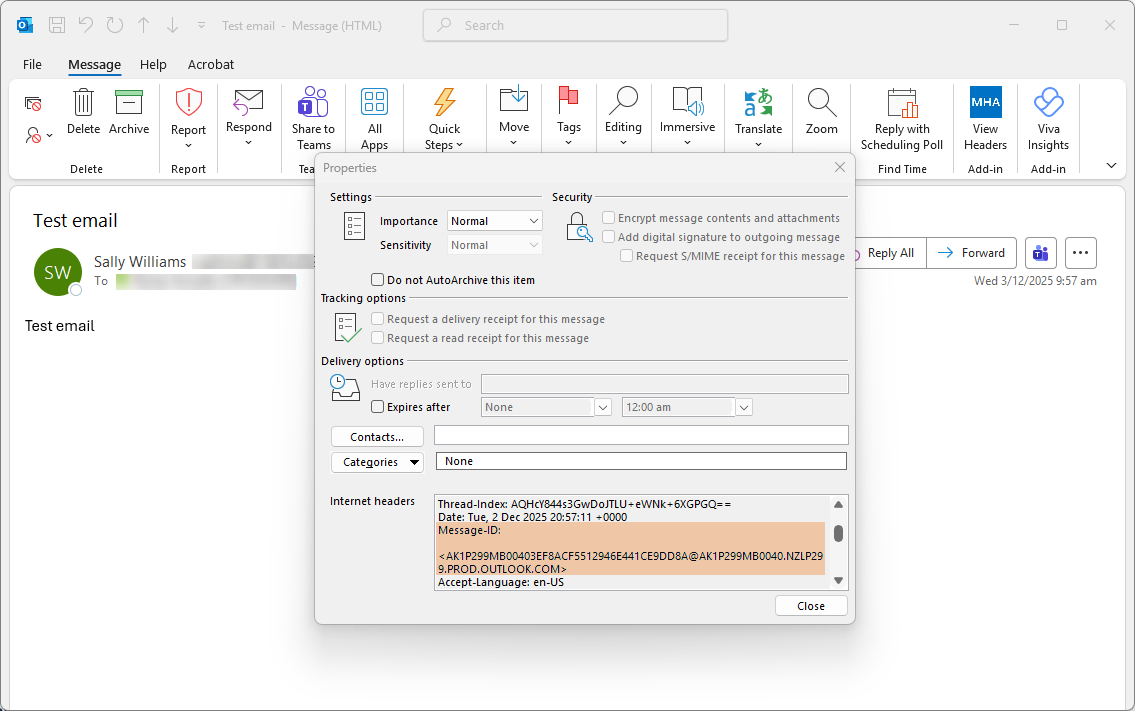
Open the email in a new window.
-
Select File > Properties.
-
In the Internet headers section, locate the line starting with
Message-ID:.
Outlook on the Web
-
Open the email.
-
Select More actions (…) > View > View message details.
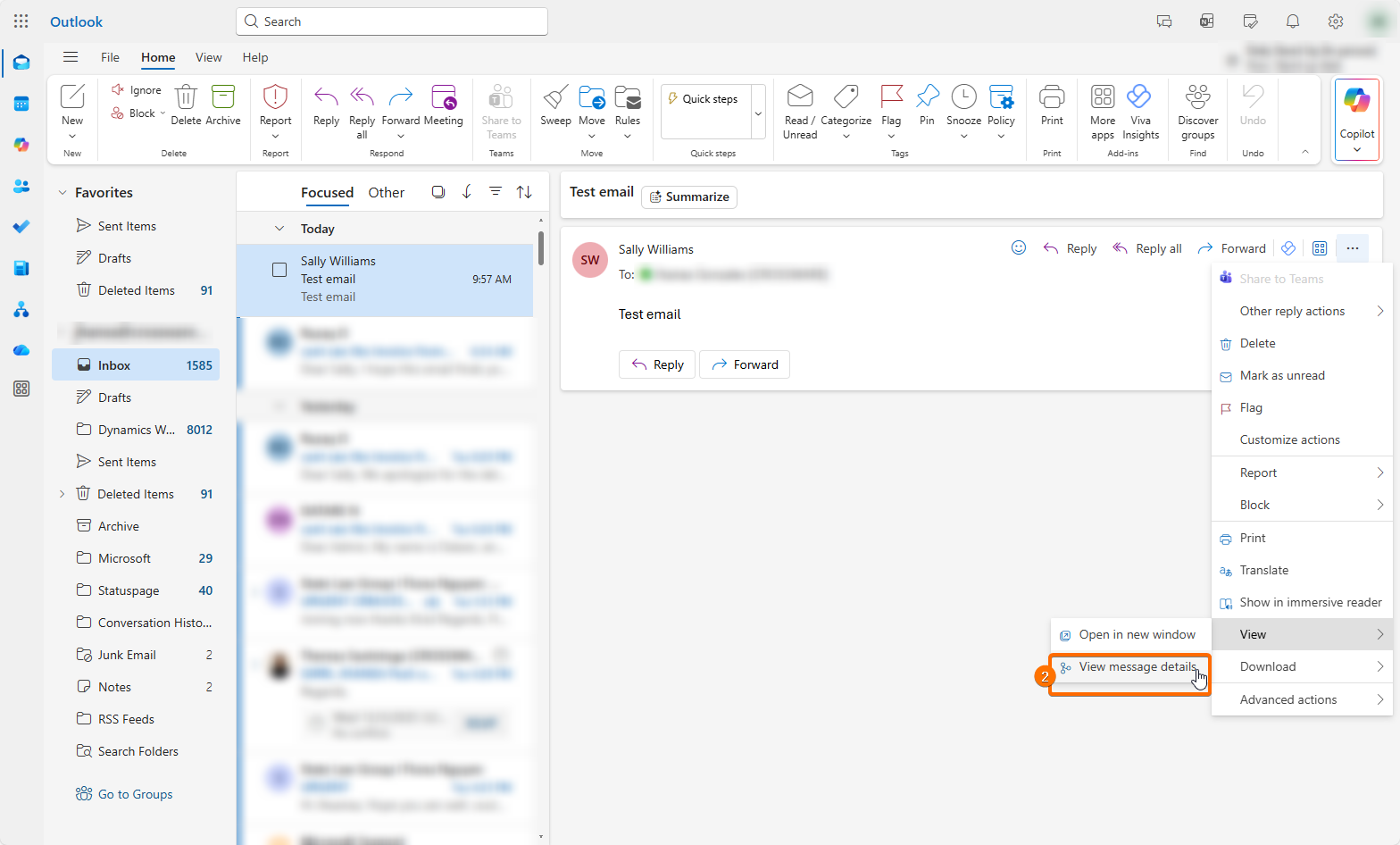
-
Search the header text for
Message-ID:.