
Formula Fields in Crossware allow you to enhance Active Directory (AD) lookups by writing C# scripts to manipulate and return data dynamically. This helps create cleaner, more flexible email signatures avoiding blank fields when user information is missing in the directory.
What Formula Fields Can Do
Formula fields provide flexibility beyond standard AD lookups. For example, you can use them to:
-
Add conditions – e.g. only show a label if the user's AD field contains data.
-
Format values – adjust how phone numbers, job titles, or names appear in the signature.
-
Combine fields – merge values from multiple AD properties into a single output (e.g. First Name + Last Name).
-
Insert default text – display a fallback value when an AD field is empty.
-
Apply logic – create dynamic content. For example, you could display different images based on the user's department.
This makes formula fields especially useful for keeping signatures professional and consistent without requiring every AD field to be perfectly maintained.
Creating a Formula Field
-
Sign in to the Crossware Portal and go to Fields.
-
Click the Formula tab and Select Create formula field.
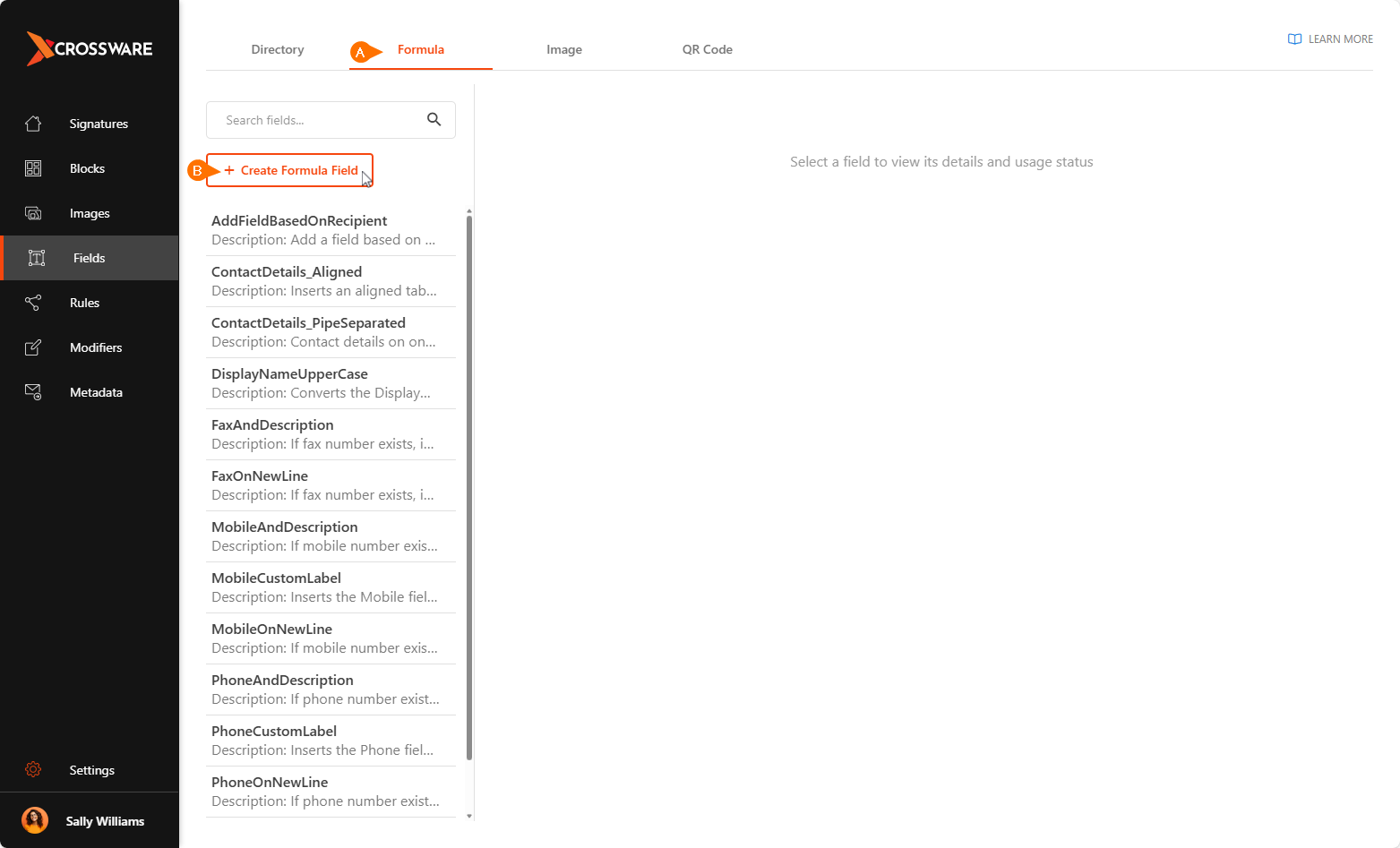
Field Configuration
Field Name
Assign a unique name to the field. This name will appear in the list of available fields when building signatures or signature blocks.
Formula (C#)
Write your logic in the Formula box. The script will:
-
Execute at runtime.
-
Parse directory values the same way as fields in the signature body.
-
Return a string that’s inserted into your signature.
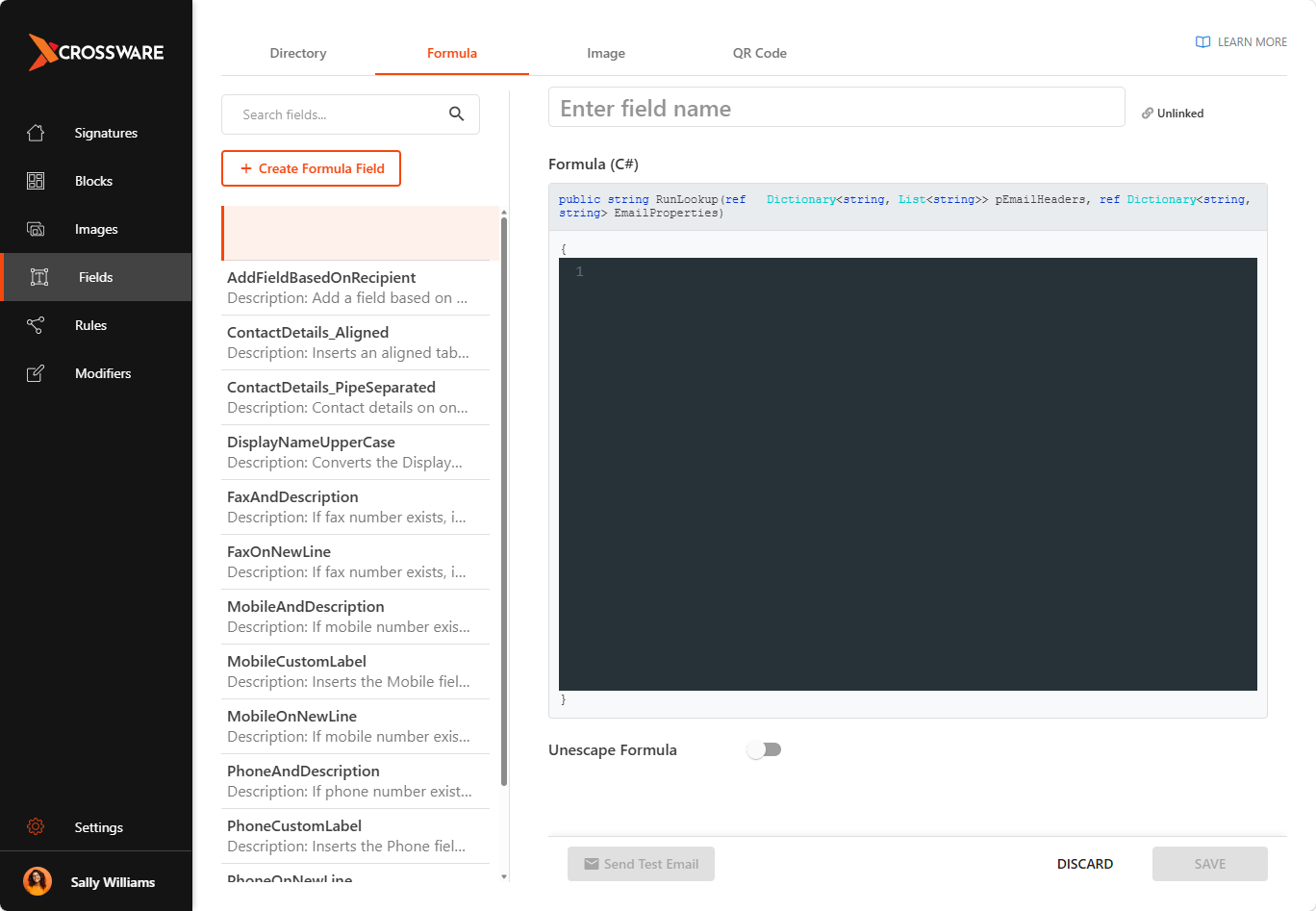
Example: Mobile and Description Field
Scenario:
You want to display a user's mobile number in the email signature. If the mobile number is missing in the directory, you don’t want to leave an empty space.
Solution:
Create a formula field named MobileAndDescription that:
-
Checks if the
(!mobile!)field exists. -
If it does, outputs Mobile: [number].
-
If it doesn’t, outputs nothing (removing blank space).
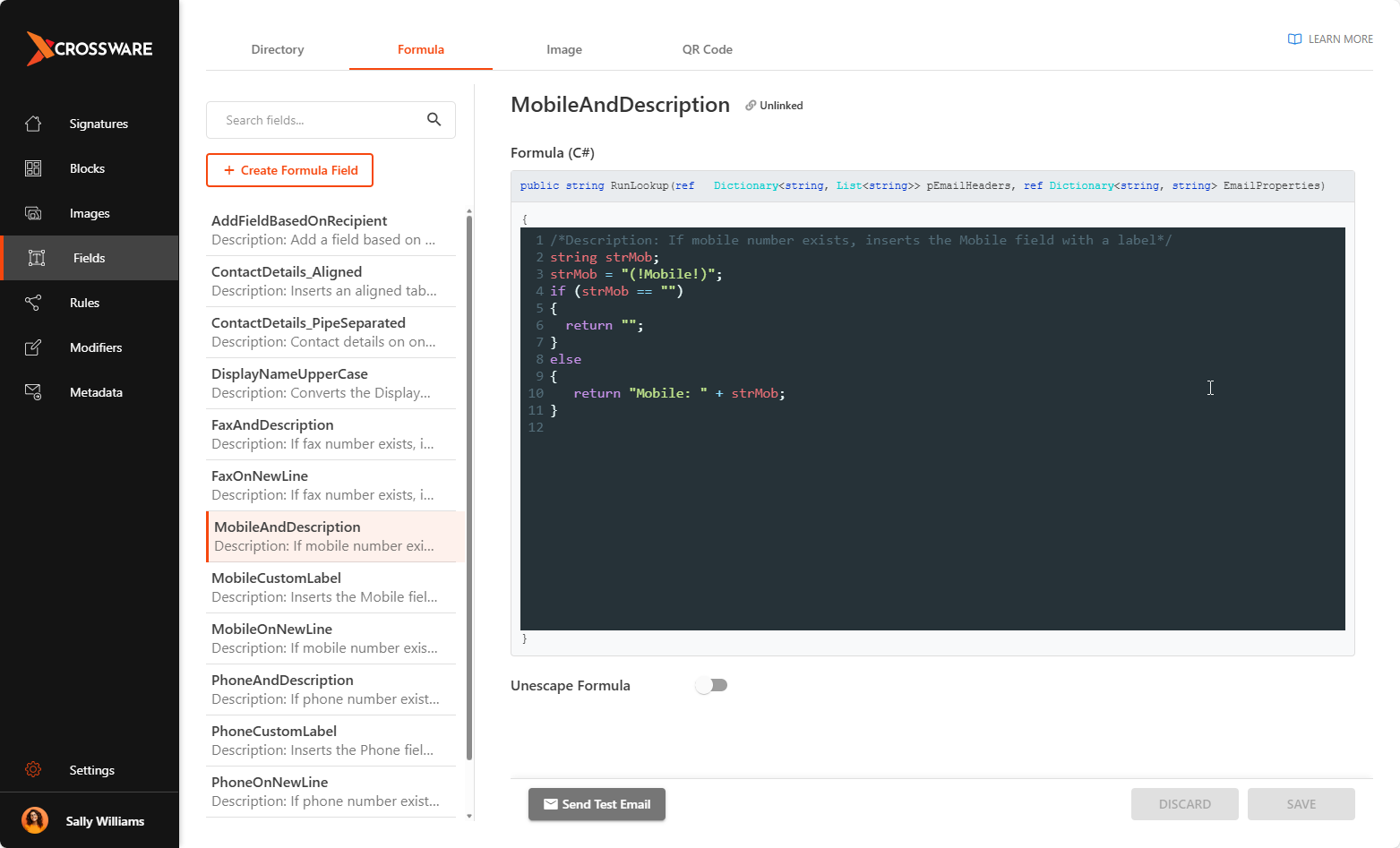
This approach ensures signatures remain clean and consistent, even with incomplete directory data.
Use of Formula field