
QR codes (Quick Response codes) are scannable codes that mobile devices and other QR code readers can scan to link to information pages. Adding QR codes to your email signature allows recipients to scan the code and access extra information, such as websites, vCards, event details, or promotional content.
Generate a QR Code
-
Log in to the Crossware Portal.
-
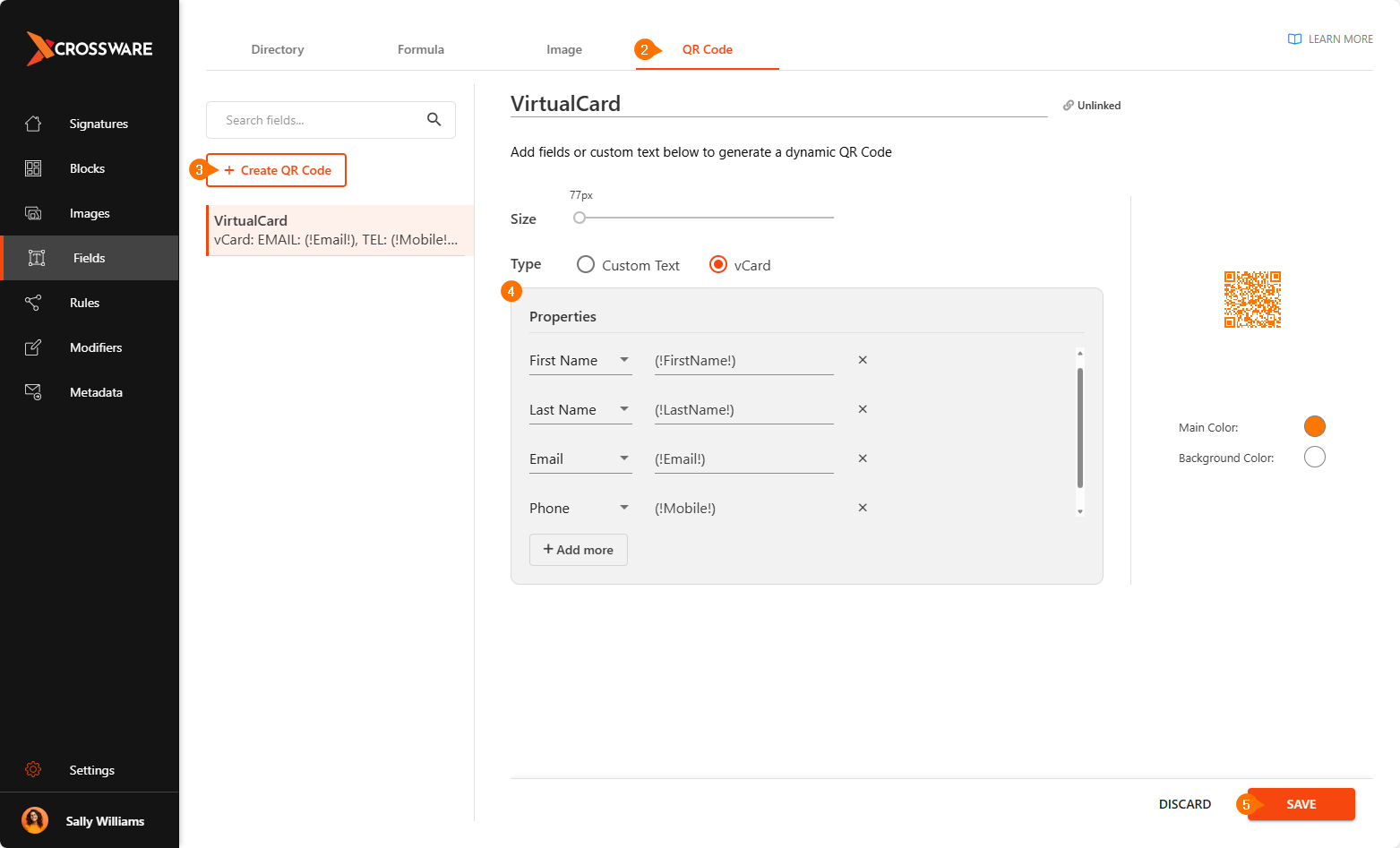
In the left-hand menu, select Fields and then click on the QR Code tab.
-
Click Create QR Code.
-
Enter the required details for your QR code.
-
Click Save.
Add QR Code to Signature
-
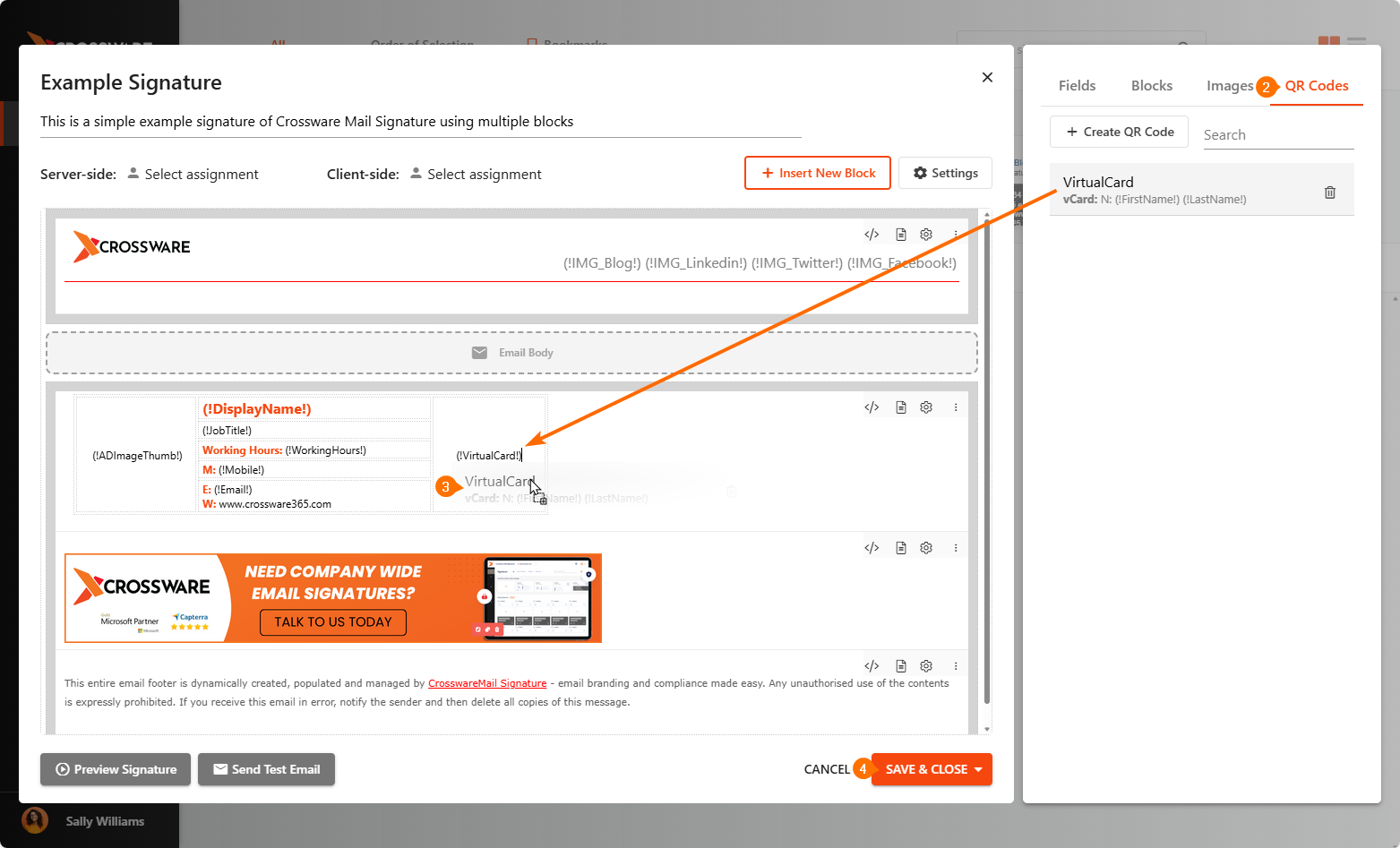
Open the signature you want to edit.
-
Go to QR Codes in the right panel.
-
Drag and drop the QR code into the layout.
-
Click Save & Close.
Output:
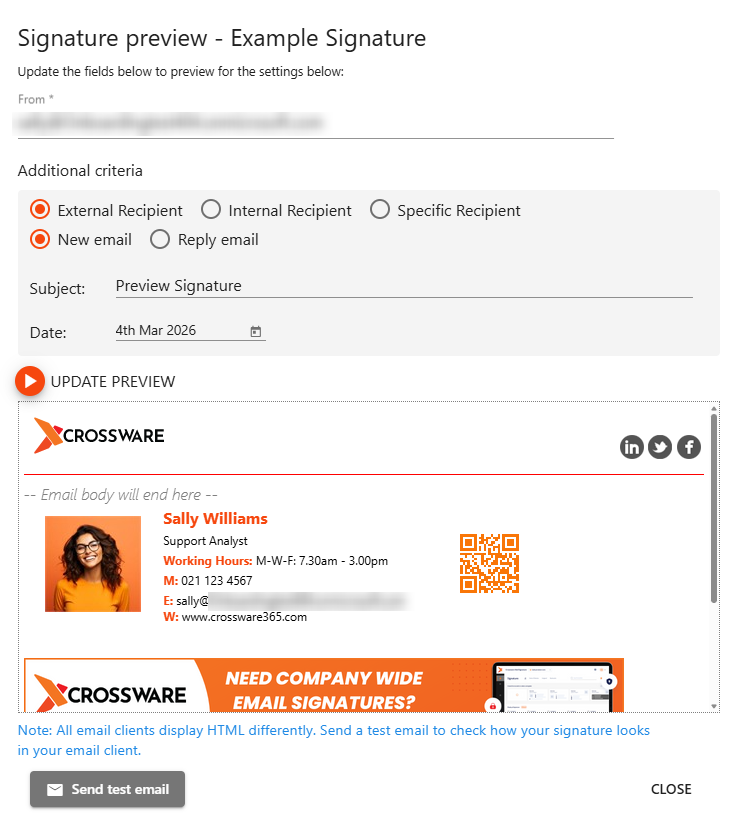
Your QR code will now appear in outgoing emails according to your signature design