
Metadata documents extend the functionality of Crossware Email Signature by defining rules that detect forwarded/reply to emails and specifying internal domains.
Types of Metadata Documents
-
HTML Forward/Reply Strings
Detects specific markers in HTML emails that indicate a forward or reply. -
Plain Text Forward/Reply Strings
Detects forward/reply to markers in plain text emails. -
Other Internal Domains
Allows you to specify additional internal domains (e.g.,crossware365.com).-
These domains are used to determine whether an email is internal or external.
-
Signature blocks and rules can be configured as Internal Only or External Only, based on this setting.
-
Forward/Reply Strings
Forward/reply strings are used to identify when an email is a forwarded message or a reply. You can add strings for either HTML or Plain Text emails.
To Add Forward/Reply Strings:
-
Sign in to the Crossware Portal and navigate to the Metadata section.
-
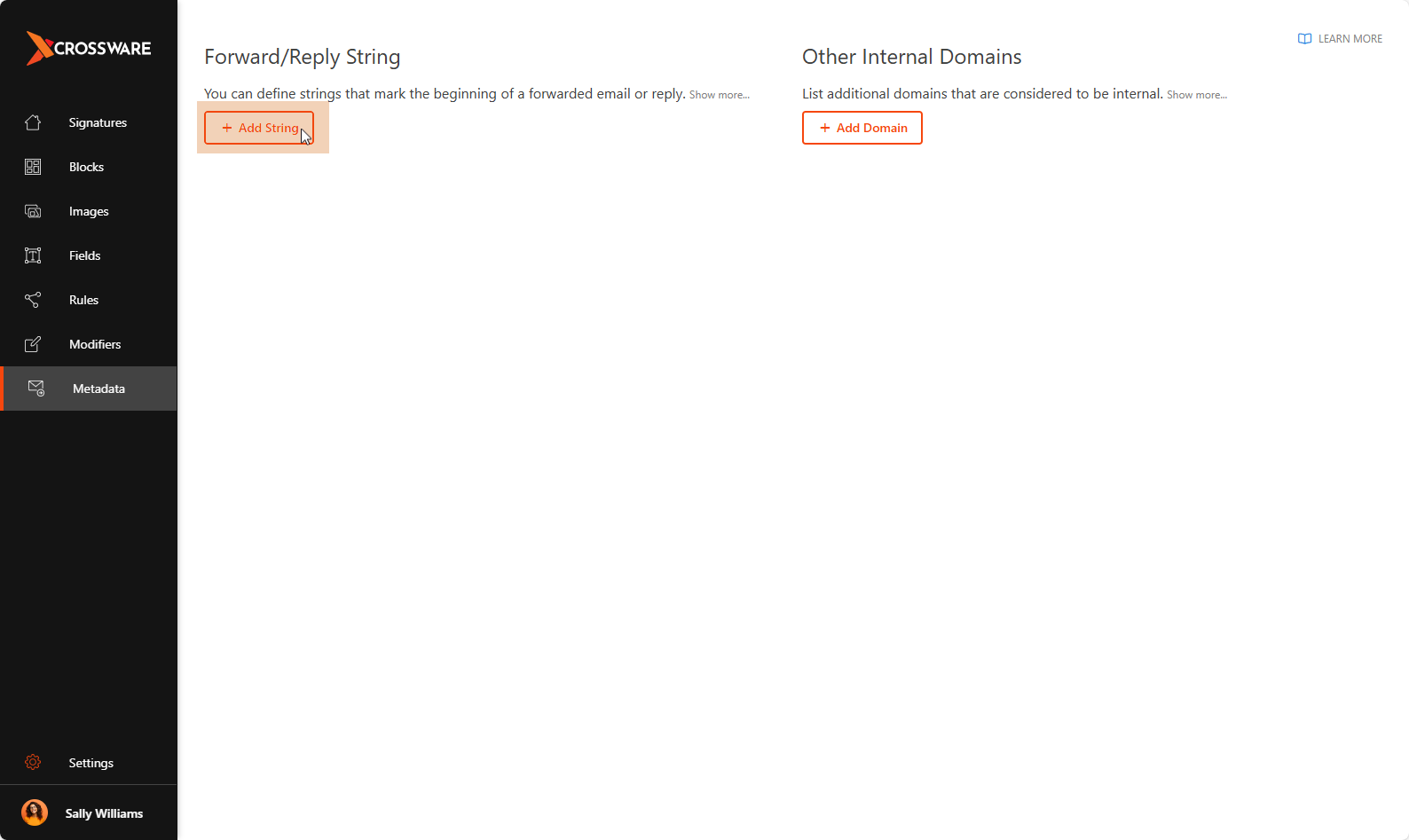
Click Add String.
-
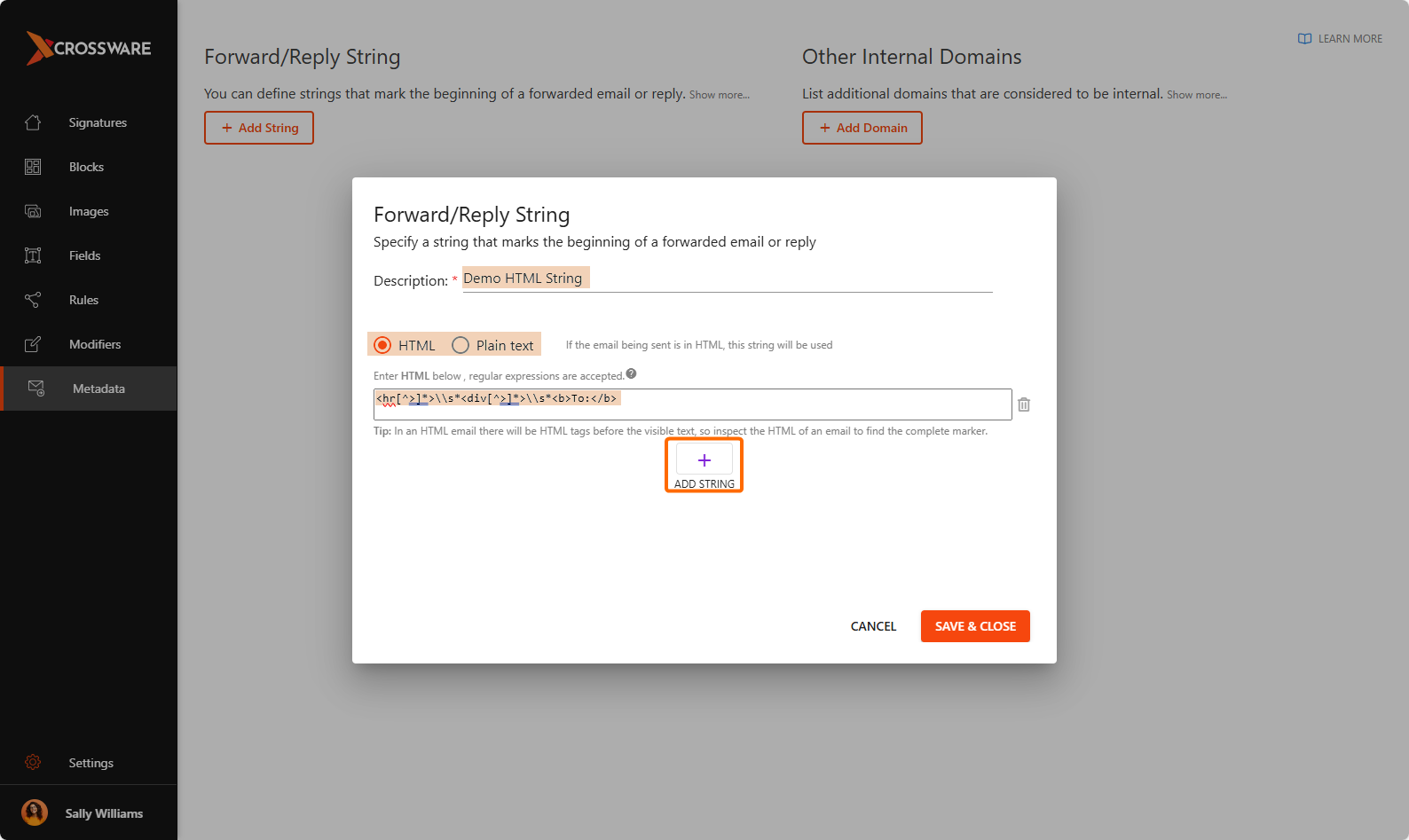
Provide a description, select HTML or Plain Text, enter the forward/reply strings, and click Add String to include more if needed.
-
Click Save & Close to confirm your changes.
Other Internal Domains
Additional internal domains help determine whether emails are considered internal or external.
To Add Internal Domains:
-
Go to Metadata.
-
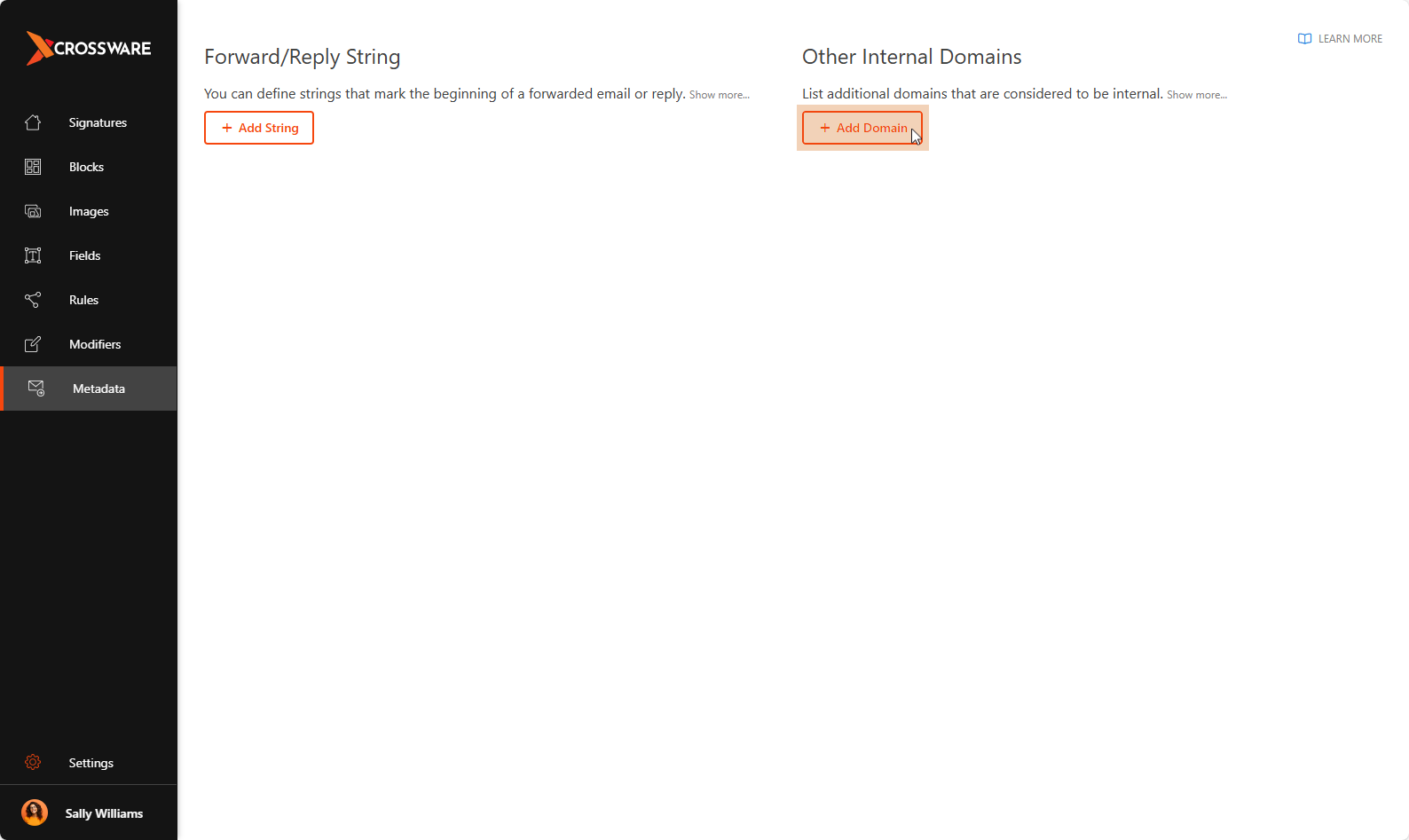
Click Add Domain.
-
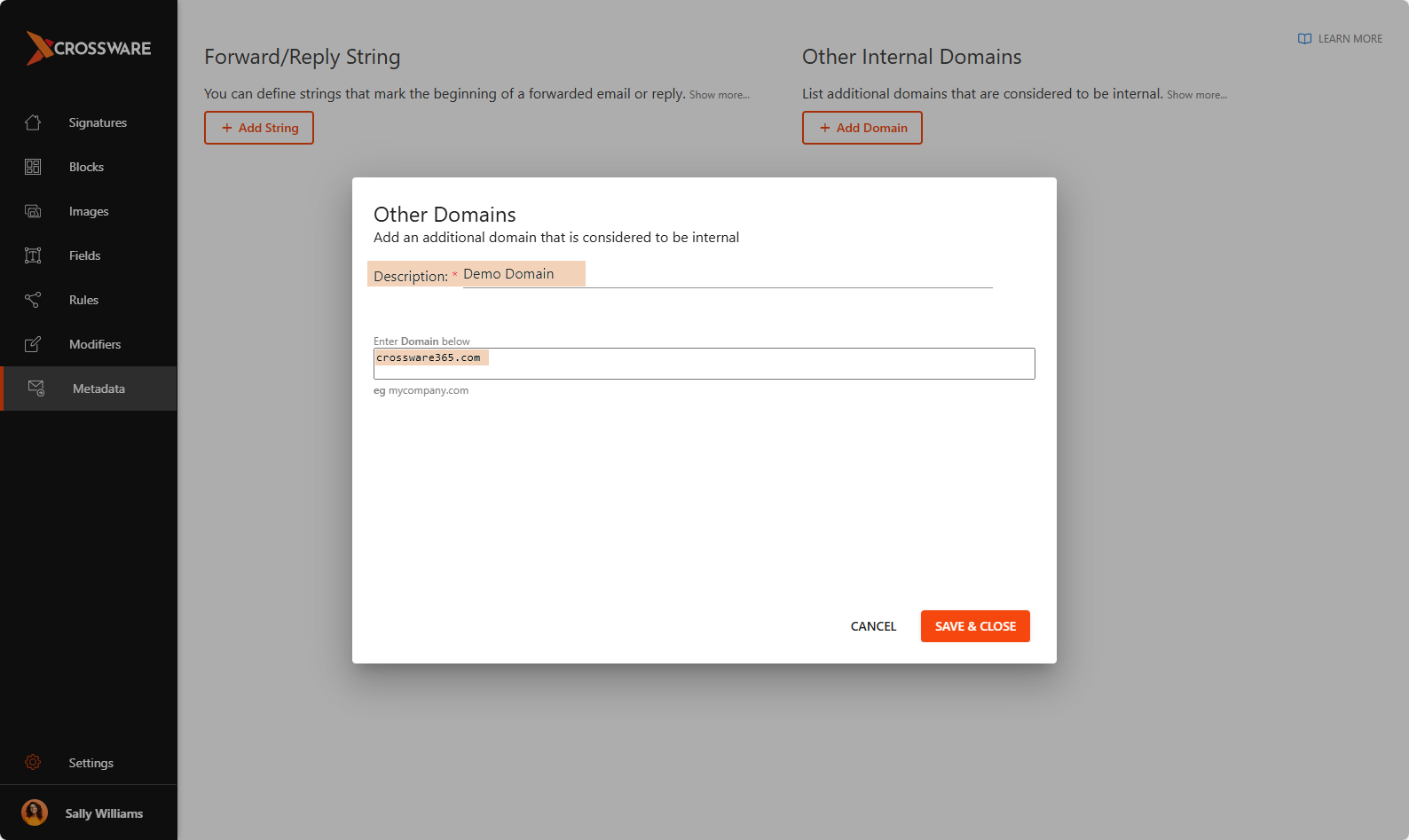
Provide a description, enter the domain name (e.g.,
crossware365.com).
-
Click Save & Close to save your changes.