
Crossware provides built-in formula lookups that help you control how fields are displayed in your signatures. These are particularly useful when some user details are missing, as they prevent unnecessary blank spaces.
Available lookups include:
-
PhoneOnNewLine
-
MobileOnNewLine
-
FaxOnNewLine
Why Use These Lookups?
If a user does not have certain details (such as a phone number), a normal field lookup may leave a visible blank line. By using the OnNewLine versions, the line is only added when the field has data. This ensures your signatures stay clean and professional.
How It Works
-
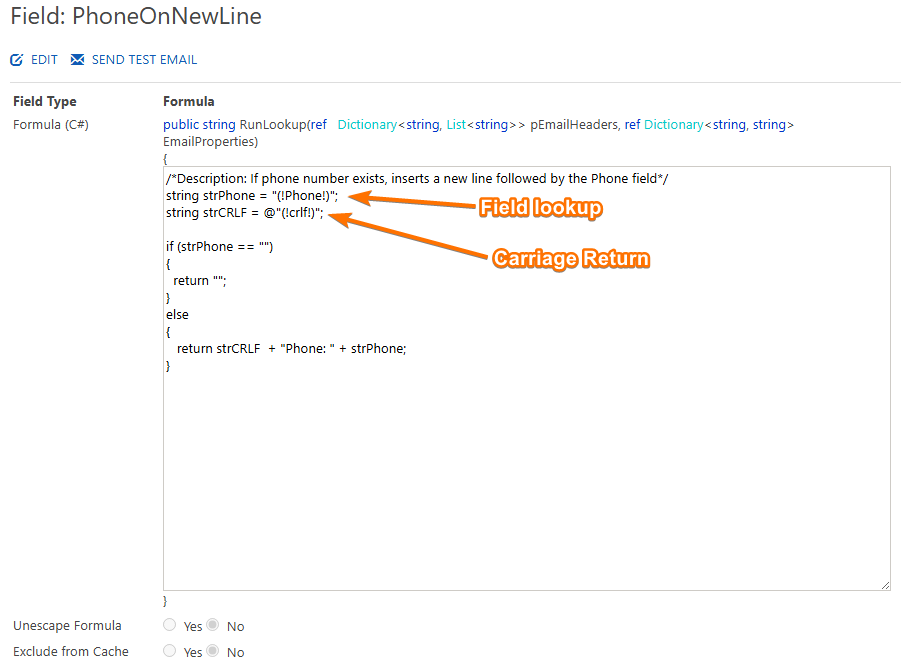
The lookup (for example, PhoneOnNewLine) checks the directory (Azure AD or Active Directory) for the user’s phone number.
-
If the number exists, it is displayed and followed by a carriage return (new line).
-
If the number does not exist, nothing is displayed and no extra line is added.
-
Lookup:
(!Phone!)→ Retrieves the phone number. -
New line:
crlf→ Adds a line break after the number.
Adding to a Signature
-
In the Right-hand section, click Fields.
-
Select the lookup you want to use (e.g. PhoneAndNewLine).
-
Drag and drop the field into your signature design.
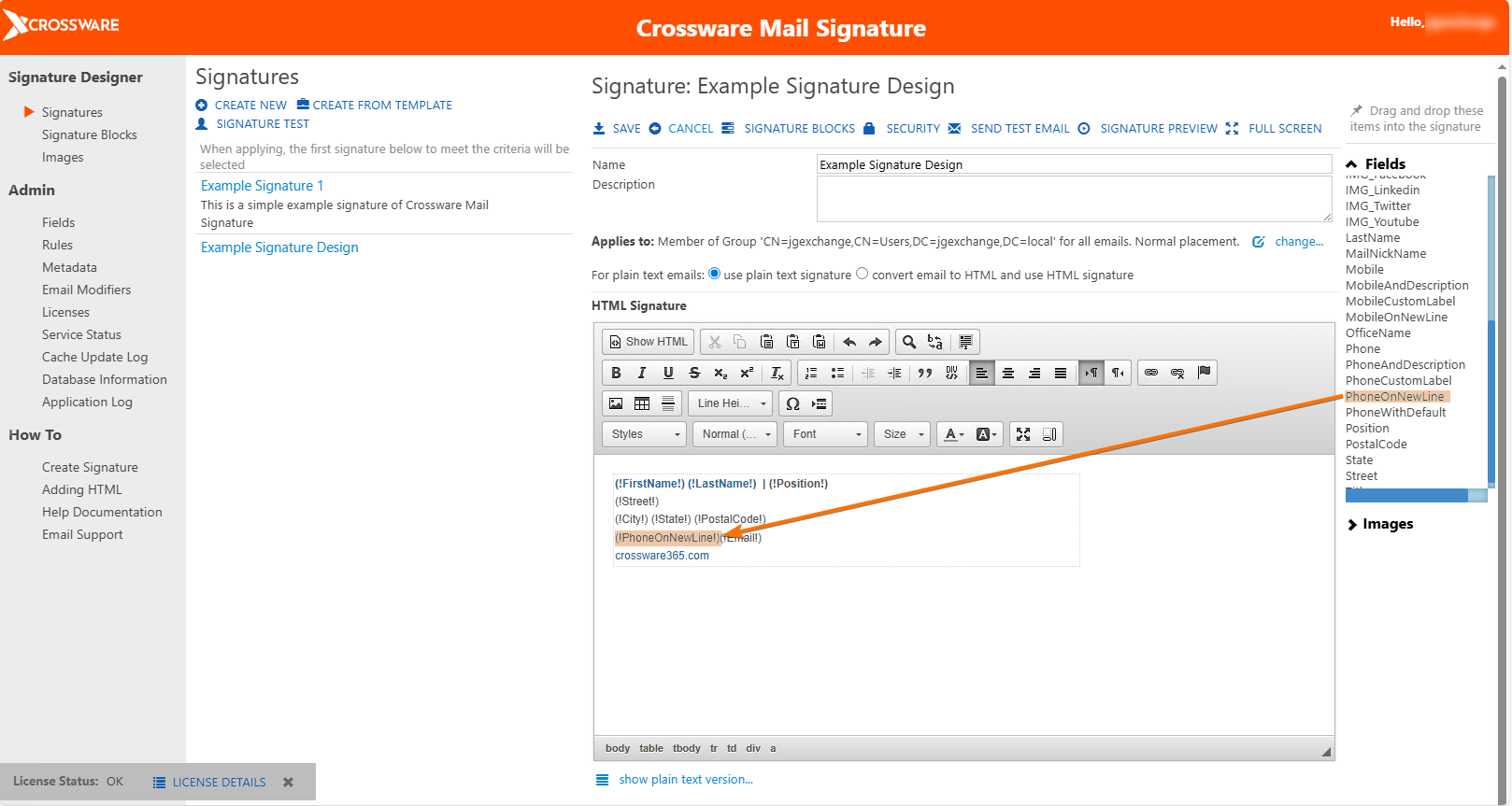
This ensures that:
-
If the user has a phone number, it is displayed followed by a new line.
-
If no number exists, the line is omitted automatically.