
Crossware includes built-in formula lookups that automatically add descriptive labels to user details in your email signatures. These lookups ensure that fields such as phone, fax, or mobile numbers appear neatly with a label, and if the underlying data is missing, the entire line is removed. This prevents unnecessary blank spaces and keeps your signature looking professional and consistent.
Available lookups include:
-
PhoneAndDescription
-
FaxAndDescription
-
MobileAndDescription
What Do These Lookups Do?
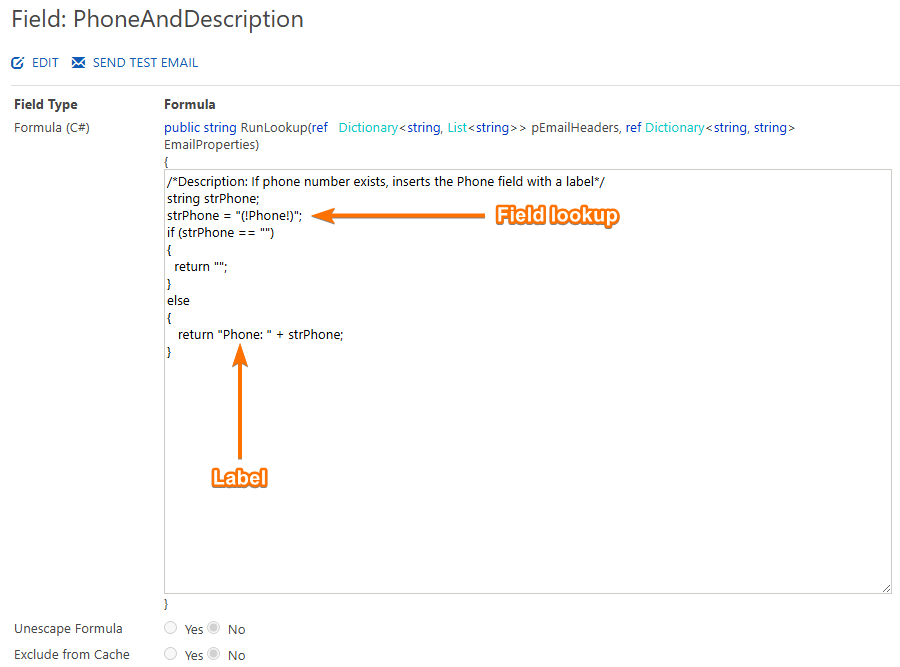
A lookup such as PhoneAndDescription combines a label with directory data.
For example:
Phone: +64 9 379 7041
-
Field Lookup –
(!Phone!)retrieves the phone number from WAAD. -
Description –
Phone:is the label displayed before the value.
If no phone number exists in WAAD, the lookup is excluded from the signature automatically.
You can customise the description by editing the field. For instance, change Phone: to Telephone:.
Adding Lookups to Your Signature
To use these fields in your design:
-
In the Right-hand section, click Fields.
-
Select the lookup you want to use (e.g. PhoneAndDescription).
-
Drag and drop the field into your signature design.
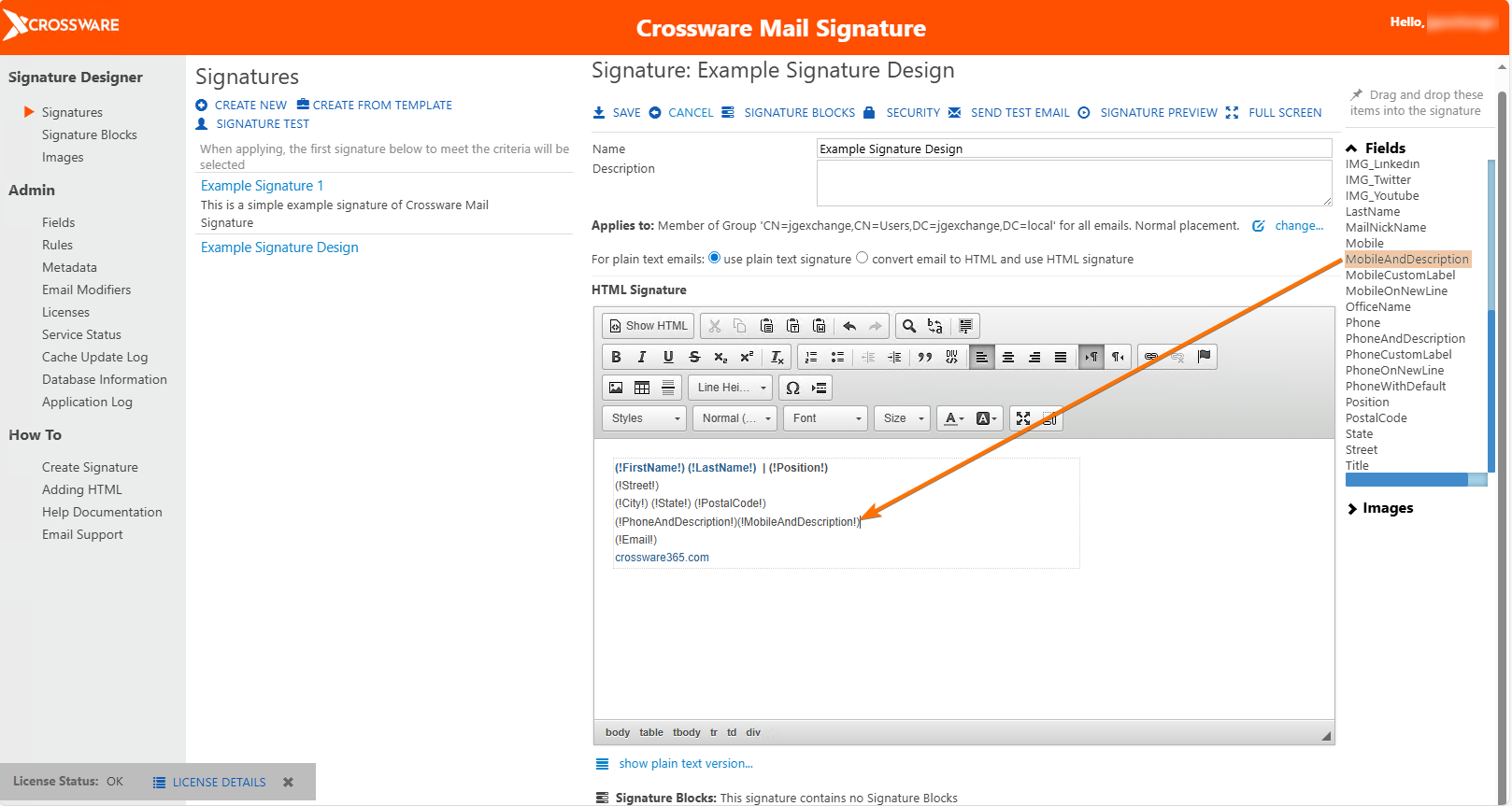
Examples:
-
On the same line:
(!PhoneAndDescription!) (!MobileAndDescription!) -
On separate lines for a clearer layout.
When delivered, these fields will display the configured descriptions and user data.