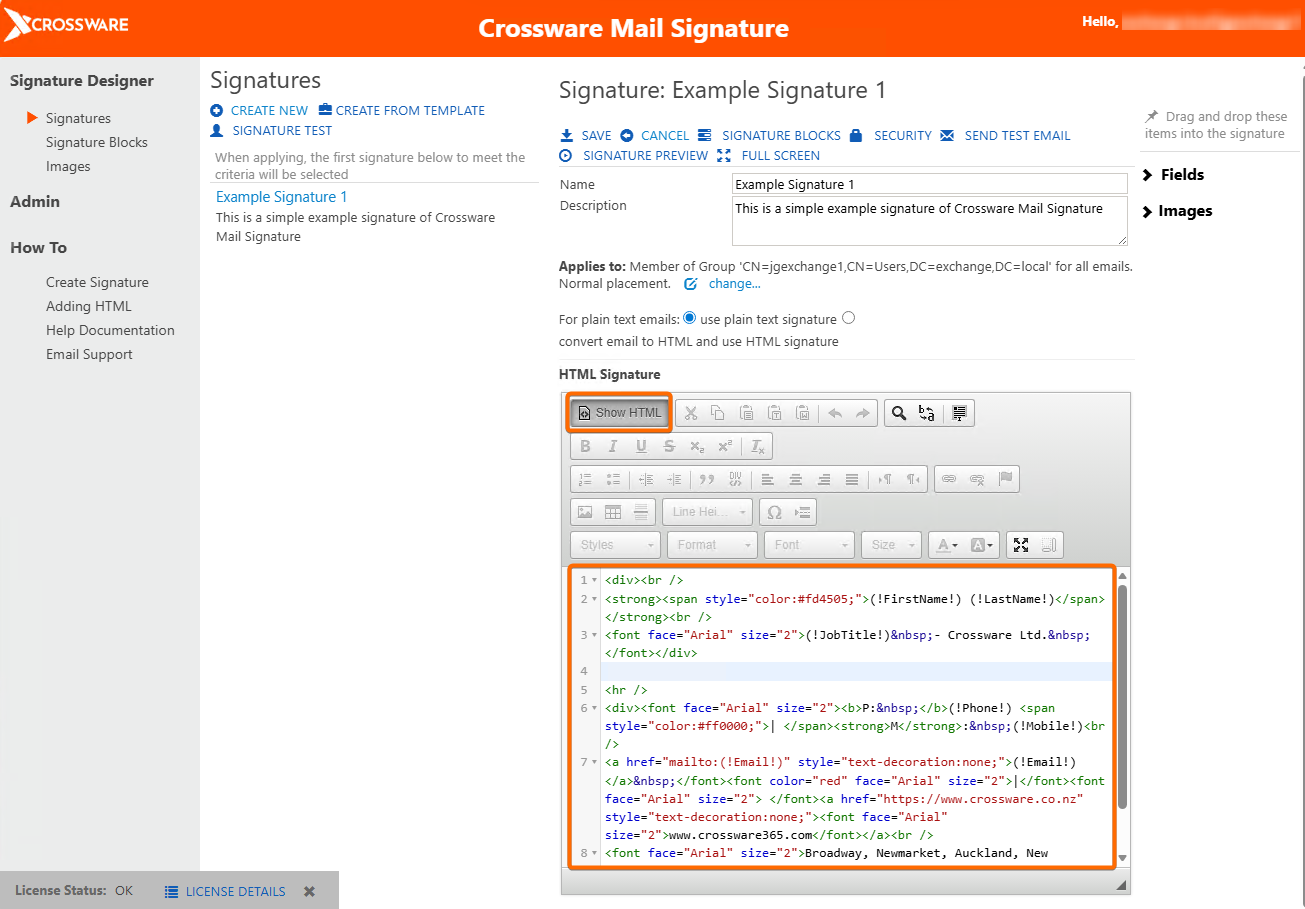
You can easily add your own HTML code into Crossware Signature Designer. This can be done for both new and existing signatures.
Steps
-
In Signature Designer, select your chosen signature and click Edit, or click Create New to start a new one.
-
Under HTML Signature, click Show HTML.
-
Paste your HTML code into the HTML editor window.
To include dynamic user details from Active Directory, replace any static information in your HTML (e.g., name, phone number) with Crossware fields such as (!FirstName!) or (!Phone!).
-
Click Show HTML again to return to the visual editor view.
-
Click Save to apply your changes.