
This guide explains how to configure Crossware Email Signature so that a signature appears only in new email messages and not in replies or later messages in the thread.
Steps
-
In the left side menu Under Signature Designer, click Signatures or Signature Blocks (whichever you want to configure).
-
Select the specific signature (or block) you want to control, and Click Edit.
-
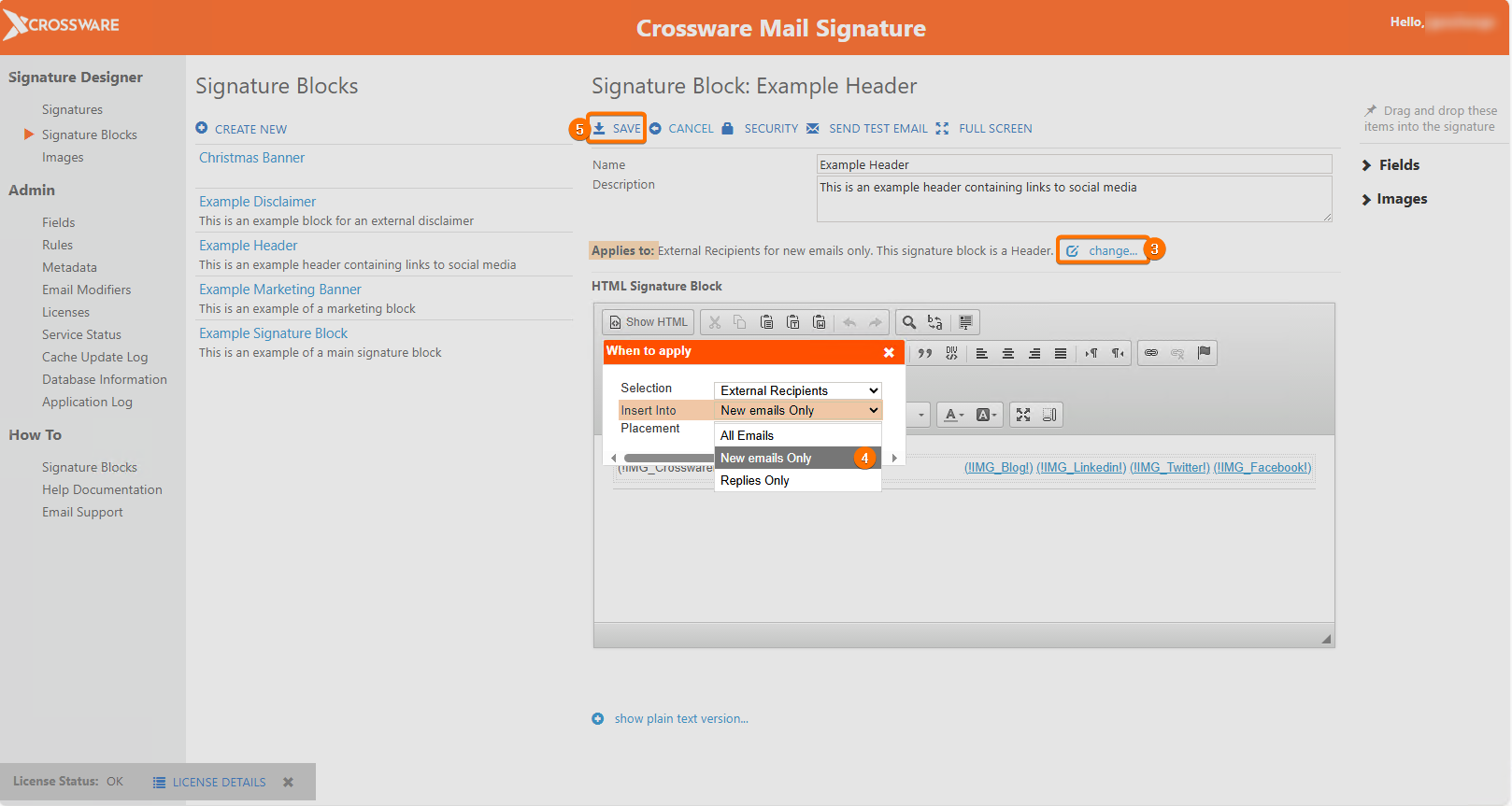
In the Applies to section, click Change.
-
Under Insert Into, choose New Emails Only.
-
Save your changes.
Your Signature or Signature Block will now only be applied on the first email in a conversation, any replies will not have this Signature/Signature Block. Make sure to test that the configuration works in practice