
To temporarily stop Crossware Email Signature from applying signatures to outgoing emails, you can turn off the associated Mail Flow Rule in Microsoft 365.
This will pause signature stamping without removing any configuration from the Crossware portal.
Steps to disable:
-
Sign in to the Exchange admin Center.
-
Navigate to Mail Flow → Rules.
-
Locate the rule named CrosswareMailSignature.
-
Select the Enable or disable rule toggle to set it to Disabled.
-
Once unchecked, the signature will stop being applied to outgoing emails.
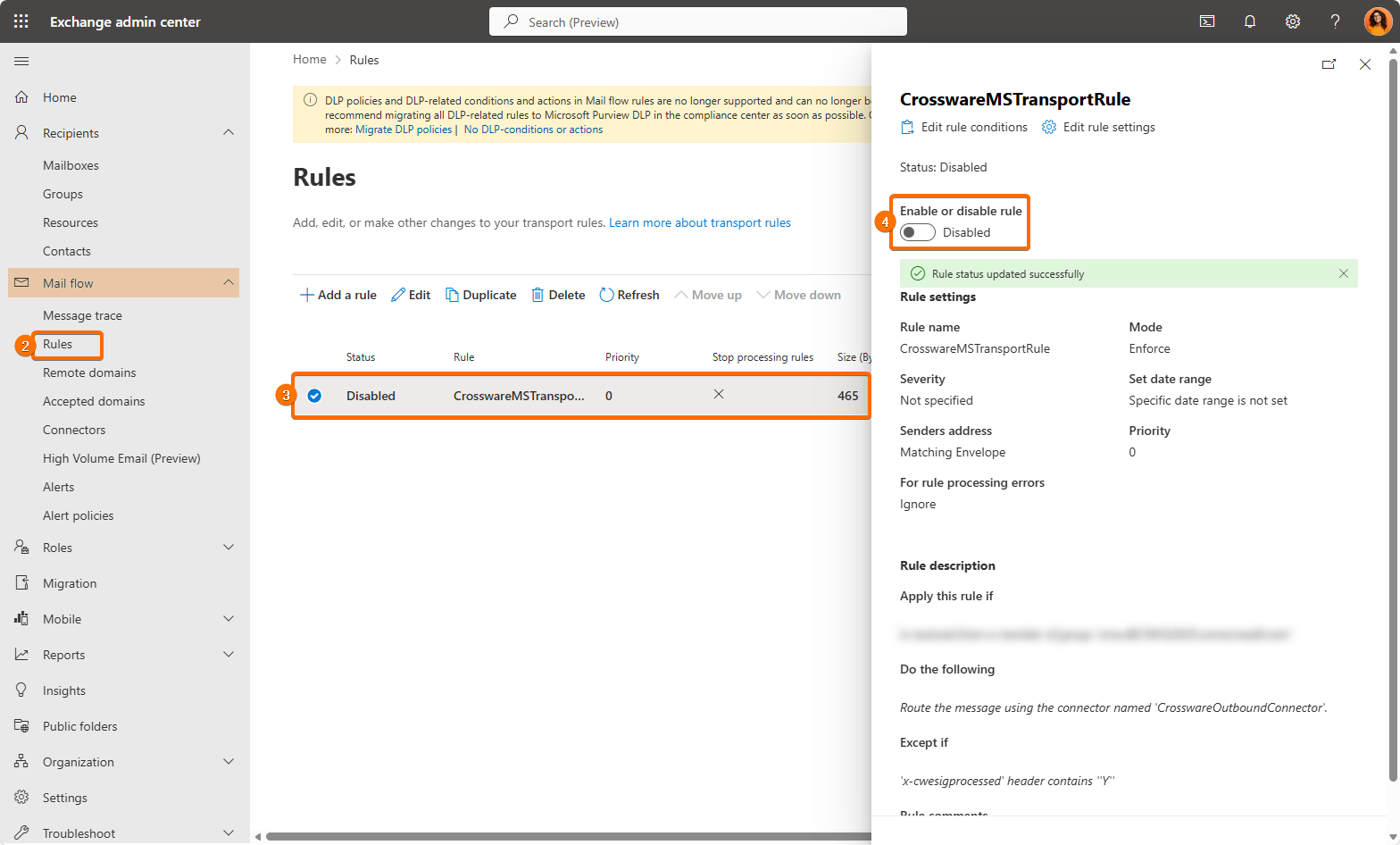
It may take up to 60 minutes for this change to take effect, as the update must propagate through Microsoft 365's infrastructure. This delay is outside of Crossware’s control.