
The Evaluate Signature feature in Crossware Email Signature allows administrators to test and preview how an email signature will be applied before it reaches end users. It evaluates the configured rules, recipient context, and email properties to show which signature is selected or why no signature was applied.
This feature is especially useful for troubleshooting rule logic, validating new configurations, and confirming behaviour for internal vs external emails, replies/forwards, shared mailboxes, and different message formats.
When to Use Evaluate Signature
Use Evaluate Signature when you need to:
-
Confirm which signature applies to a specific user or mailbox
-
Troubleshoot missing or incorrect signatures
-
Test changes before rolling them out to users
-
Verify behaviour for reply, forward emails
What the Feature Evaluates
The evaluation simulates how Crossware processes an email by checking:
-
Sender (user or shared mailbox)
-
Recipient type (internal or external)
-
Email action (new or reply)
-
Date and time conditions (if configured)
-
Signature priority and order
How to Use Evaluate Signature
-
Sign in to the Crossware Portal
-
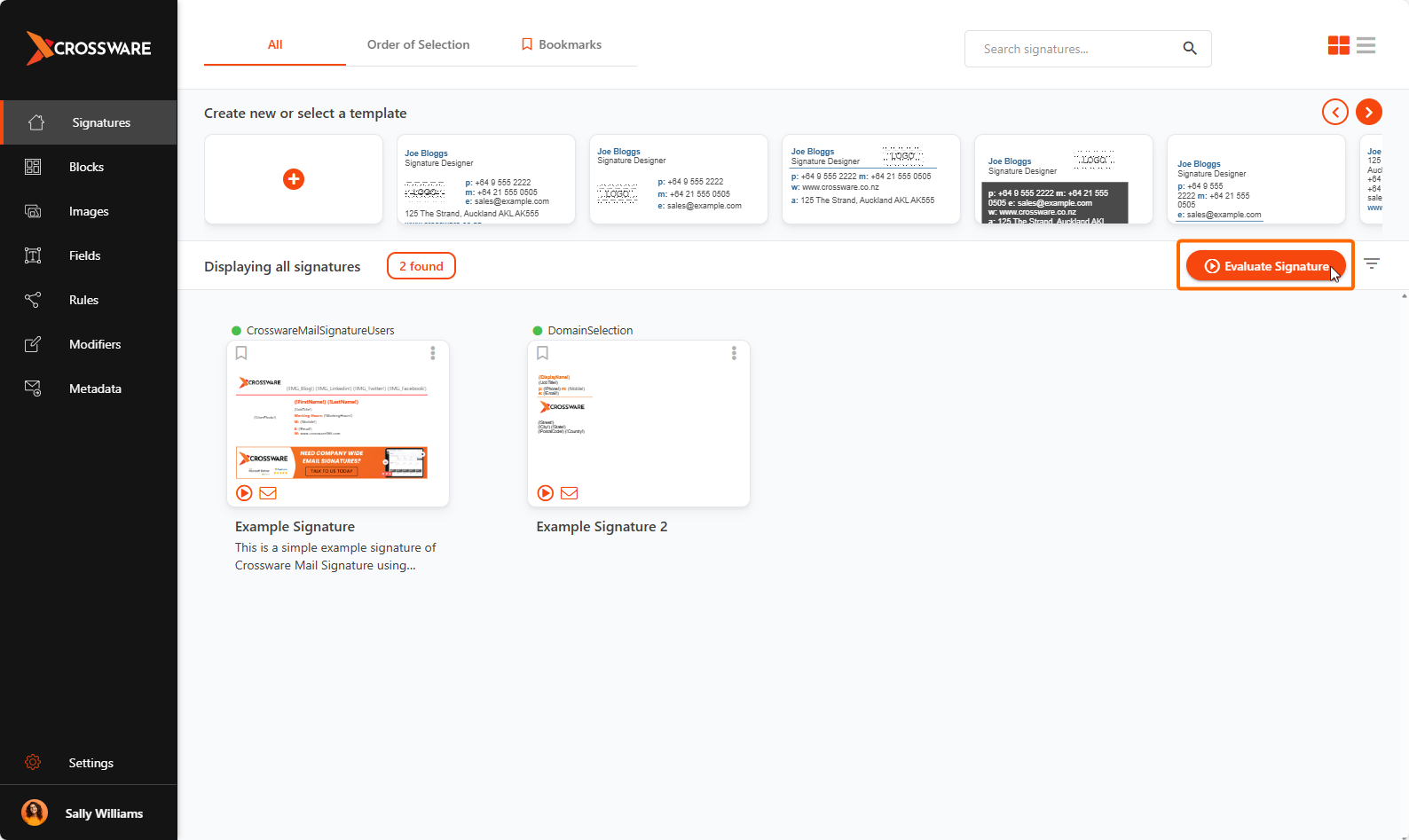
Click Evaluate Signature.
-
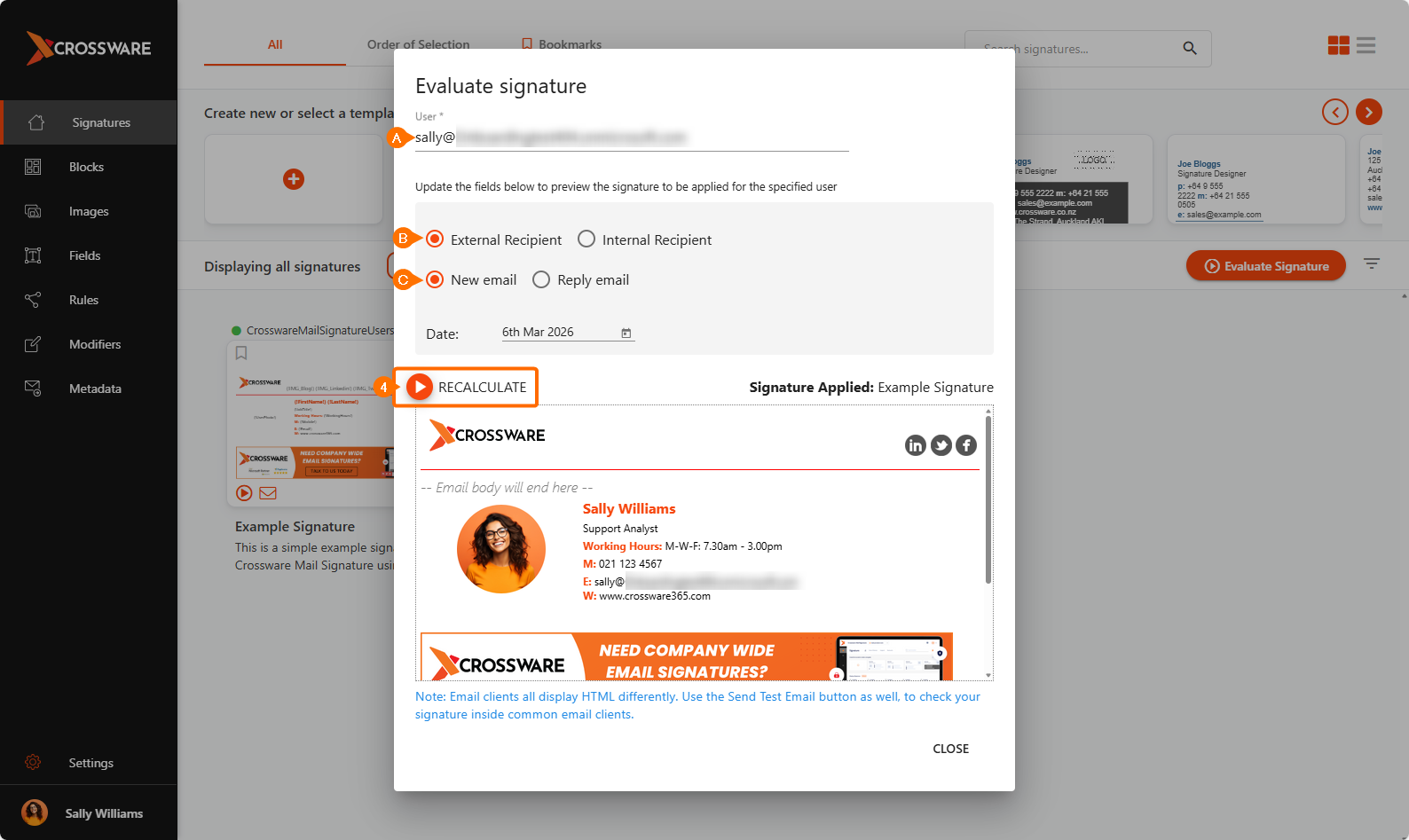
Provide the evaluation details, such as:
-
Sender email address
-
Recipient type (internal or external)
-
Email type (New or Reply)
-
-
Click Recalculate.
Understanding the Results
After clicking Recalculate, Crossware will display one of the following outcomes:
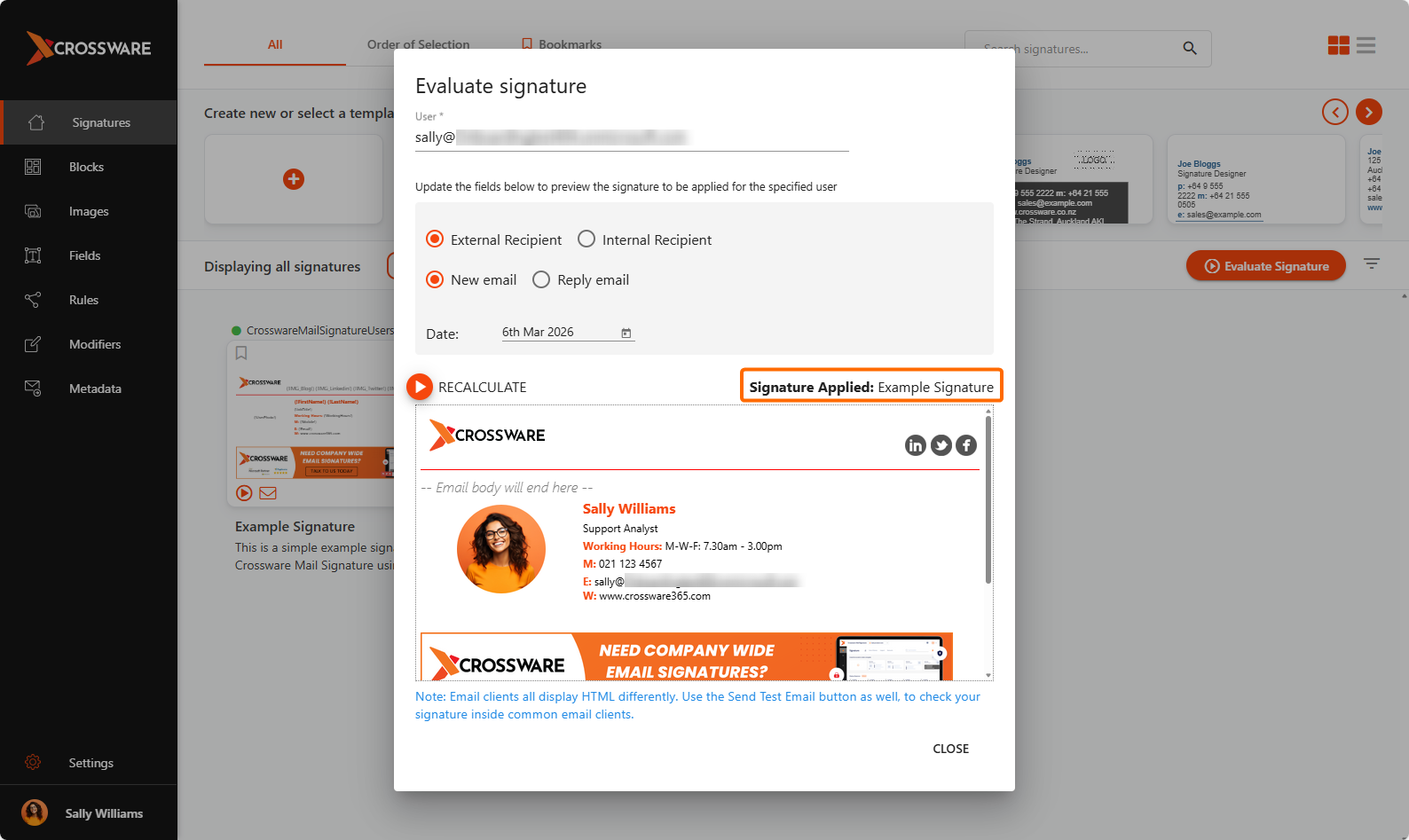
Signature Assigned
The name of the signature that will be applied
No Signature Assigned
A prompt indicating that no signature is assigned
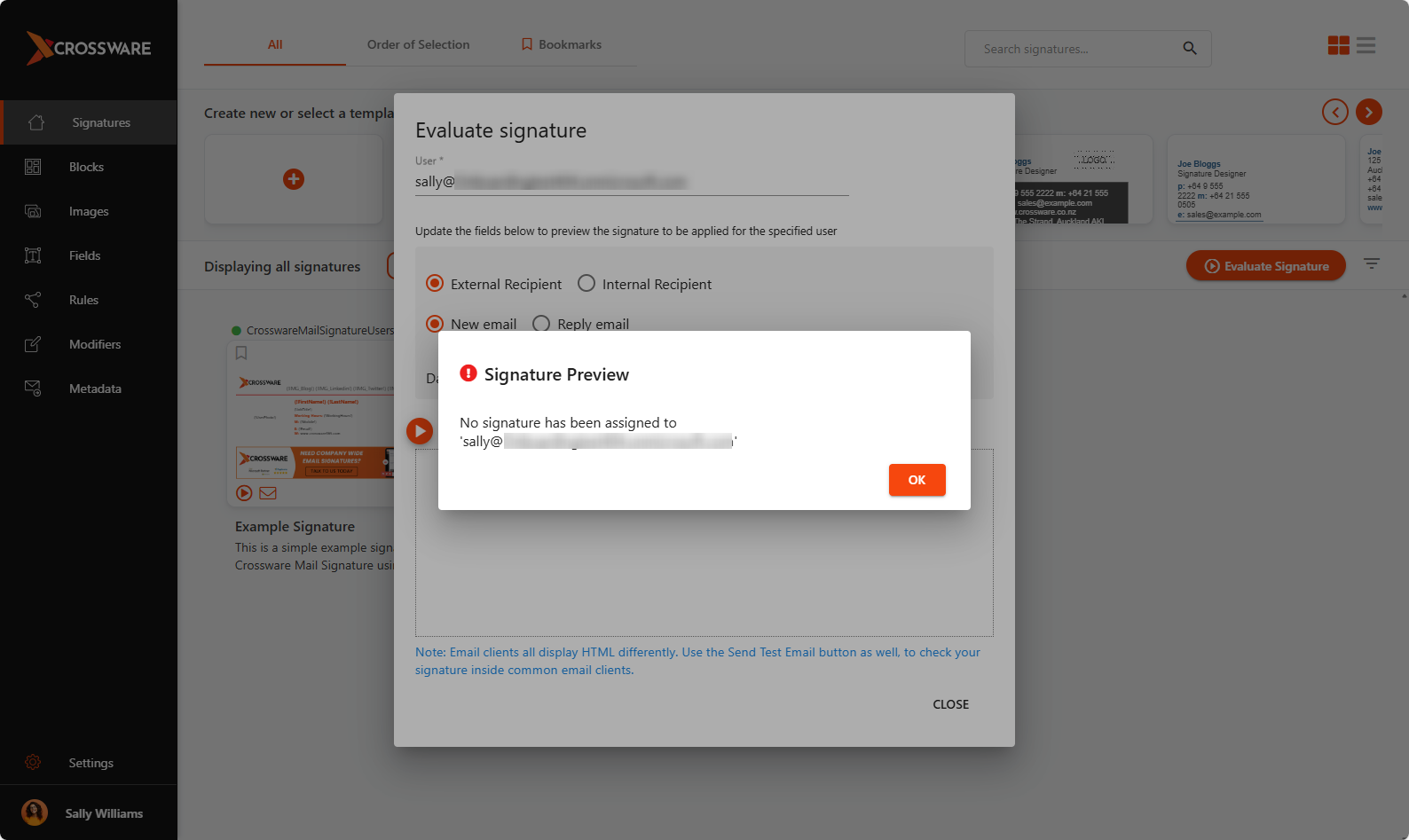
This makes it easy to confirm whether a signature will be applied or to identify when rule conditions prevent a signature from being added.
Common Troubleshooting Scenarios
Wrong Signature Applied
-
Review signature priority order
-
Check overlapping rules across multiple signatures
No Signature on Replies or Forwards
-
Verify rules allow Reply and Forward actions
-
Confirm the email format is supported