
Add users by updating the Microsoft 365 group created during setup (usually named CrosswareMailSignatureUsers).
Anyone in this group will have their email routed to Crossware for signature processing.
You need to be an Exchange Administrator to complete these steps.
Steps to Add Users
-
Sign in to the Microsoft 365 Admin Center.
-
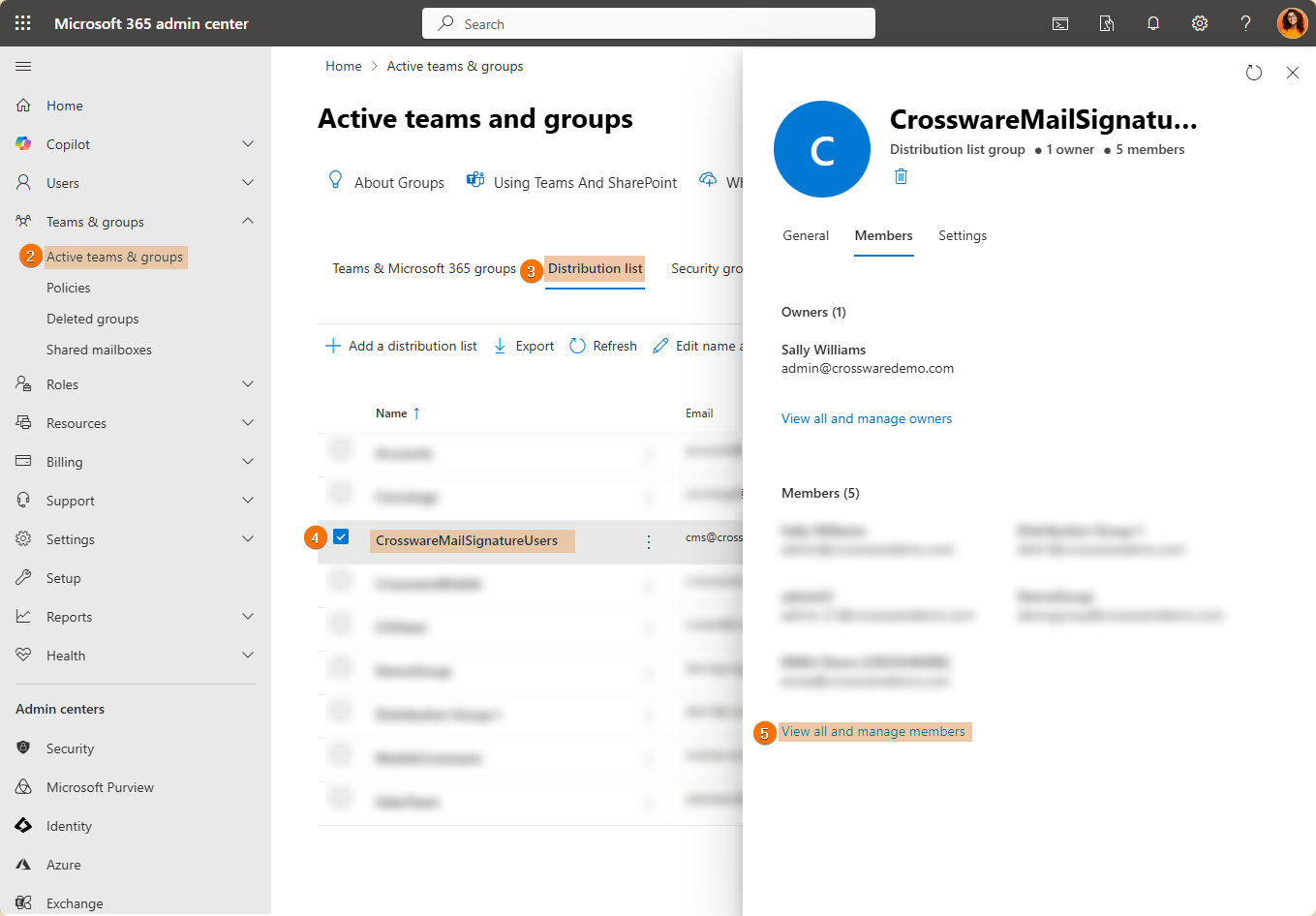
In the left pane, select Teams & groups > Active teams & groups.
-
Select Distribution list.
-
Open the CrosswareMailSignatureUsers group.
-
Select View all and manage members.
-
Go to Members > Add members.
-
Choose the users you want to add, then select Save.
New members are now added. Their email will be processed by Crossware Email Signature automatically.