
By default, non-admin users are granted Read-Only access to the Crossware Portal.
If required, administrators can restrict access entirely so that only authorised users (for example, administrators) are able to log in.
Solution
Access to the Crossware Portal can be managed via Microsoft Azure Enterprise Applications.
By enabling the Assignment required setting, only users or groups that are explicitly assigned will be able to access the portal.
Steps
-
Sign in to Microsoft Azure Portal.
-
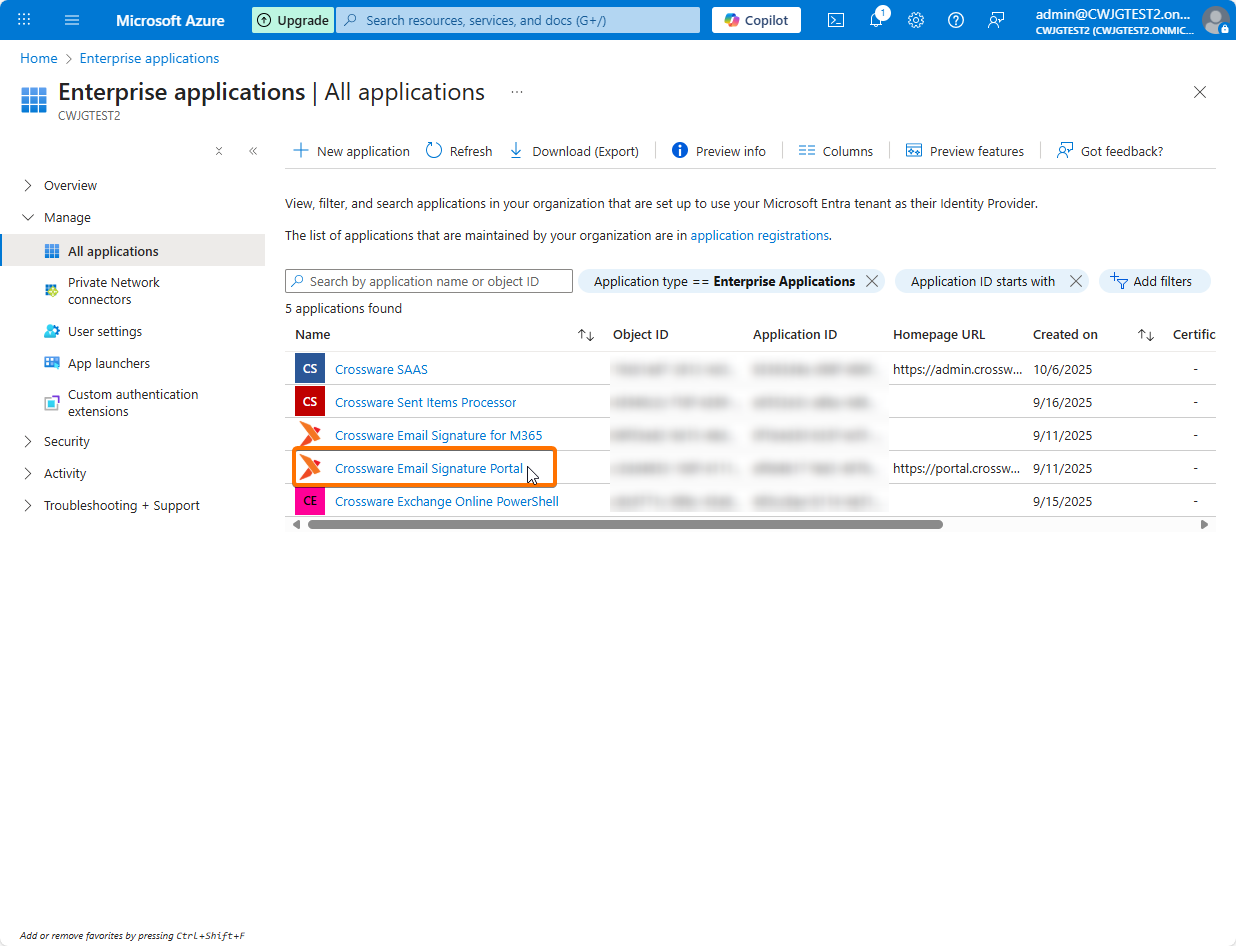
Navigate to Enterprise applications.
-
Open the Crossware Mail Signature Portal application.
-
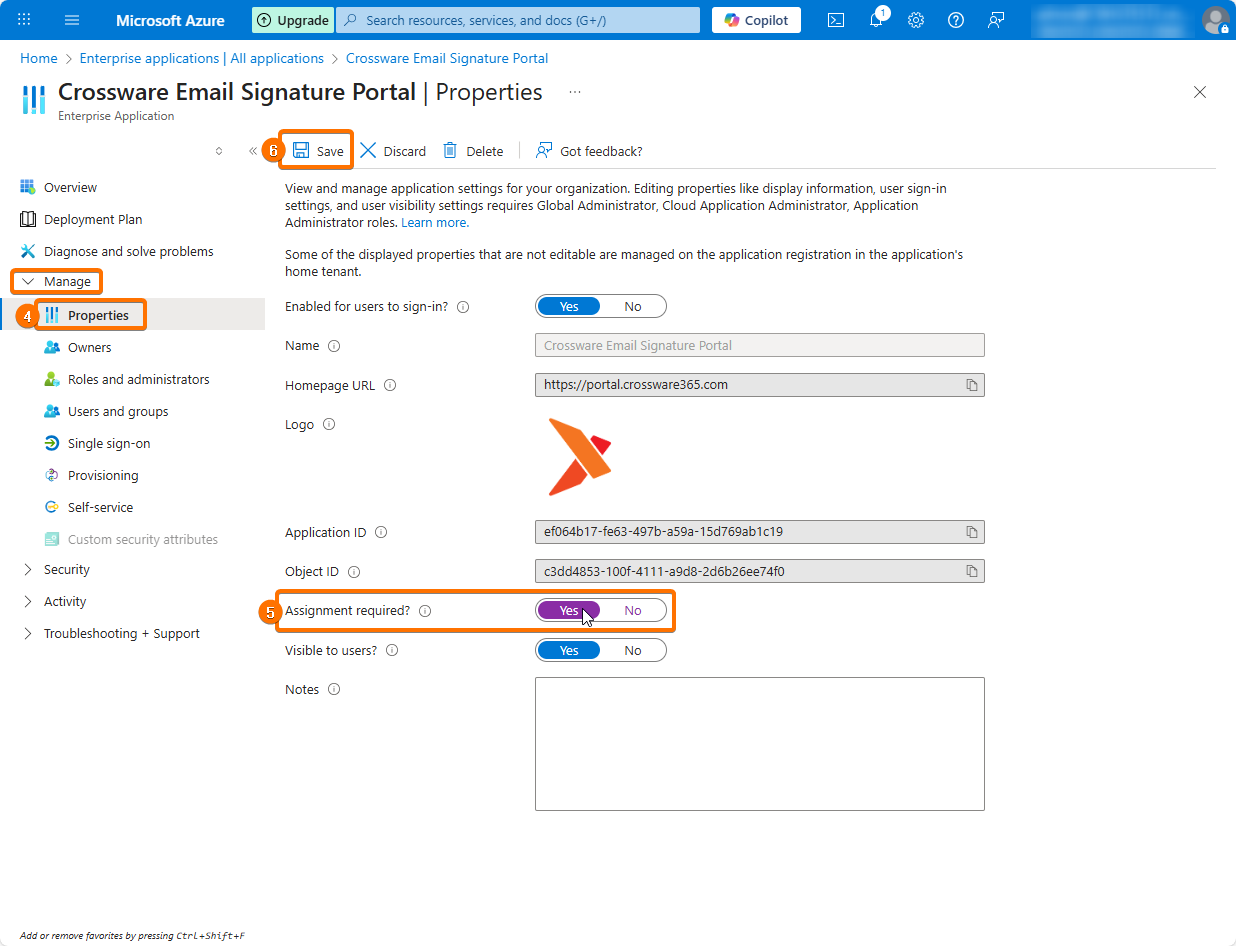
Under the Manage section, select Properties.
-
Locate the Assignment required? field and set it to Yes.
-
Click Save to apply your changes.
Note
-
Changes may take up to 40 minutes to take effect.
-
After applying the restriction, test access by logging in as:
-
a Standard User – access should now be denied
-
a Global Admin – access should remain available
-