
Client-side signatures allow email signatures to be applied directly in Microsoft Outlook without the email being routed through Crossware servers.
When this feature is enabled, the Client-side Add-in synchronises the user’s signature from the Crossware portal to their computer. The signature is then automatically inserted while the user is composing their email in Outlook.
This means the email is sent directly from Outlook, rather than passing through the Crossware server for signature processing.
Enabling the Feature
-
Sign in to the Crossware Portal.
-
Go to Settings.
-
Select Client-side Settings.
-
Under Enabled platforms, tick Desktop and Web access.
-
Click Users/Roles and choose who the setting applies to:
-
Enable all users - Enables the feature for all users.
-
Roles only - Enables the feature only for selected roles.
-
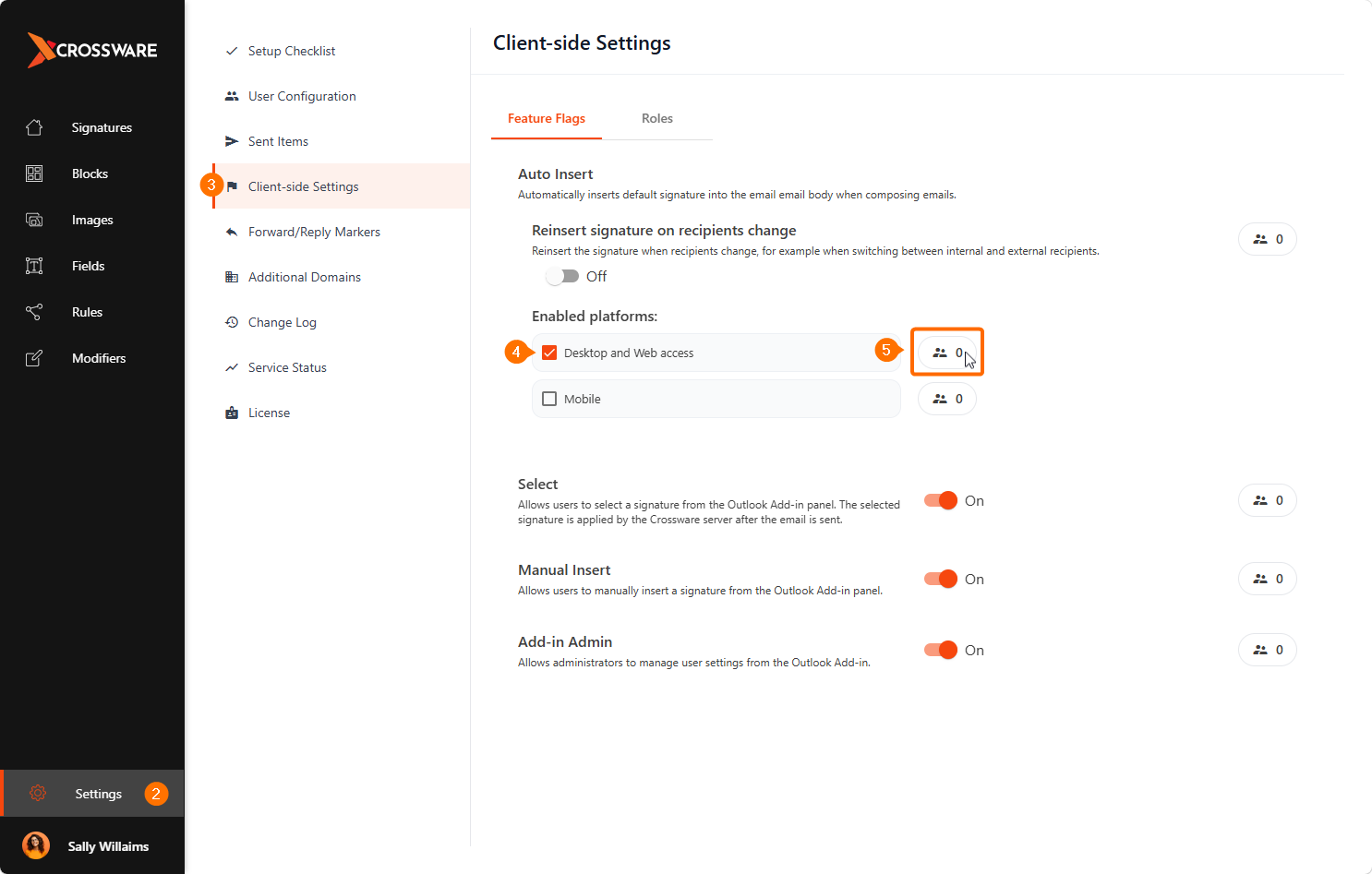
Once enabled, users with the Client-side Add-in installed will have their signatures automatically inserted when composing emails in Outlook.