
This article applies only if your Crossware Email Signature subscription was purchased via AppSource.
Steps to cancel your subscription
-
Sign in to the Microsoft 365 admin center.
-
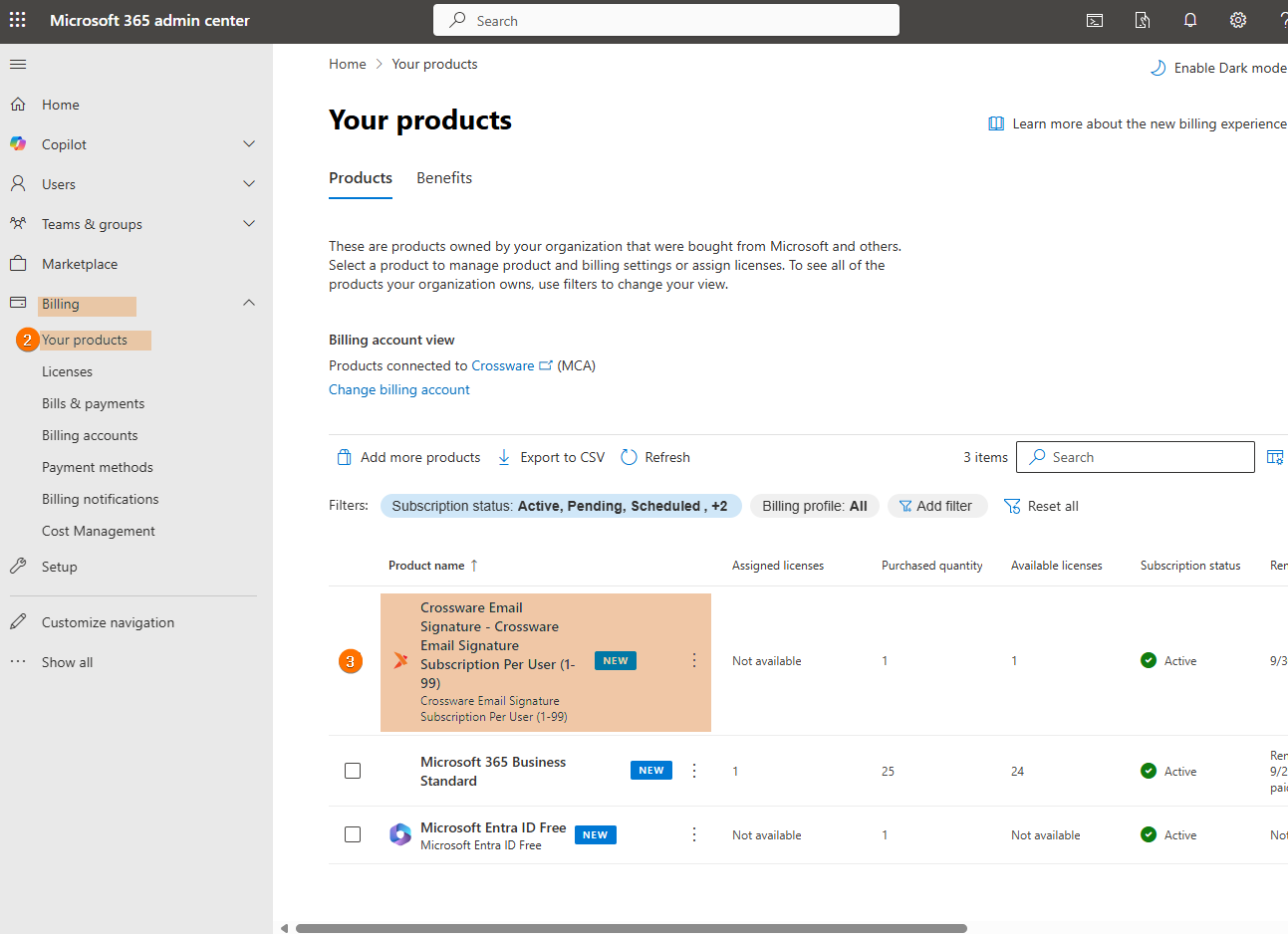
Under Billing and click Your products.
-
Select the Crossware Email Signature from your product list.
-
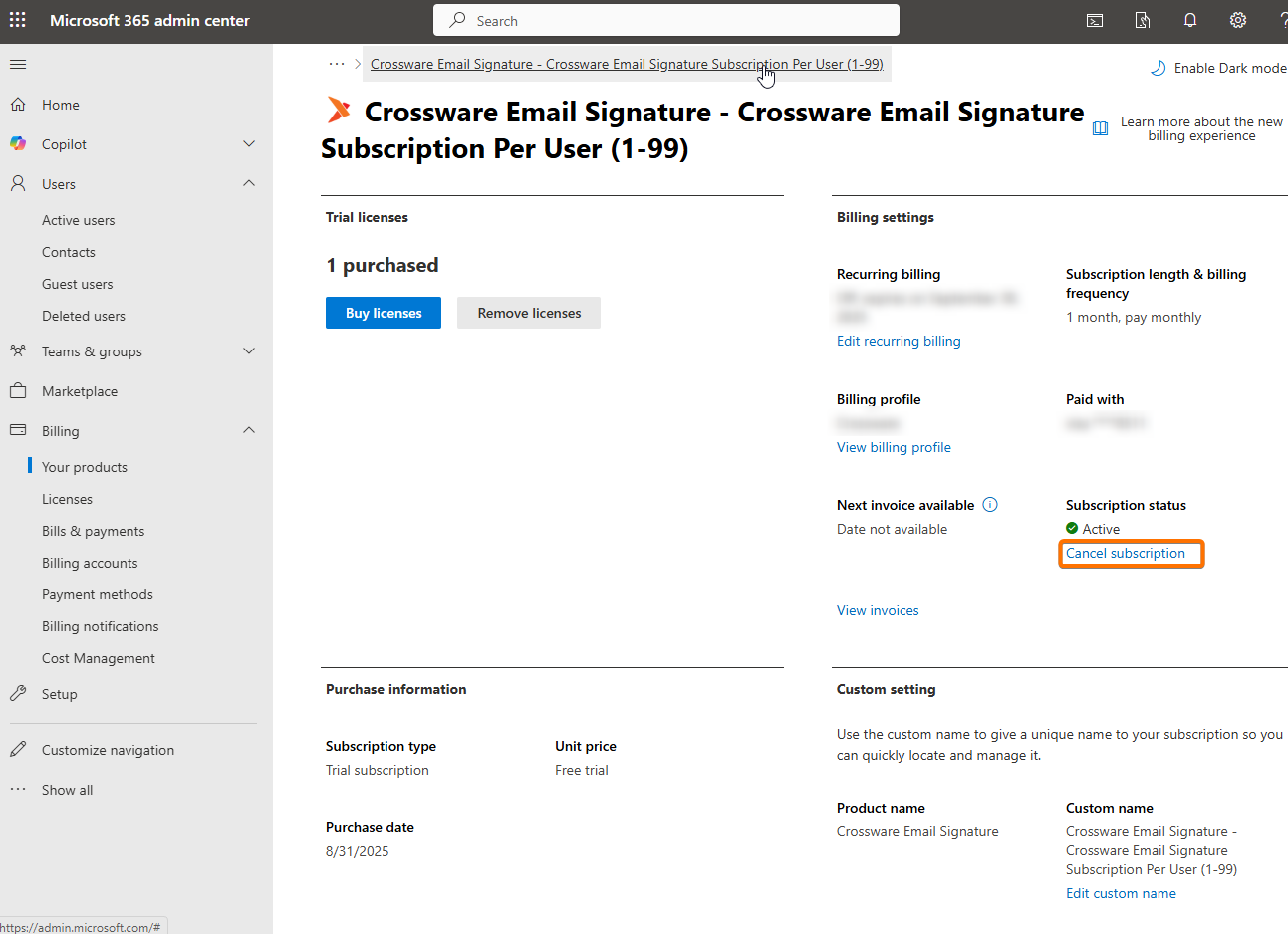
Click Cancel subscription.
-
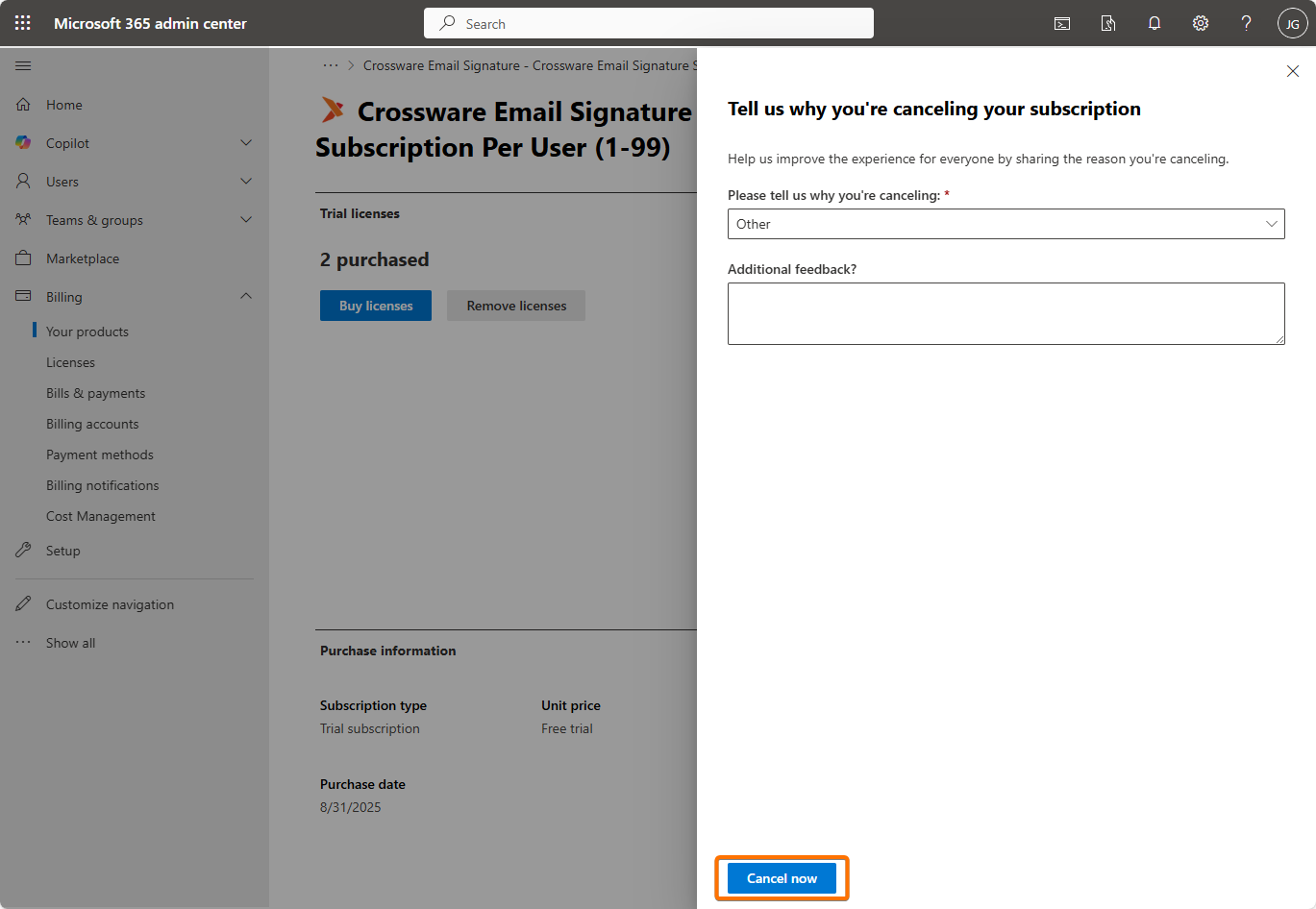
Choose a reason for cancellation from the provided options.
-
Click Cancel now to confirm.