This guide applies only if you purchased the Crossware Email Signature subscription through AppSource and need to disable automatic subscription renewals.
Steps to turn off recurring billing
-
Sign in to the Microsoft 365 admin center.
-
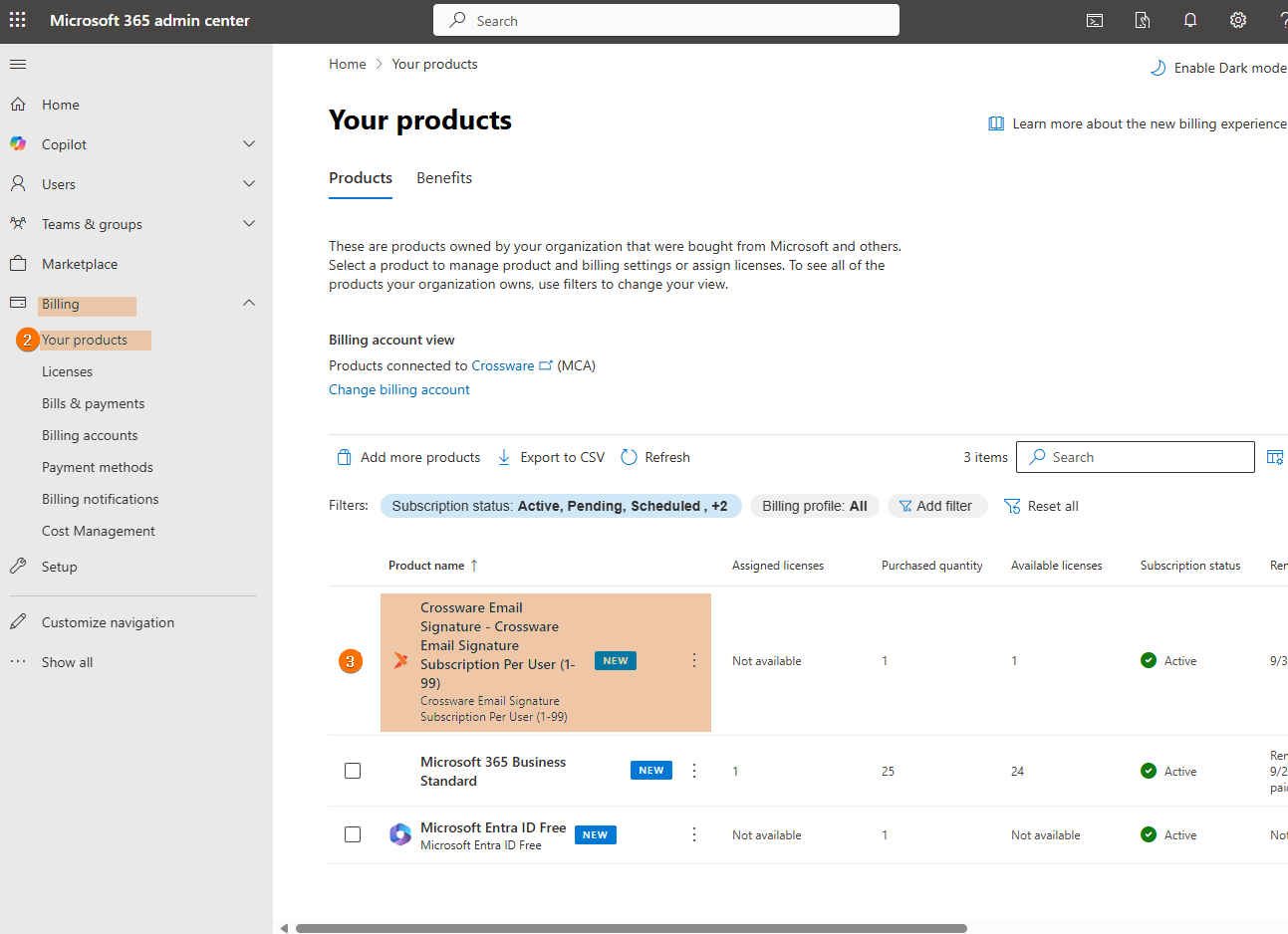
Select the Billing dropdown and choose Your products.
-
Select the Crossware Email Signature from your product list.
-
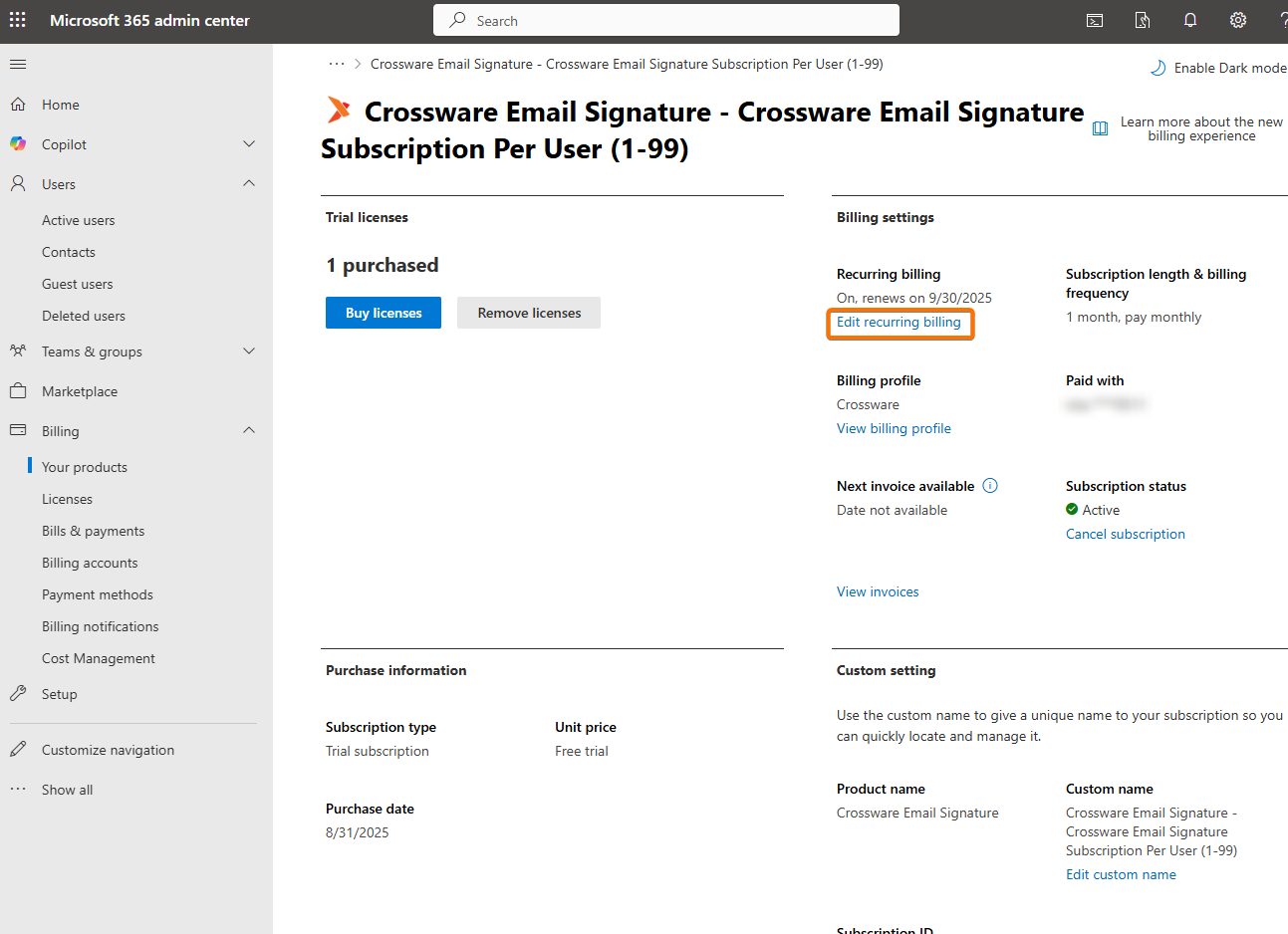
Select Edit recurring billing.
-
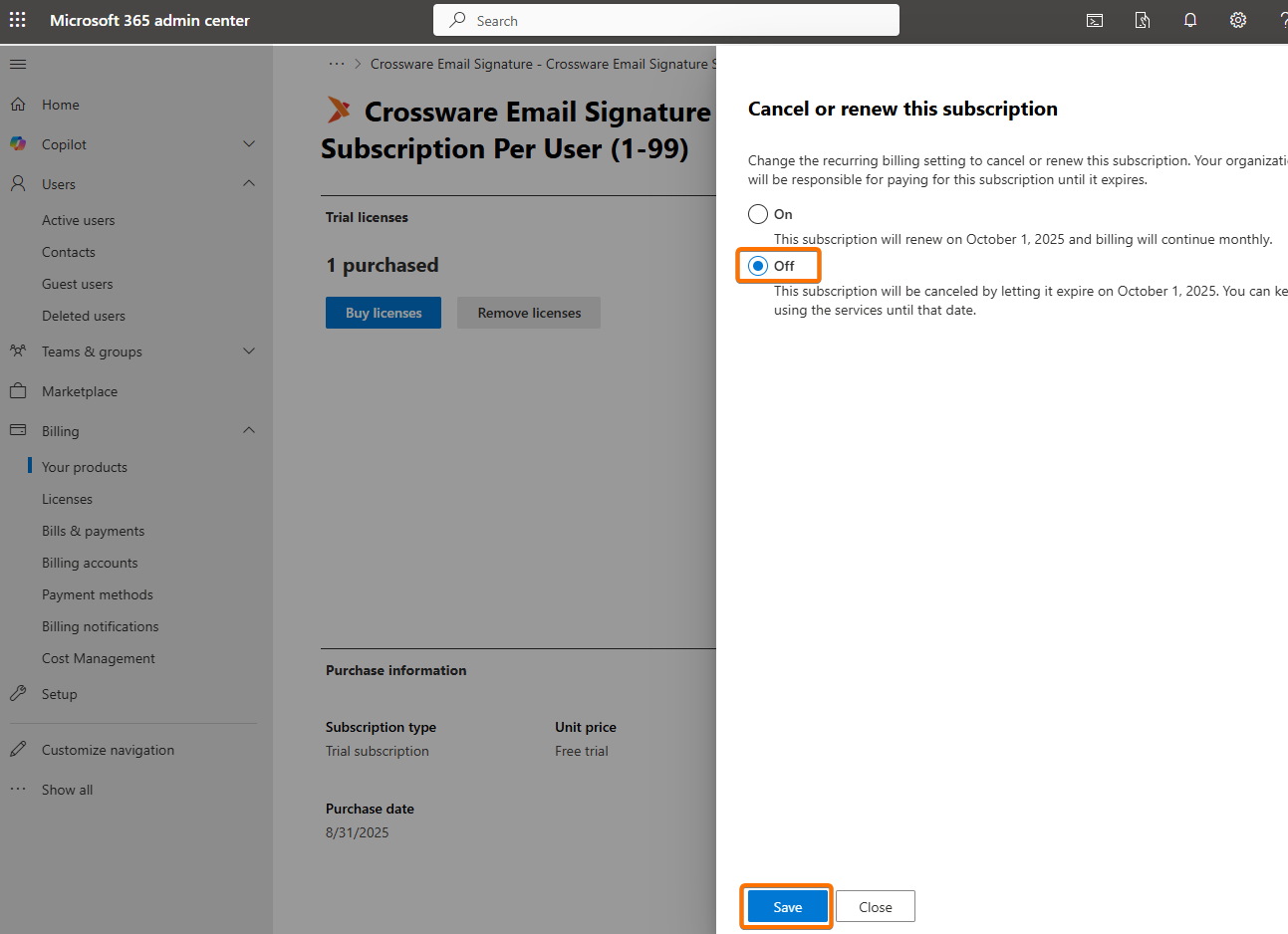
Toggle Recurring billing to Off, and then select Save.