
This article applies only if your Crossware Email Signature subscription was purchased via AppSource.
Billing for AppSource subscriptions is managed by Microsoft and cannot be updated from the Crossware Portal.
Steps to update billing profile
-
Sign in to the Microsoft 365 admin center.
-
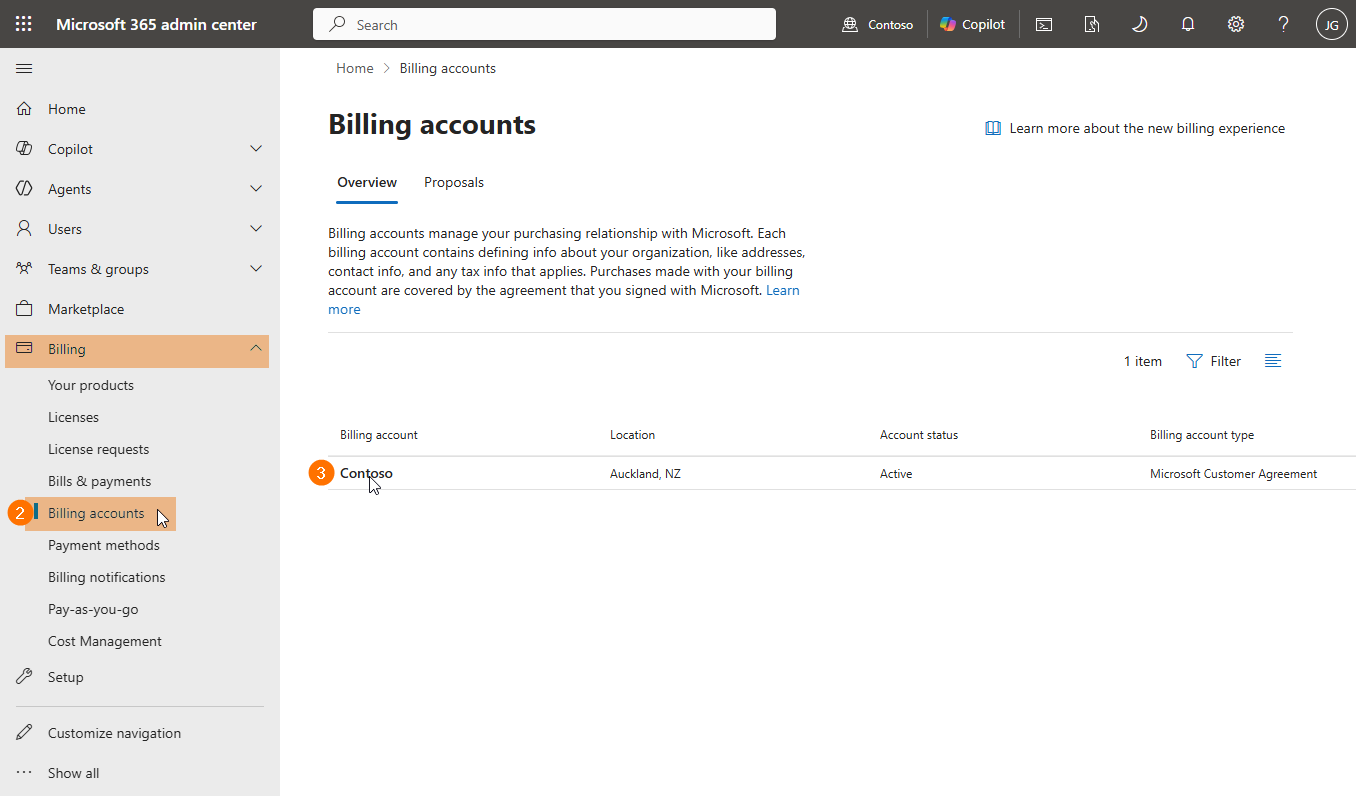
Go to Billing > Billing accounts.
-
Select the billing account associated with your Crossware Email Signature subscription.
-
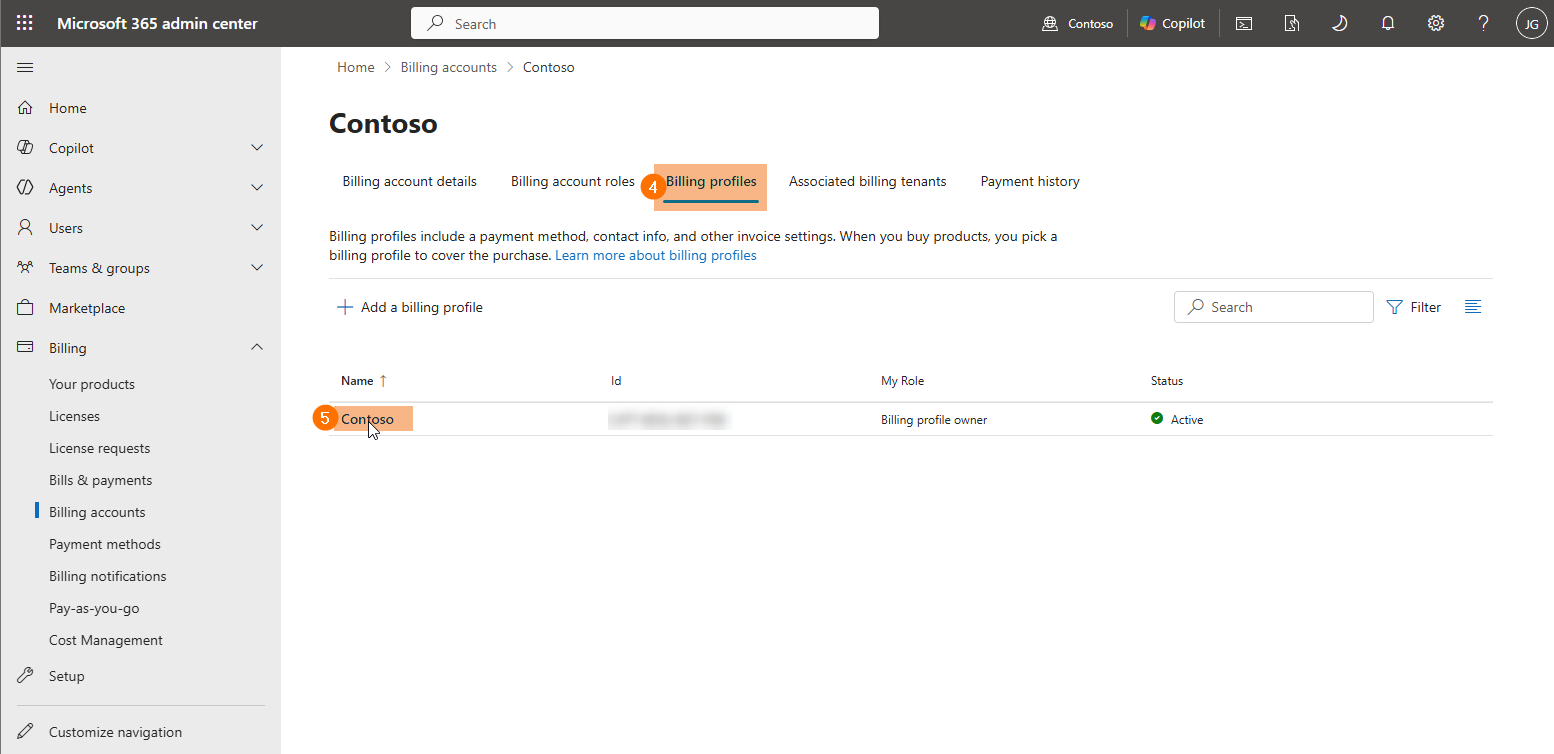
On the billing account details page, select the Billing profiles tab.
-
Select a billing profile name to view its details page.
-
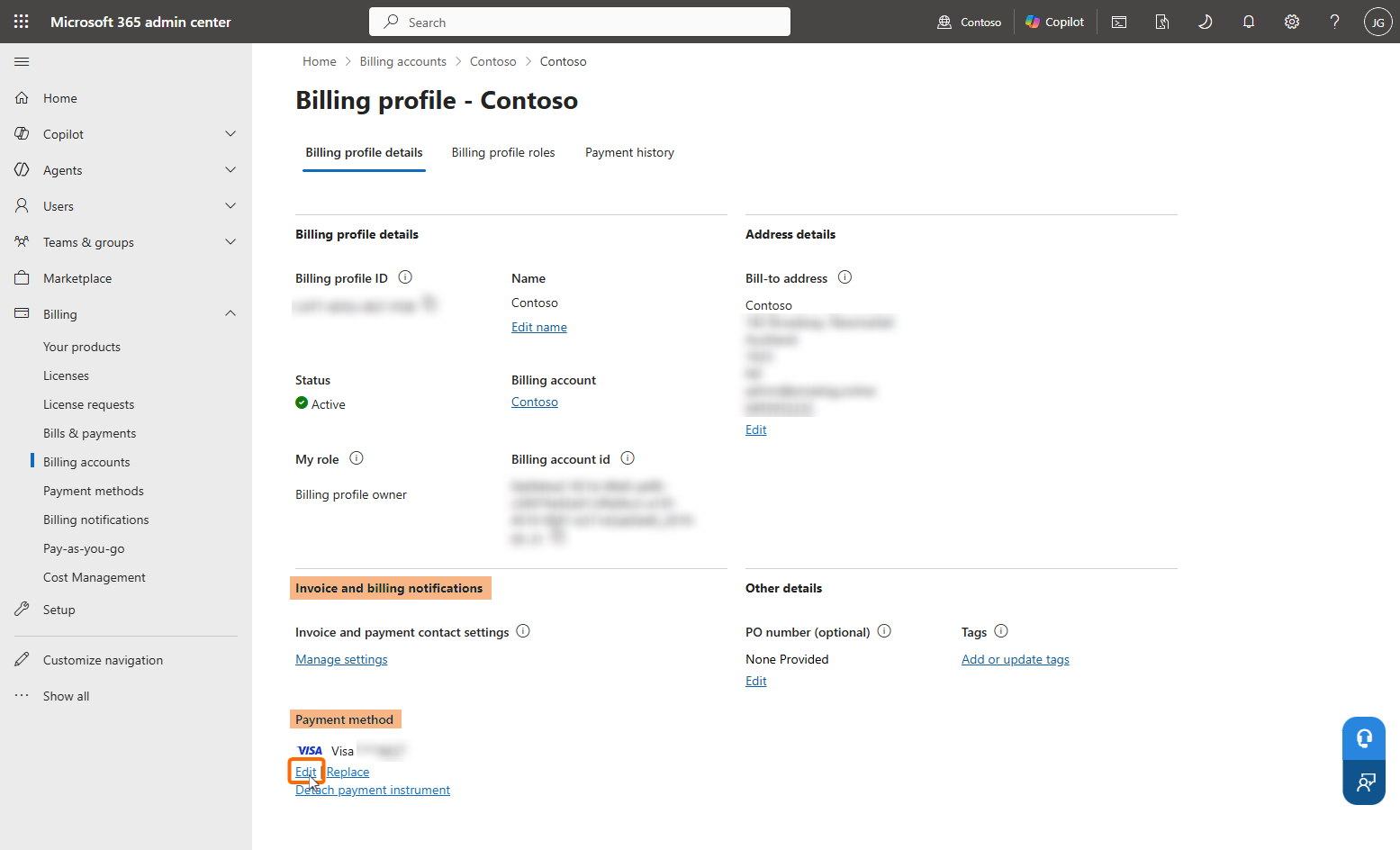
In the Invoice and billing notifications section, under Payment method, select Edit. This opens the Edit payment method panel.
-
Enter the updated card details, then select Save.
Microsoft will use the updated information for future invoices and billing.