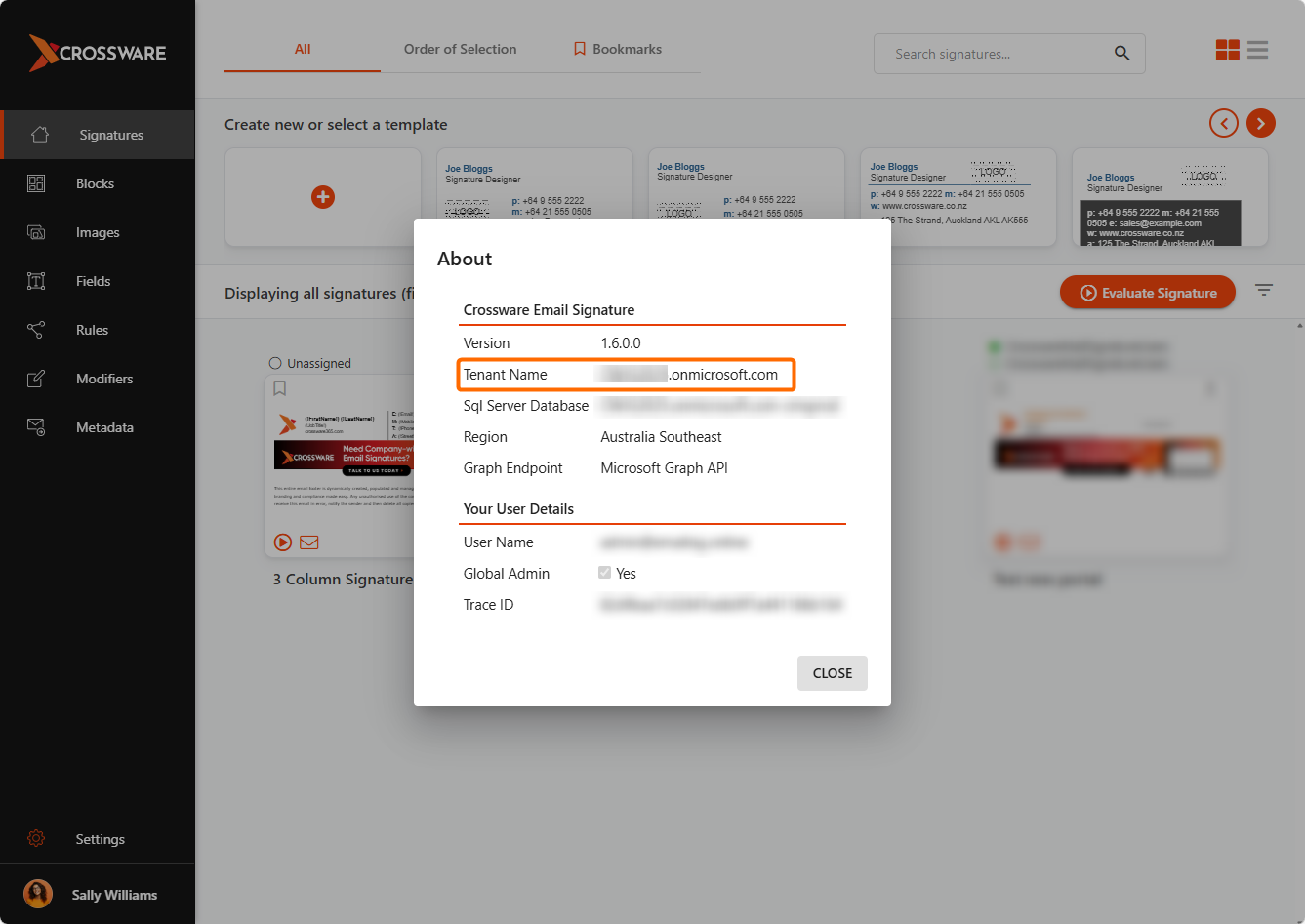
To configure Crossware Email Signature for Microsoft 365, you'll need to identify your Microsoft tenant name. This unique identifier is essential for setting up and provisioning the service correctly.
Examples of a tenant name:
Microsoft 365 Admin Center
-
Sign in to Microsoft 365 Admin Center
-
Click Show all to expand the menu.
-
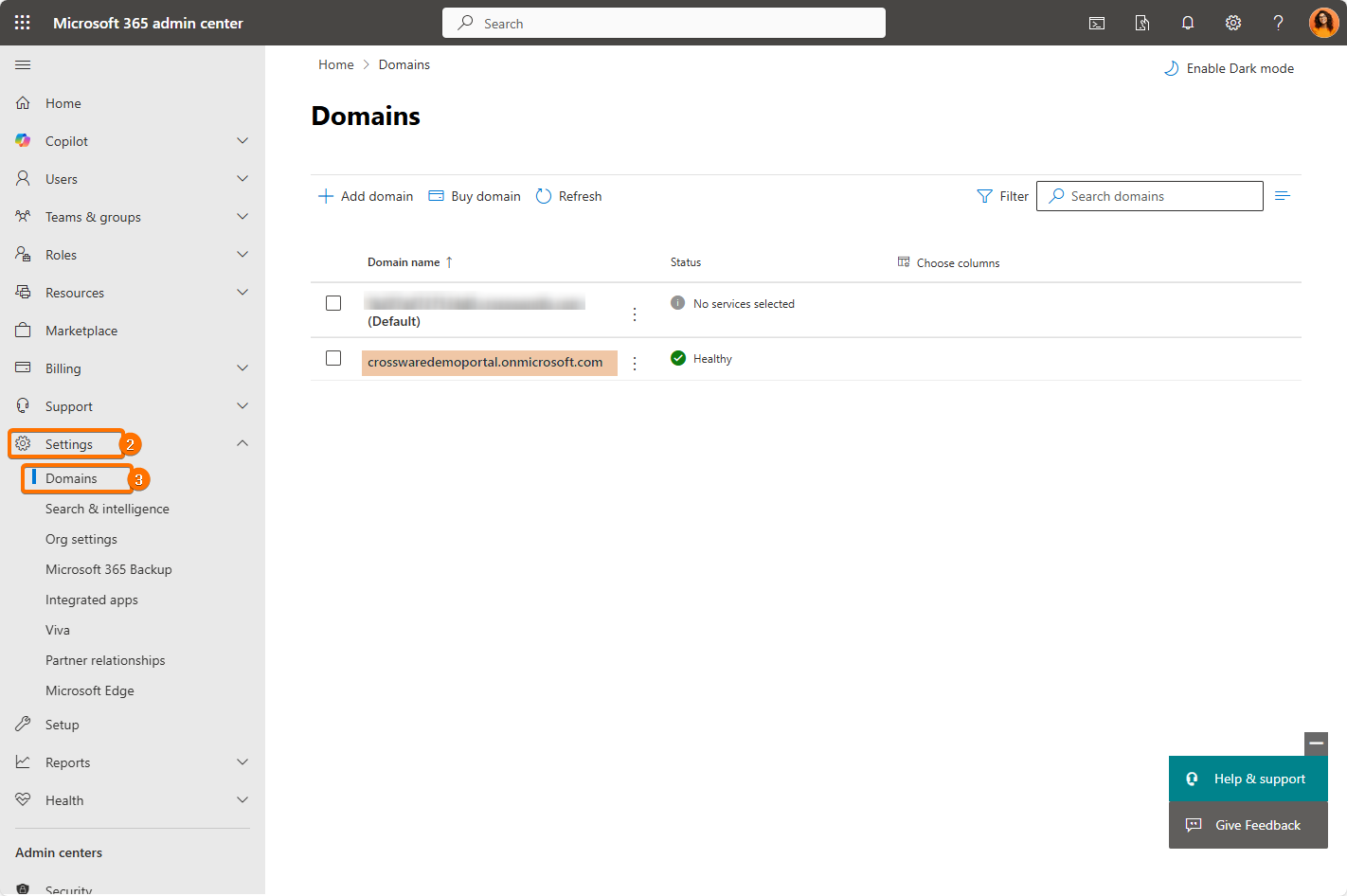
Select Settings > Domains.
-
Your tenant name will be listed here.
Exchange Admin Center
-
Sign in to Exchange Admin Center.
-
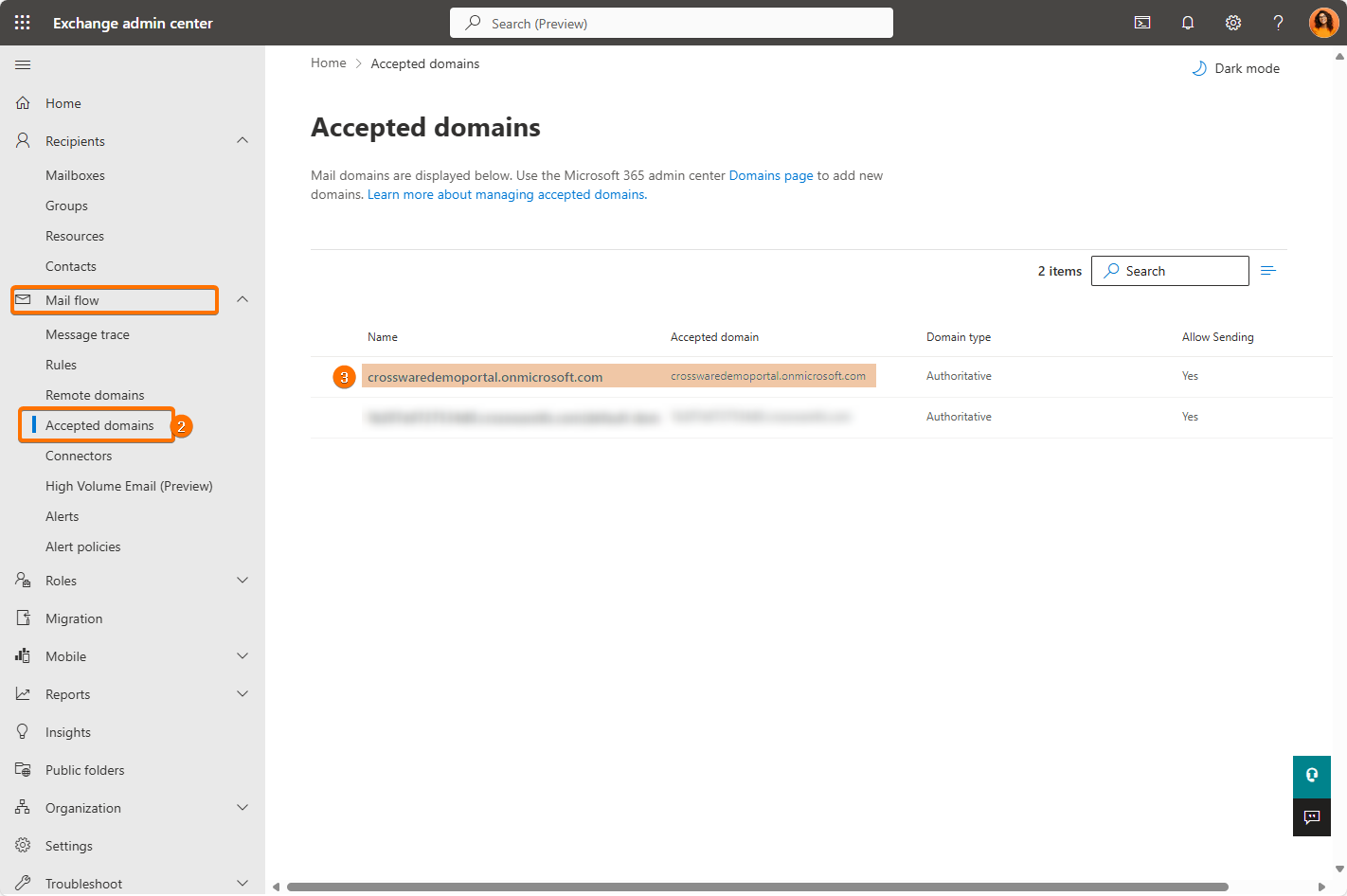
Click Mail flow > Accepted domains.
-
Your tenant name should appear in the list.
Crossware Portal
-
Go to the Crossware Portal.
-
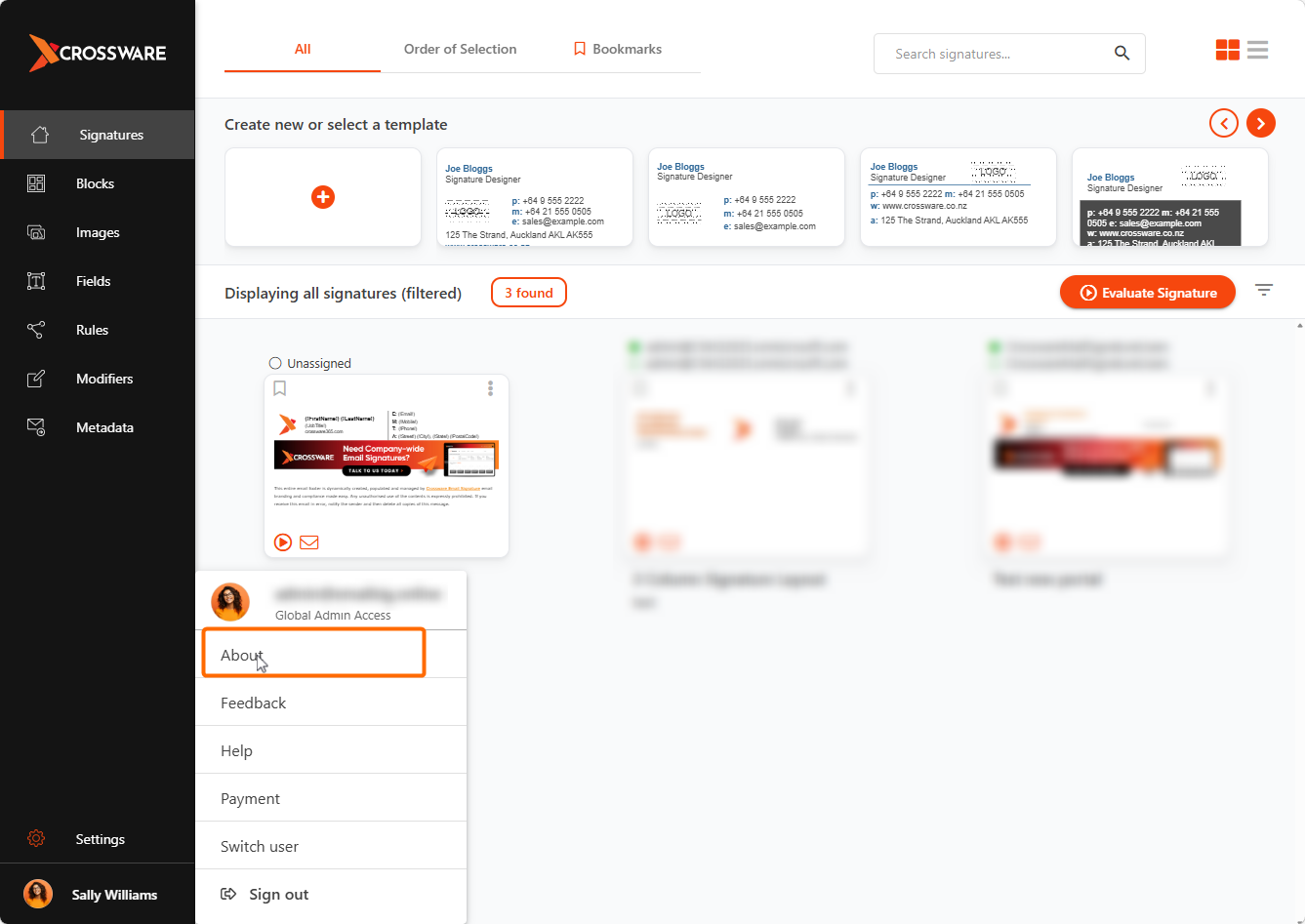
Hover on your user profile on the bottom left corner and select About.
-
Your Microsoft tenant name will be displayed next to Tenant Name.