
This guide explains how to change your billing frequency (monthly or annual) for a Crossware Email Signature subscription purchased through AppSource.
Steps to Change Billing Frequency
-
Sign in to the Microsoft 365 admin center.
-
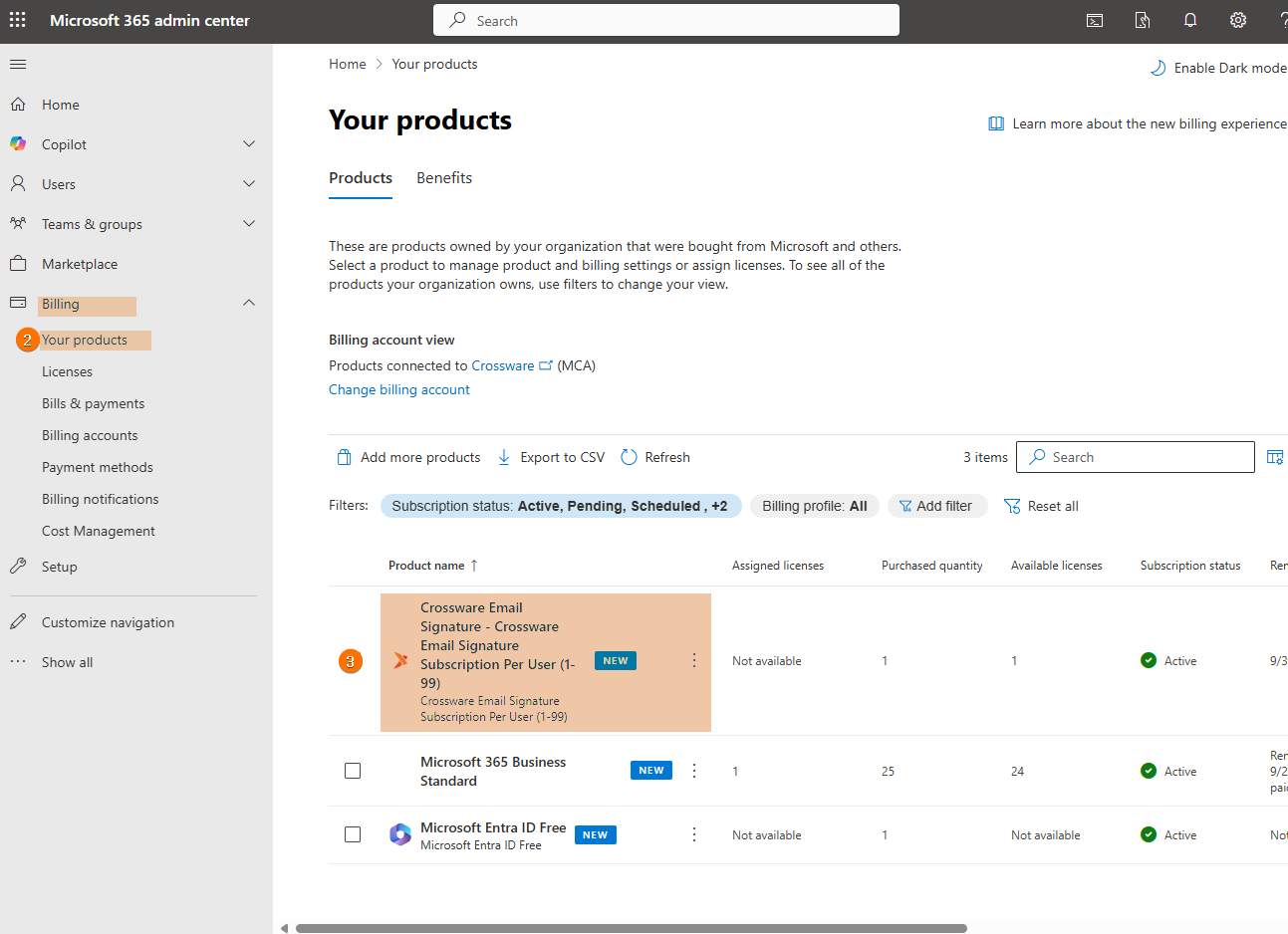
Select the Billing dropdown and choose Your products.
-
Select the Crossware Email Signature from your product list.
-
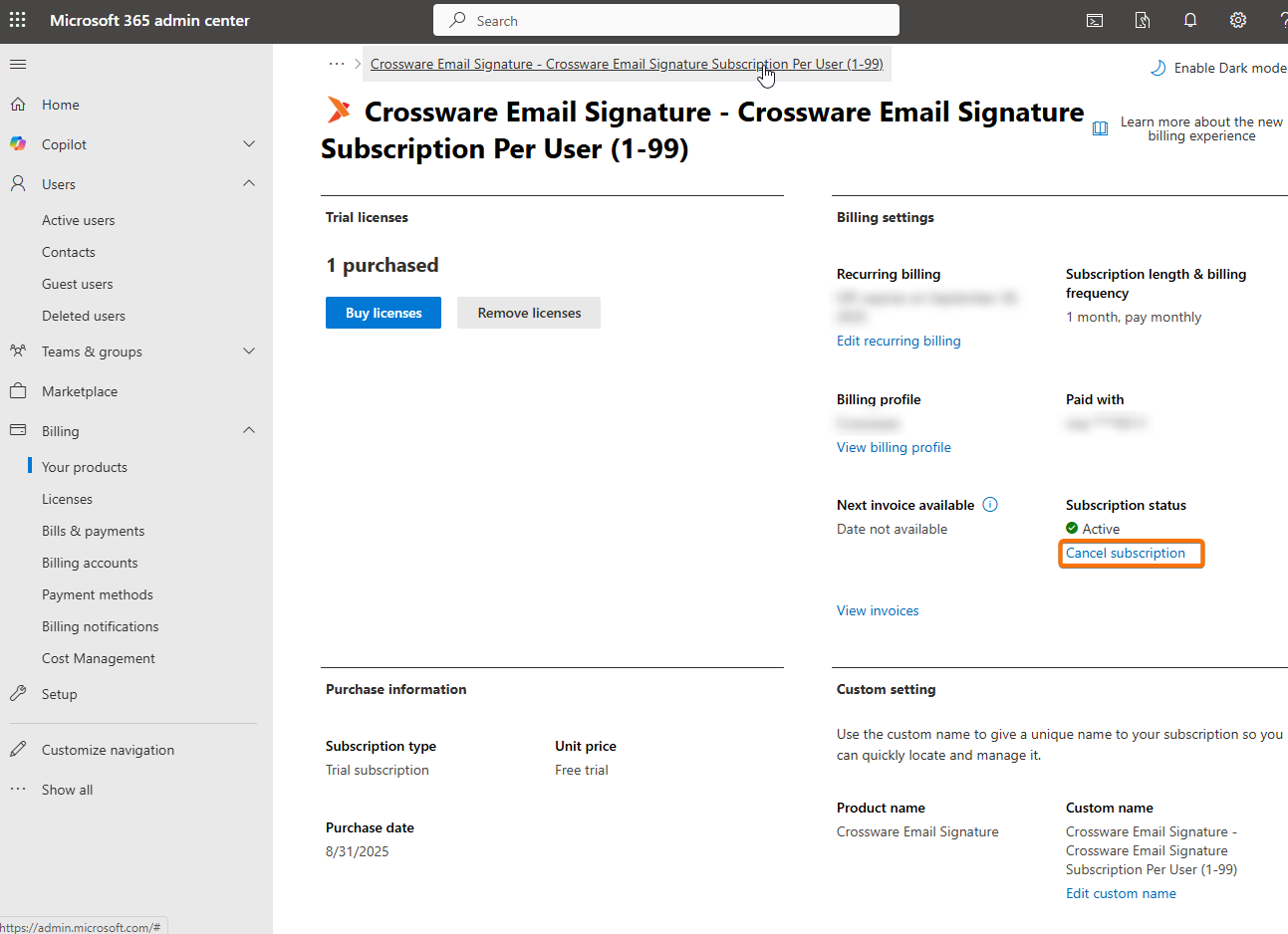
Click Cancel subscription for the current plan.
-
Go to Microsoft AppSource listing for Crossware Email Signature.
-
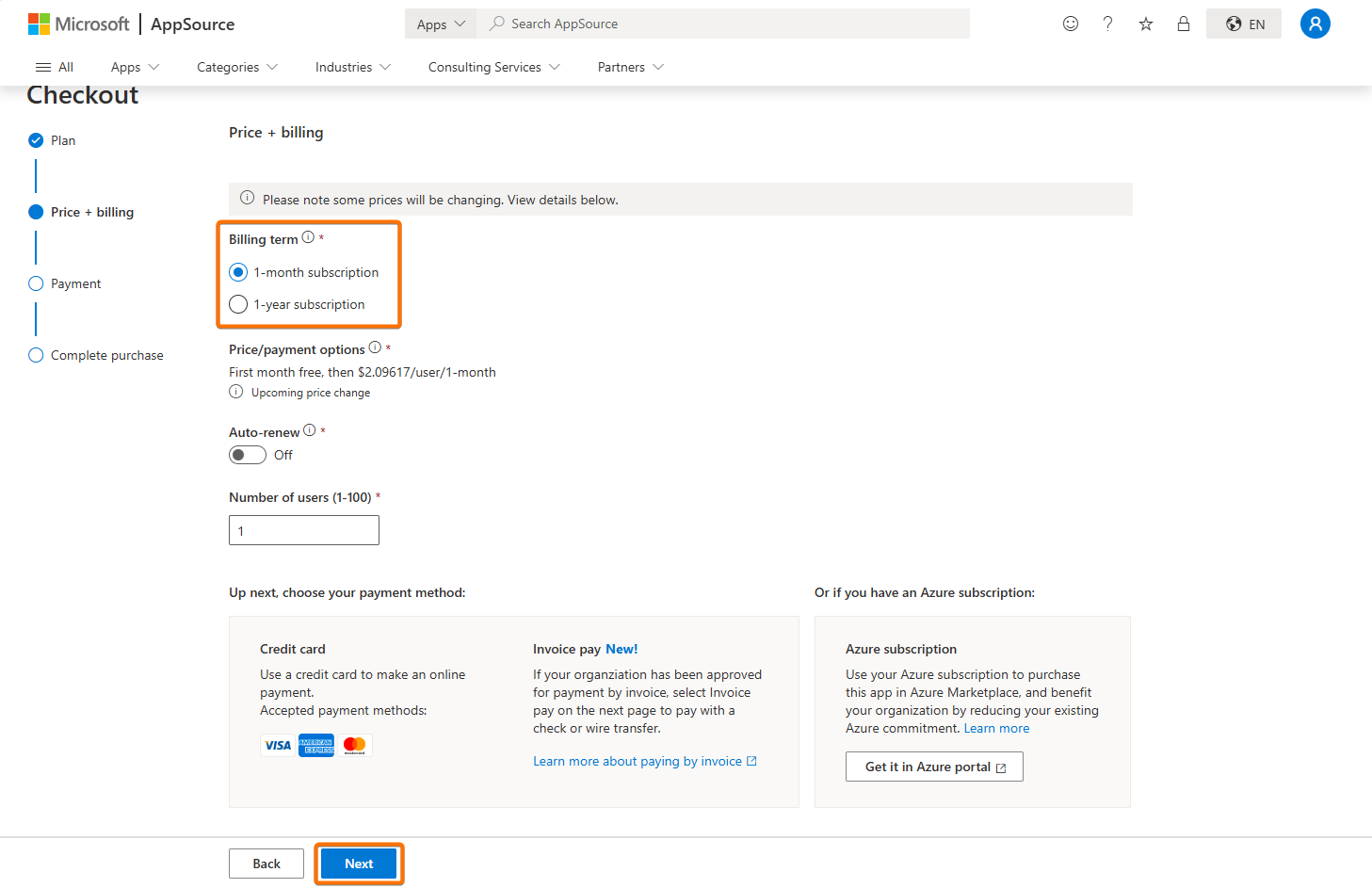
Click Get it now and complete the purchase process again, this time choosing your preferred billing frequency (monthly or annual) and click Next.
-
Follow the prompts to confirm and activate your subscription.