You can manage the number of Crossware Email Signature licenses directly in the Microsoft 365 admin center if you purchased through AppSource.
Steps to add or remove Crossware licenses
-
Sign in to the Microsoft 365 admin center.
-
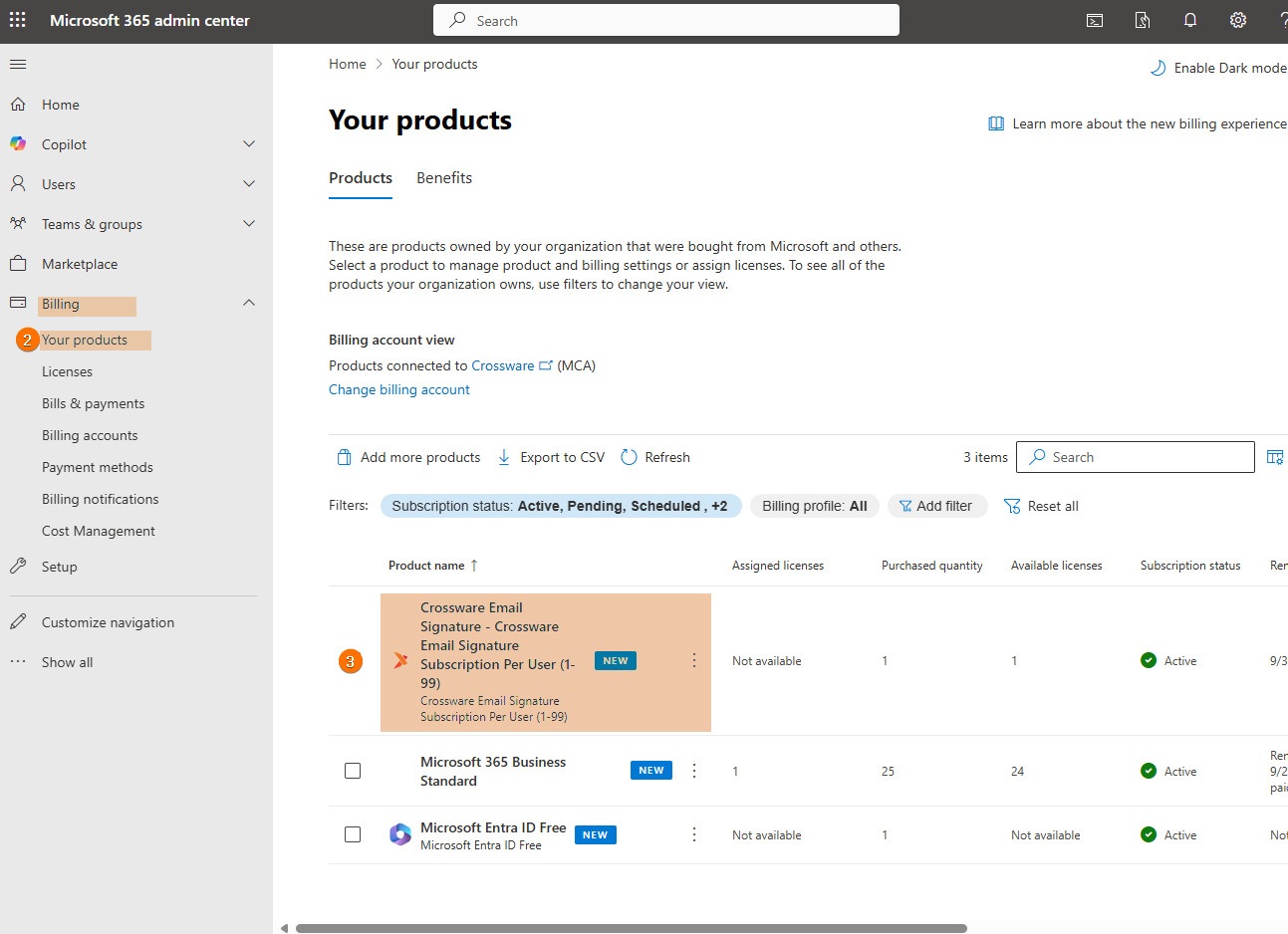
Under Billing and click Your products.
-
Select the Crossware Email Signature from your product list.
-
Choose one of the following:
-
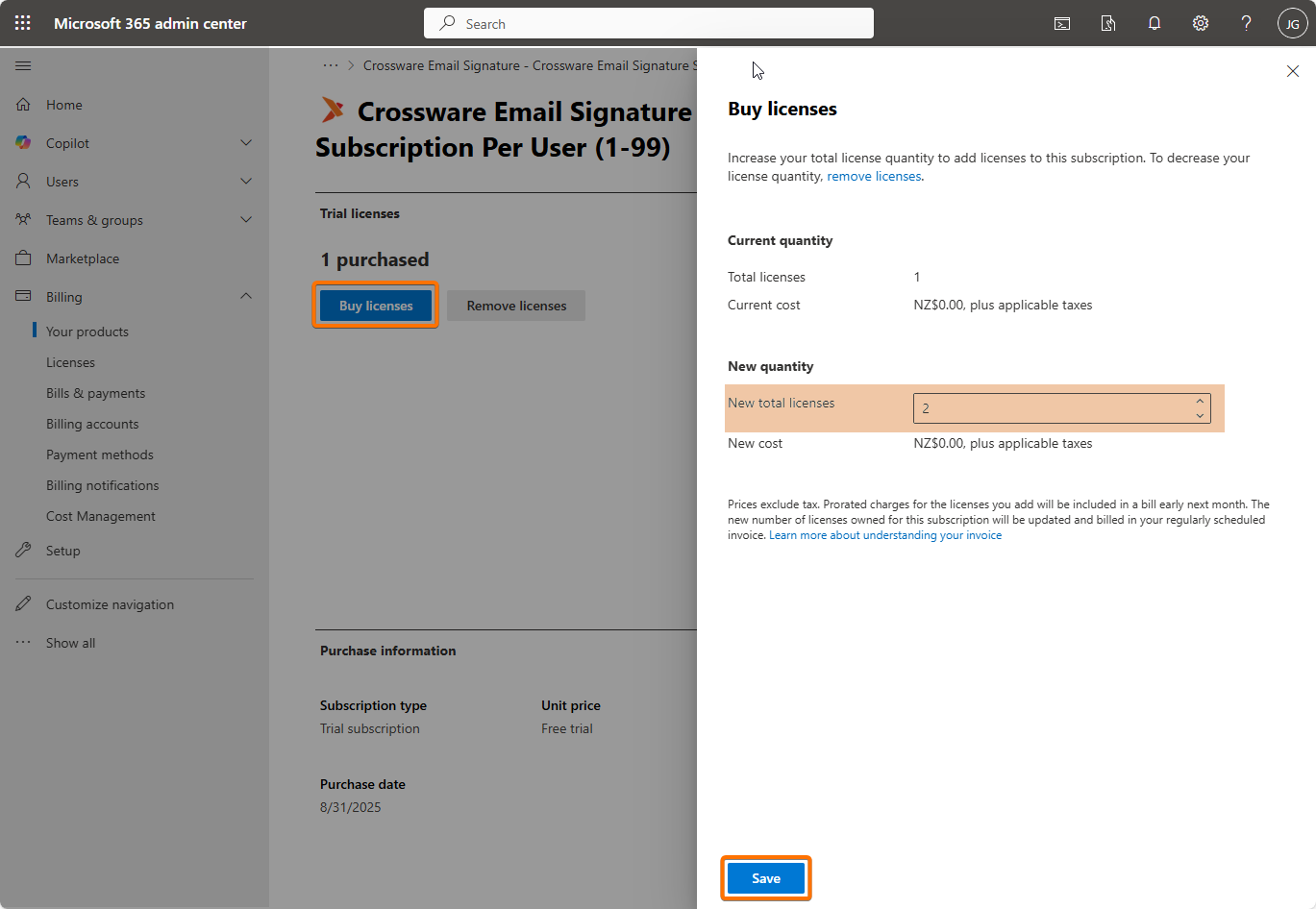
Buy licenses – Enter the number of additional licenses you need, and then select Save.
-
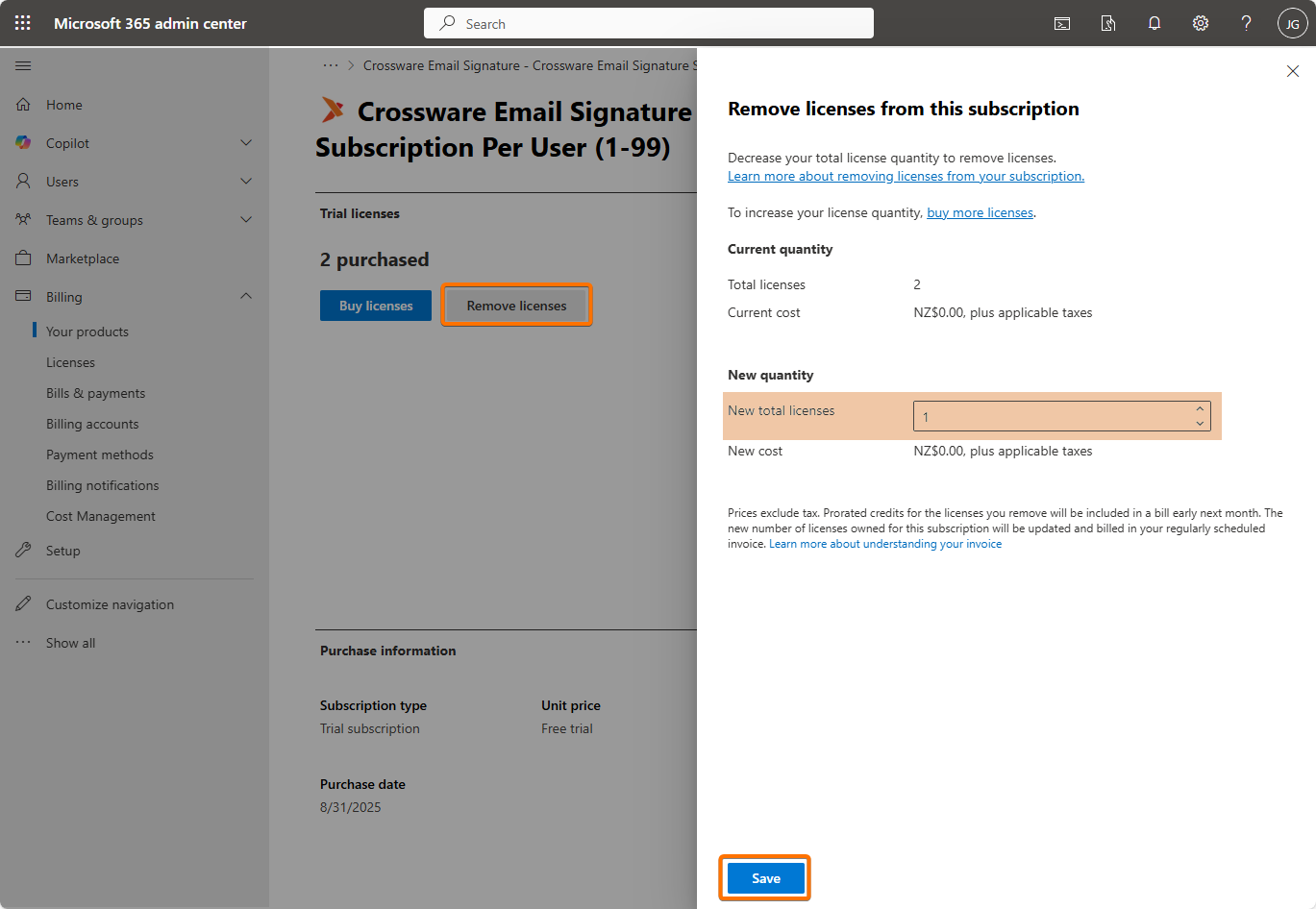
Remove licenses – Enter the number of licenses to remove, and then select Save.