Lookup fields are created within each signature and then mapped to a notes database.
The mapping is completed using views, keys, or fields within the email that is being processed by Crossware Mail Signature.
Under most circumstances you should not need to change these settings.
If your user information is not stored in the address book but in a separate database you can modify the setting in these documents to extract the lookup information from another database/view.
New Lookup
To create a new Lookup click the Action button New Lookup Configuration.
This will create a New Lookup Configuration Document.
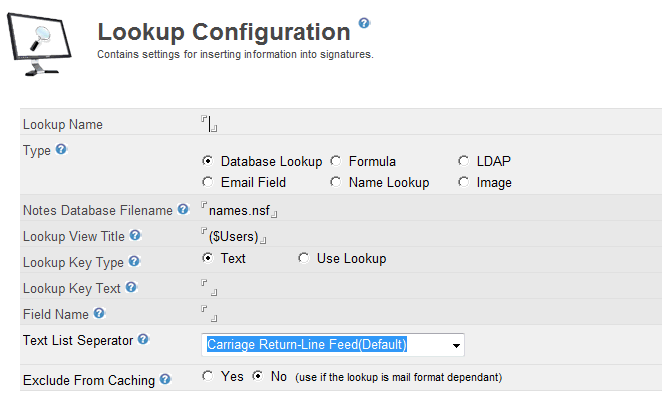
Lookup Name
A descriptive name that will appear when you insert it into a signature. This must be unique.
Type
Database Lookup
Extracts information from a database view using a key field.
Email Field
Extracts data from the email. Email Field Lookup
Formula
A Notes @formula that returns a text value. Formula Lookup
Name Lookup
Extracts information using NAMELookup commands.
LDAP
Extracts information from a LDAP Directory. LDAP Lookups
Image
Retrieves and image either from the image library or from another database
Text List Separator
This setting controls how Text Lists are formatted when returned. By default, text lists will be on separate lines when inserted into the email.
When lookups are used in other lookups e.g. Formula a Carriage Return/Line Feed is not suitable. Therefore a different separator can be used.
Carriage Return/Line Feed
Each entry will be on a new line.
Colon
Text items will be separated by a colon.
Tab
Text items will be separated by a tab character.
Editing Lookups
If you edit the lookups within the esig.nsf database you should use the Refresh All Documents action to ensure that any configuration documents based on the document you are updating are updated.
Testing Lookups
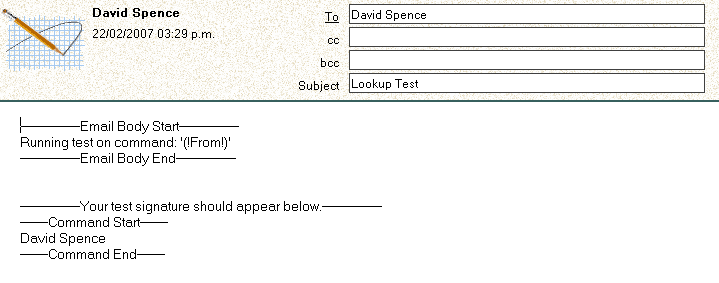
You can test your lookups using the Test Lookup action. This will send an e-mail to yourself. This e-mail will be processed by the application as it passes through the HCL Domino server and the lookup is evaluated.