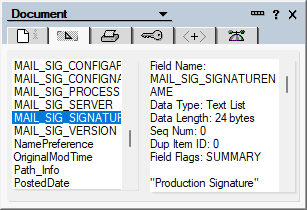
To determine whether an e-mail has been processed by Crossware Email Signature, it is possible to check the fields that are added to the e-mail during the processing.
These fields are added regardless of whether a signature has been appended:
-
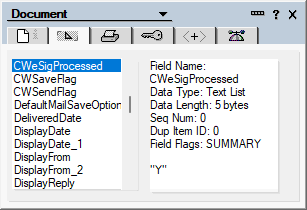
CWEsigProcessed
This field is set to Y when the application has processed the e-mail. This field is used to tell other servers that may process the email that is has already been processed.
-
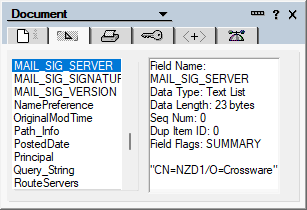
MAIL_SIG_SERVER field
This field contains the server that processed the e-mail.
-
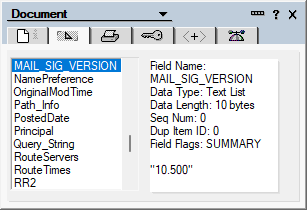
MAIL_SIG_VERSION
This field contains the version of the software that processed it.
-
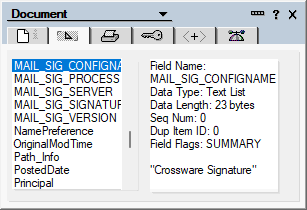
MAIL_SIG_CONFIGNAME
The name of the mail signature configuration document that was applied.
-
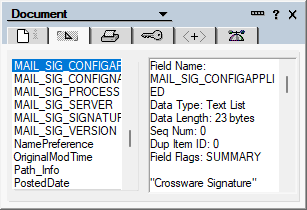
MAIL_SIG_CONFIG_APPLIED
The name of the configuration document(s) applied.
For Main and Linked type configuration documents, it will include the main configuration document and the sub-signatures applied.
For Linked only signatures, this will only contain the sub-signatures applied.
If the main configuration is set to Reply only or New Emails Only, they will still appear in this field.
-
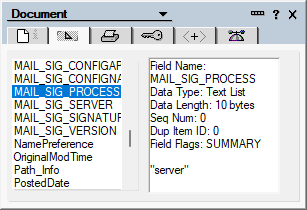
MAIL_SIG_PROCESS
The domino process that processed the email.
-
MAIL_SIG_SIGNATURENAME
Taken from the Signature Name field in the signature configuration document. This allows the drafts and archived configurations to be distinguished during testing.