This example demonstrates how to create lookups which will automatically add a new line ONLY if there is information returned from another lookup.
For Example, in the configuration below, if the Fax number is not set in the users Person document, a empty line if left in the signature.

Resulting signature

To overcome this, new lookups can be created to automatically insert a new line only if the phone/ fax/ mobile lookup returns data.
New Lookups
The following steps describe how to create the new lookups.
-
Create a new lookup called
(!NewLineFormula!)
This lookup returns a new line in the correct format for the type of email, e.g. Rich Text, HTML or Plain text
This link shows how to create the (!NewLineFormula!) lookup (How to add Carriage Returns into a formula)
-
Create new lookups for Phone, Fax and Mobile.
These formula lookups reply on the default (!Phone!), (!Mobile!) and (!Fax!) lookups which are part of the default installation.
Phone
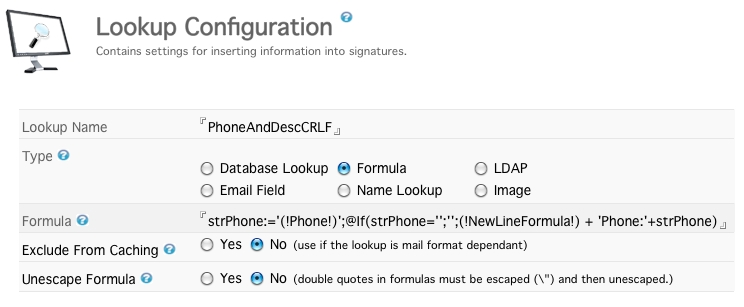
strPhone:='(!Phone!)';@If(strPhone='';'';(!NewLineFormula!) + 'Phone:'+strPhone)
Fax
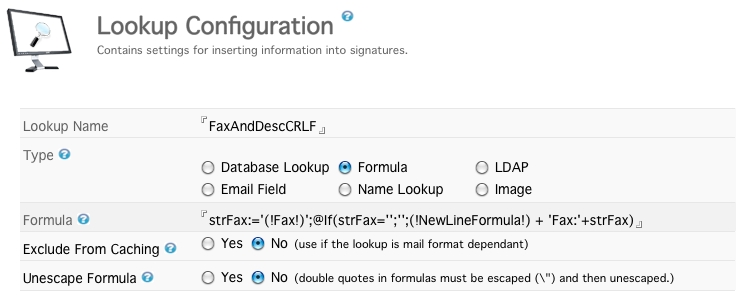
strFax:='(!Fax!)';@If(strFax='';'';(!NewLineFormula!) + 'Fax:'+strFax)
Mobile
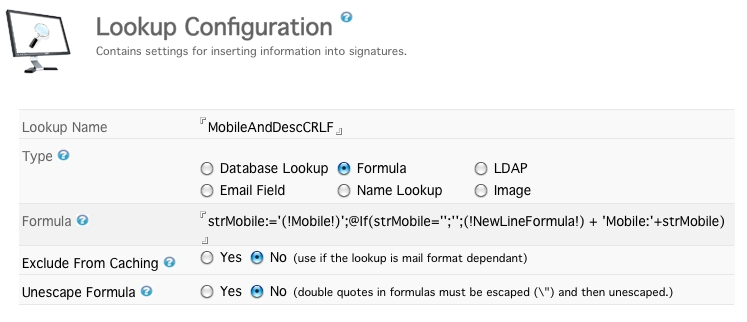
strMobile:='(!Mobile!)';@If(strMobile='';'';(!NewLineFormula!) + 'Mobile:'+strMobile)
New Signature Configuration
The new lookups can now be used in a signature configuration document.
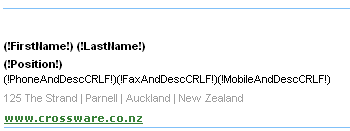
Resulting signature when the fax number is missing.