
Emails sent from mobile devices often include automatic footers like Sent from my iPhone. This may interfere with corporate signature formatting or brand consistency. This article shows how to use the Email Modifier function to clean up or remove such device-generated signatures.
Configure Email Modifier
-
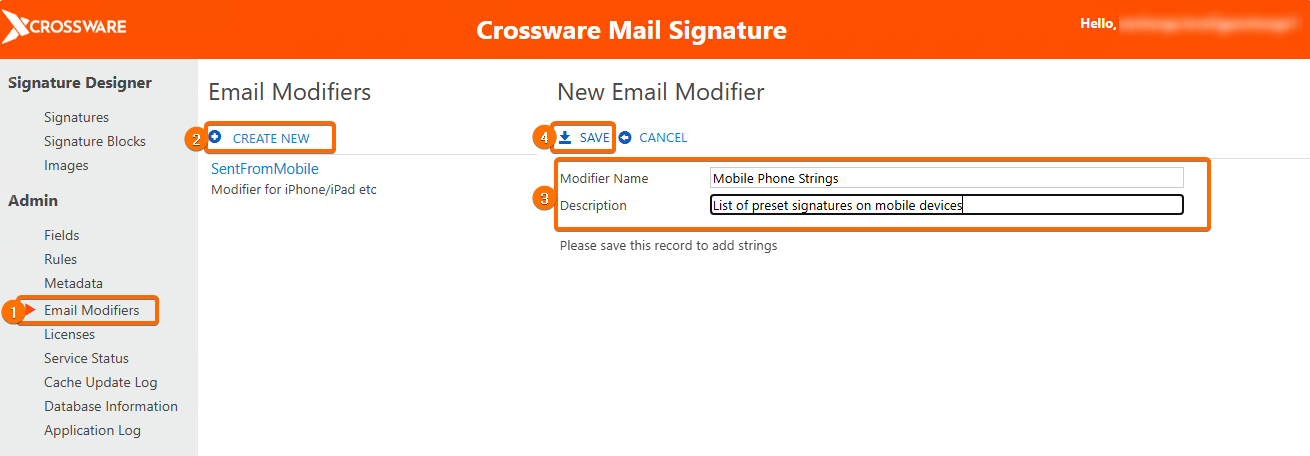
Go to Admin → Email Modifiers.
-
Click Create New.
-
Enter:
-
Modifier Name: e.g., Mobile Phone Strings
-
Description: e.g., List of preset signatures on mobile devices
-
-
Click Save.
-
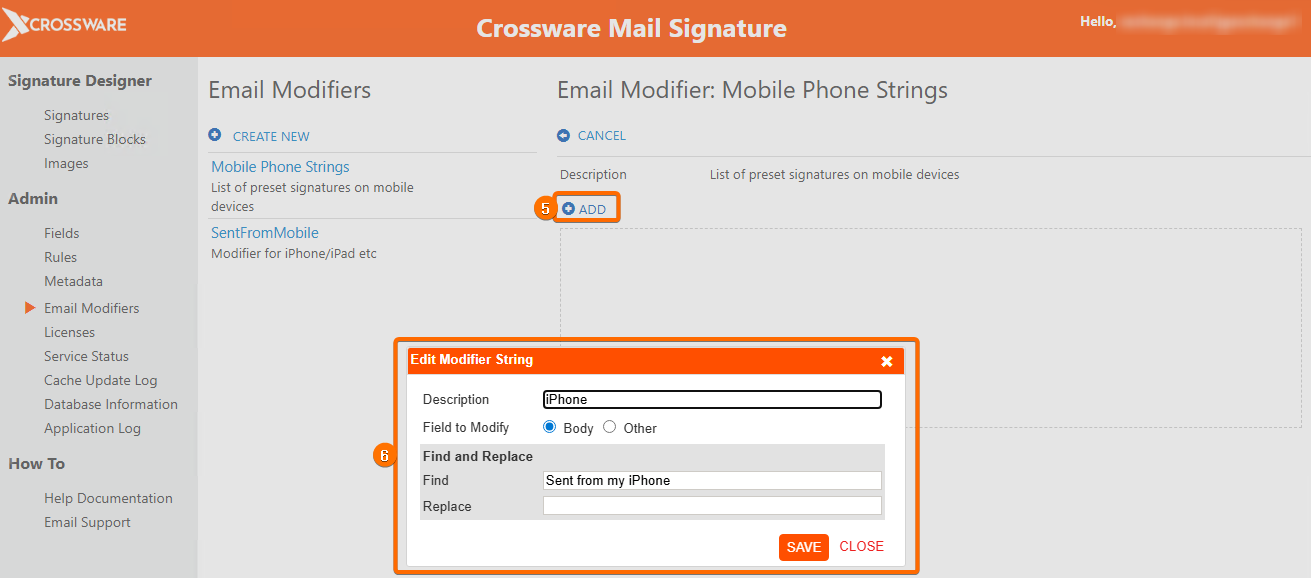
Click Add and configure entries such as:
-
Description: iPhone
-
Field to Modify: Body
-
Find:
Sent from my iPhone -
Replace: (leave blank)
-
Click Save.
-
-
Repeat for other device strings (e.g., Sent from my Windows Phone).
-
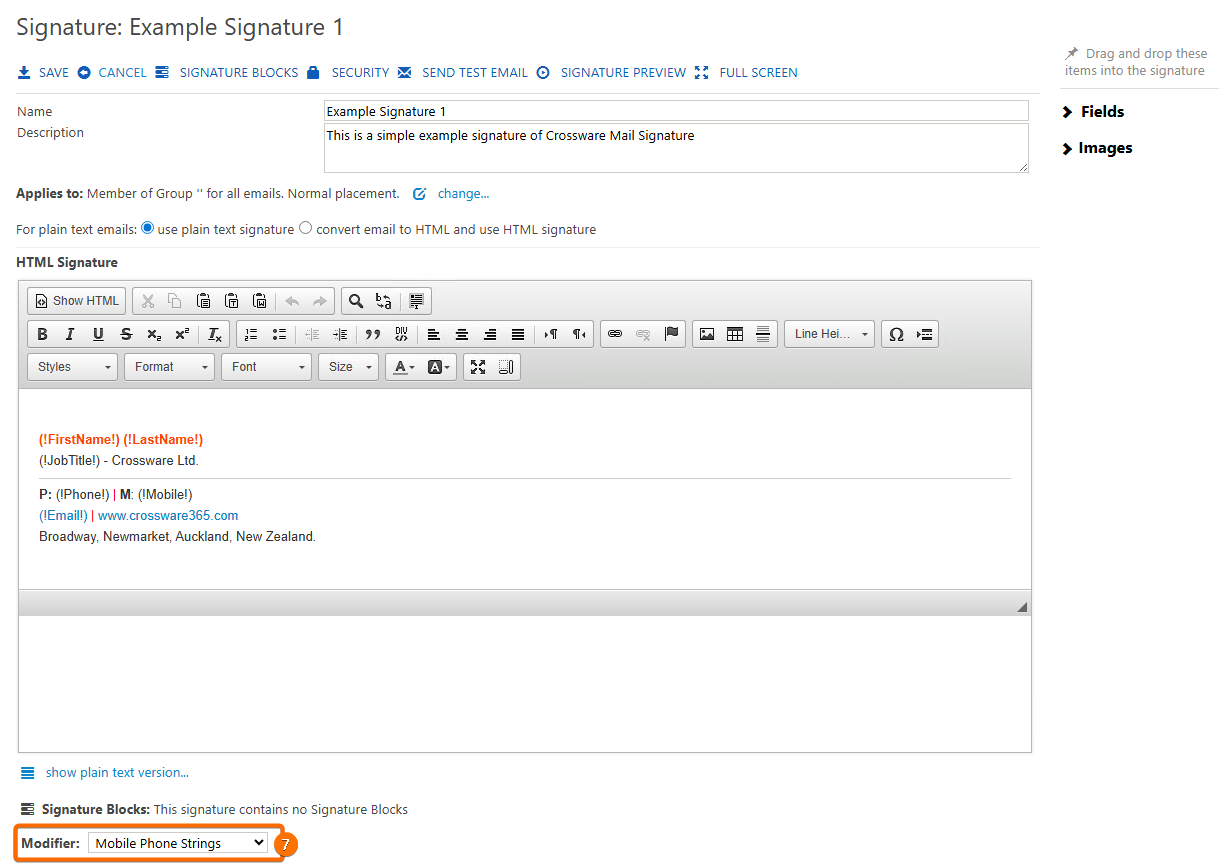
Assign this Email Modifier to your signature configuration.
-
Save and test by sending from a mobile device. check the body before and after the modifier application.