
Within Crossware Email Signature there is a feature to turn on debugging which creates a log to help resolve issues.
NOTE: When debug logging is enabled it will seriously affect system performance. We recommend it should only be enabled in a test environment, or when users are not connected to the server, e.g. after hours. It should be turned off as soon as possible.
Debug Logging
-
To enable logging on the Exchange Server, edit the mailsignature.xml configuration file in the installation directory on the Exchange Server, and change the setting below from "INFO" to "DEBUG"
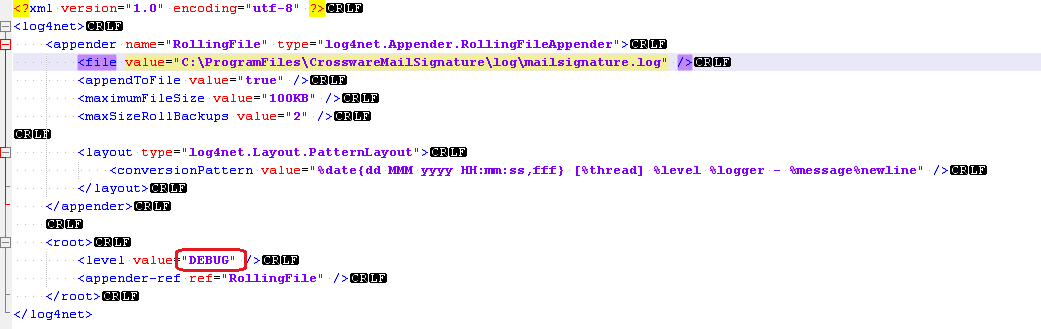
-
Once the setting has been changed, save the file. The changes should be detected and debug logging should be enabled.
-
-
Send an e-mail that will cause the issue.
-
Check the log to see if the debug logs were generated.
-
Disable logging by changing "DEBUG" back to "INFO" and saving the mailsignature.xml file.
-
Send a test e-mail to confirm that logging has been disabled.
The e-mail will generate a considerable amount of data in mailsignature.log, which documents every action that has taken place during the processing of each email.