
Question
Is it possible to send different email signatures depending on whether an email is internal or external?
Answer
Yes, it is possible and easy to set up.
How It Works
Your email signature is made up of two parts:
-
Main Signature – The section that appears in all emails.
-
Signature Blocks – Additional sections (for example, a disclaimer or promotional banner) that you can configure to appear only under certain conditions.
Use the Main Signature for information that should always appear. Use Signature Blocks for content you want to display only to specific recipients, such as external contacts.
By combining the Main Signature with one or more Signature Blocks (and applying rules), you can control who sees what.
Steps to Create a Main Signature
We recommend including only the elements relevant to all recipients, since the Main Signature is universal.
-
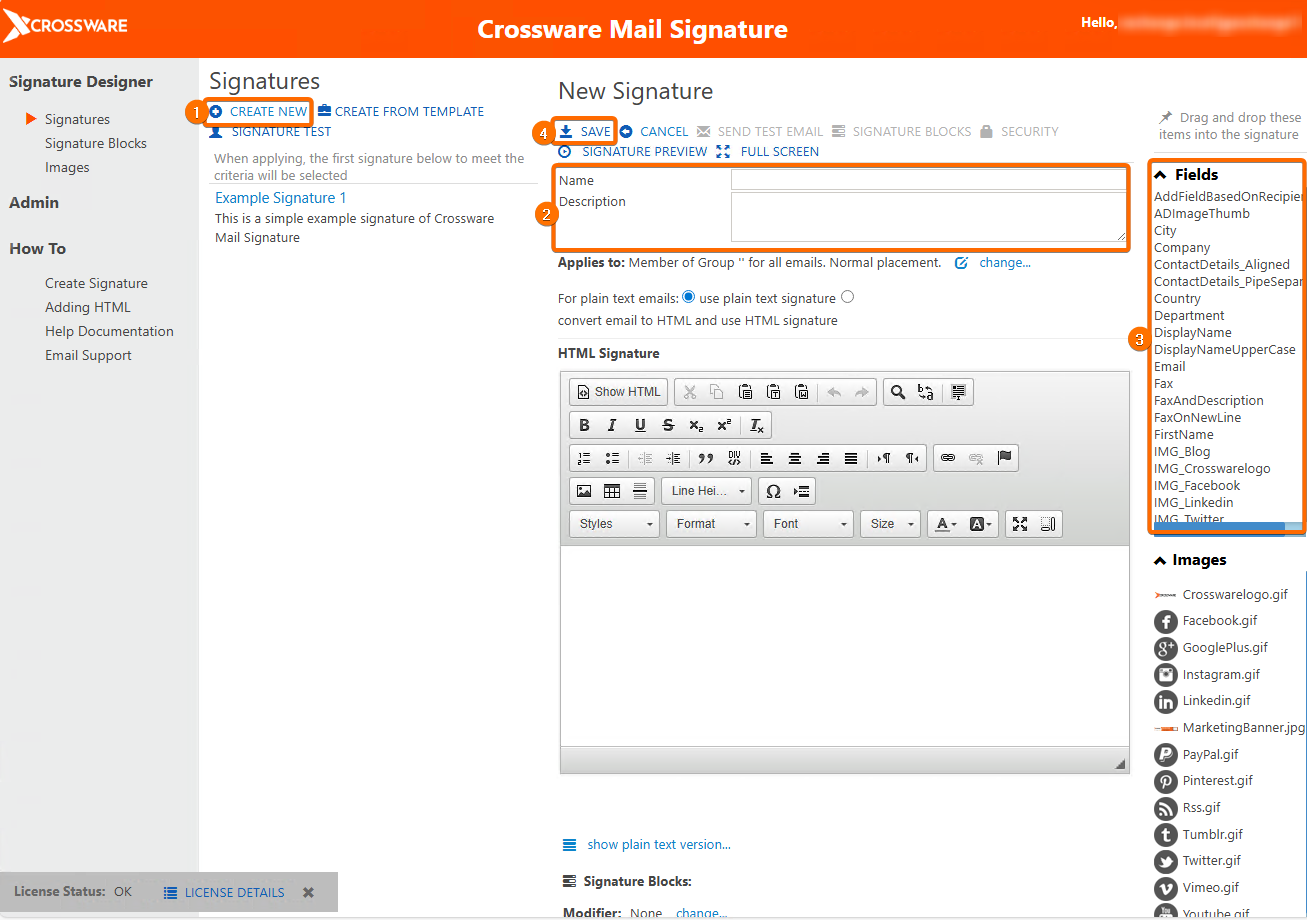
From the sidebar, Go to Signatures and click Create New.
-
Enter a name and description for your signature.
-
Use the editor to add your fields, text, images and other elements.
-
Save your signature.
Steps to Create a Signature Block
Signature Blocks are ideal for content that does not apply to everyone, such as external disclaimers.
-
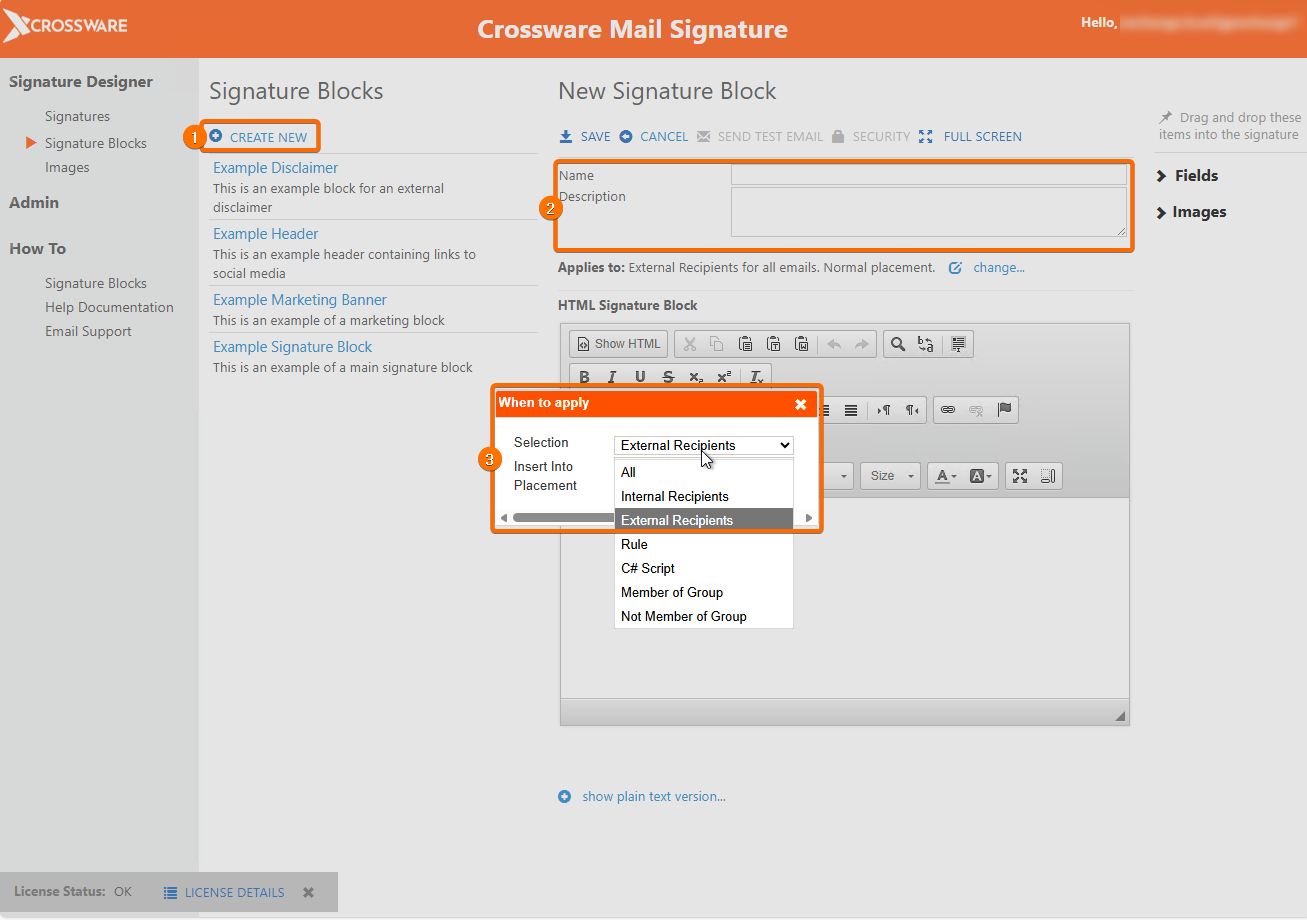
From the sidebar, Go to Signature Blocks and click Create New.
-
Give it a name and description.
-
Click Change next to Applies to: and select External Users (or your preferred condition).
-
Design your content in the editor.
-
Save the block.
Assembling the Complete Signature
Once your Main Signature and Signature Blocks are ready:
-
Edit your Main Signature.
-
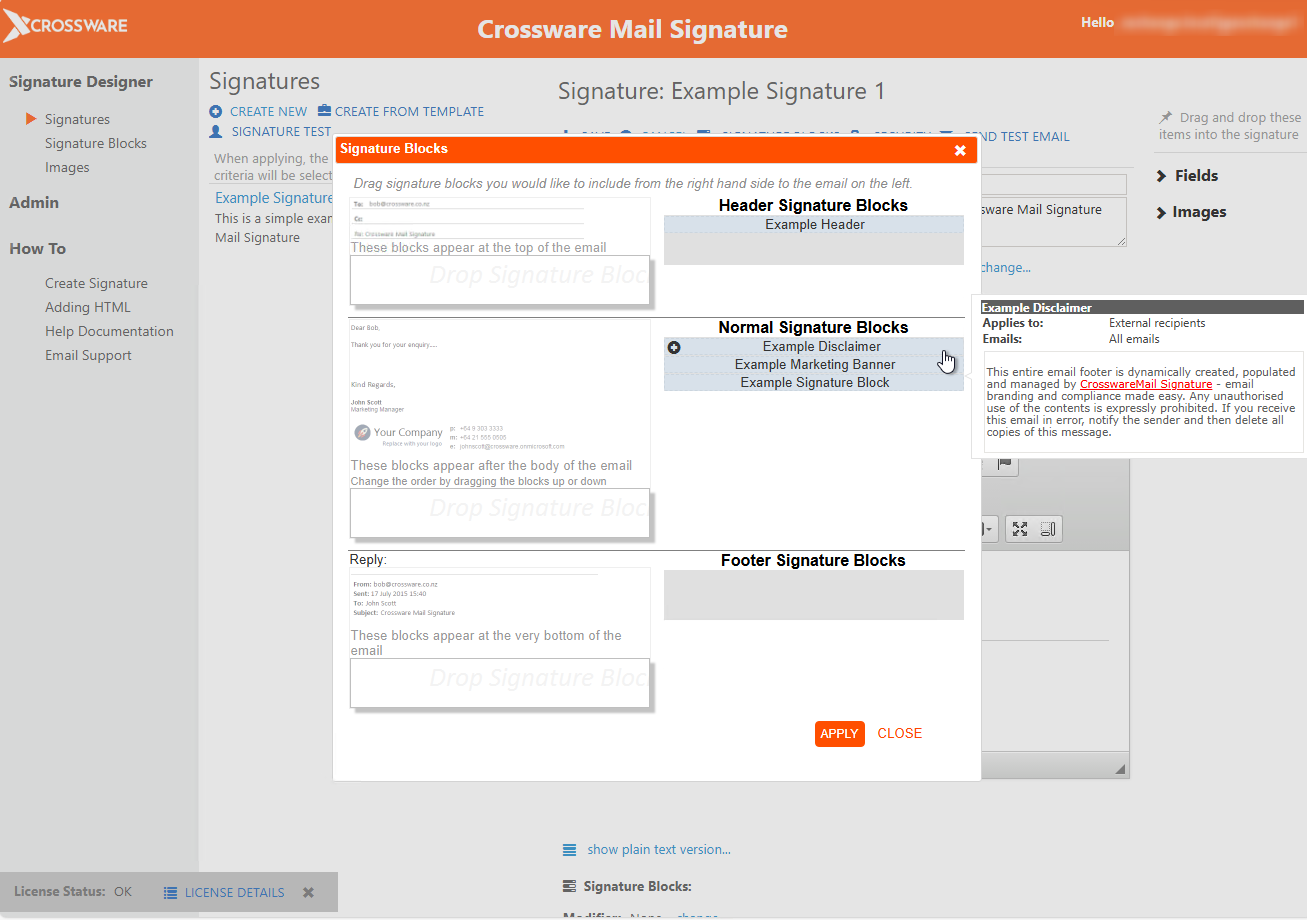
Click Signature Blocks in the editor menu.
-
From the list, find your external block and add it (using + or drag and drop).
-
Reorder the blocks if needed.
-
Apply and save your signature.
The Main Signature is always applied. When sending to external recipients, the designated Signature Block, such as a disclaimer, will be added automatically.