Overview
Crossware Email Signature supports multiple license keys. Licenses are validated in sequence until a valid one is found.
How to Install a License
-
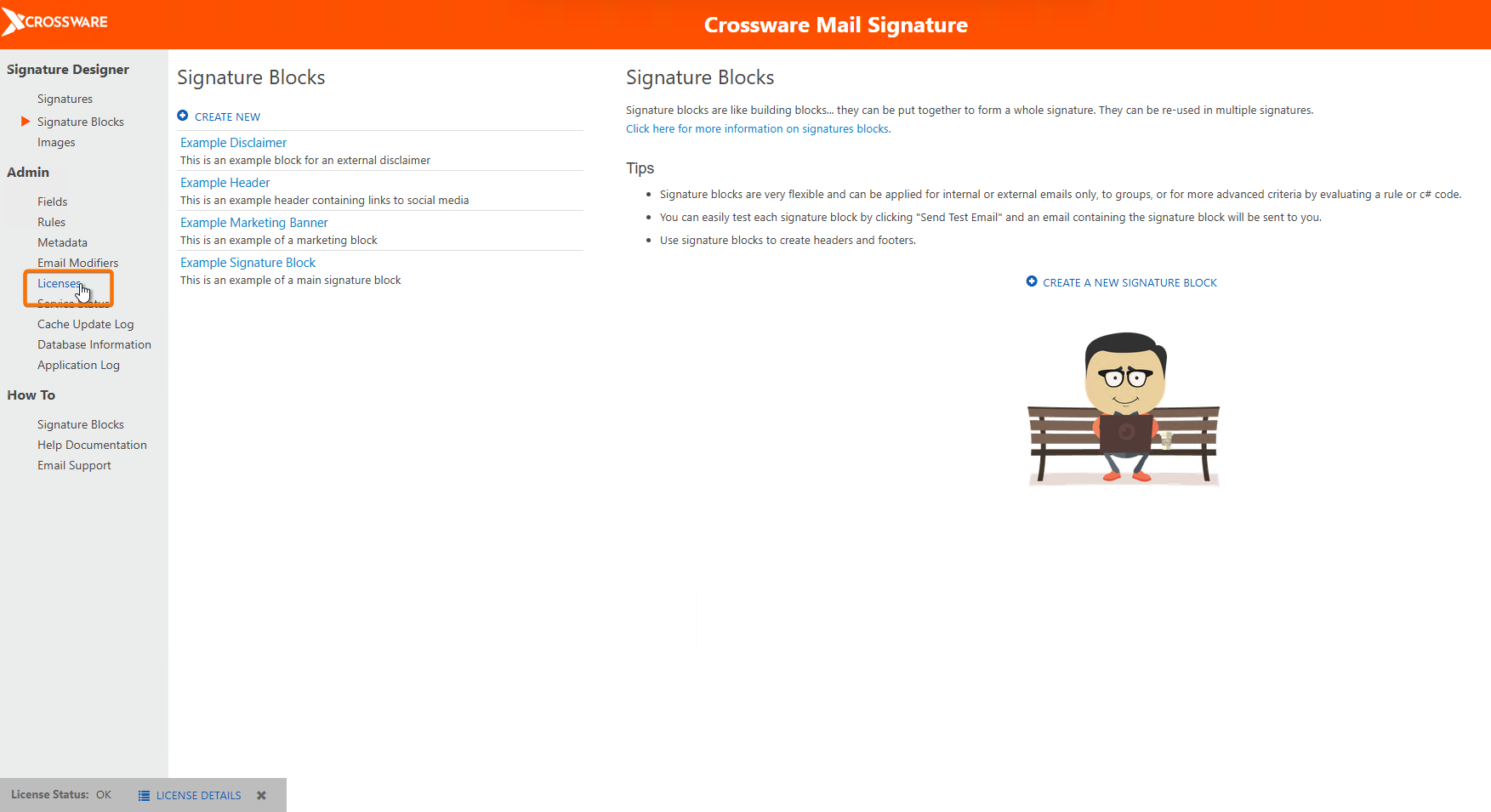
Navigate to the Admin section in the Navigator.
-
Click License.
-
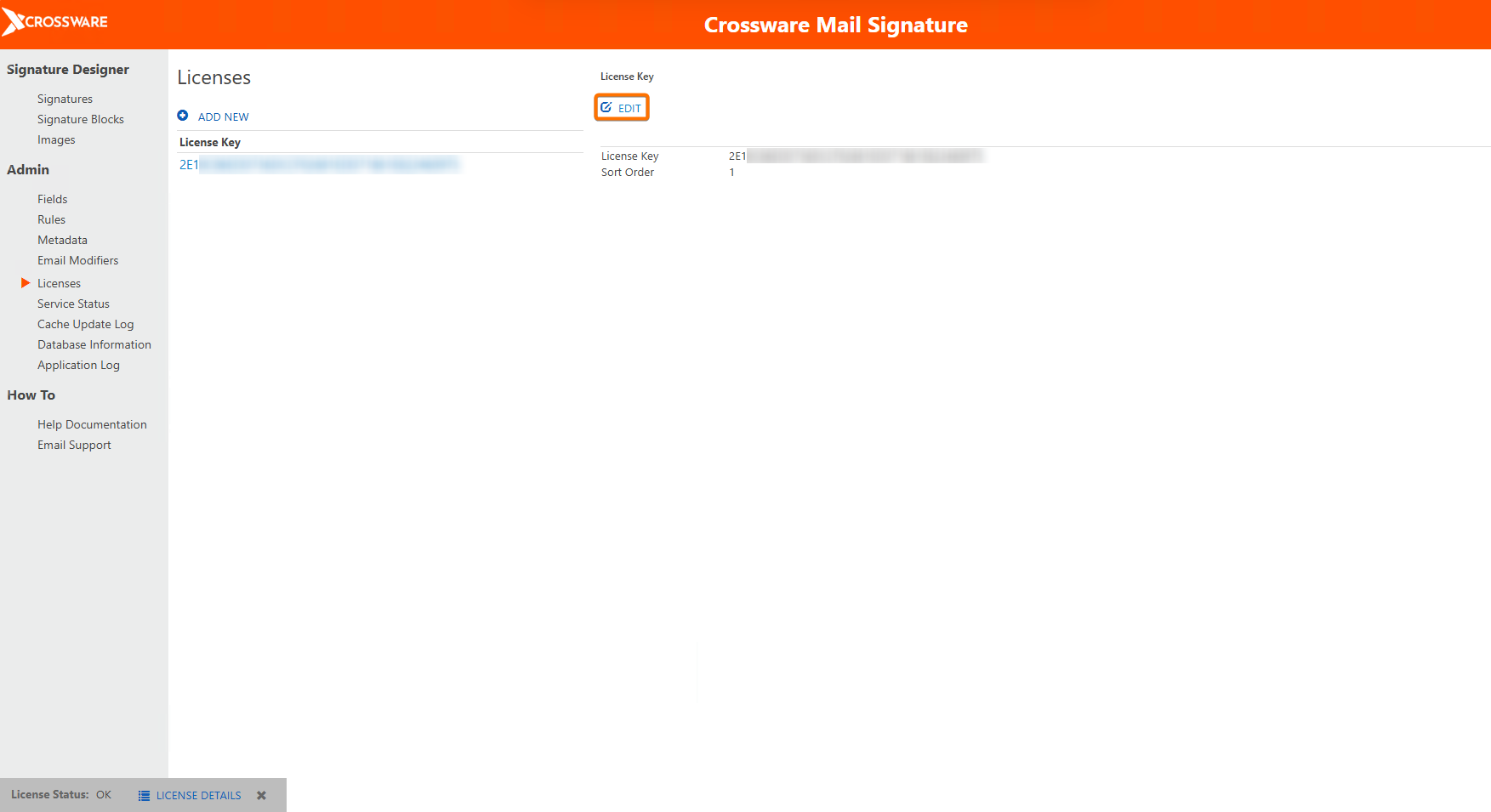
Click the License and select EDIT, replace the existing license key with the new one.
-
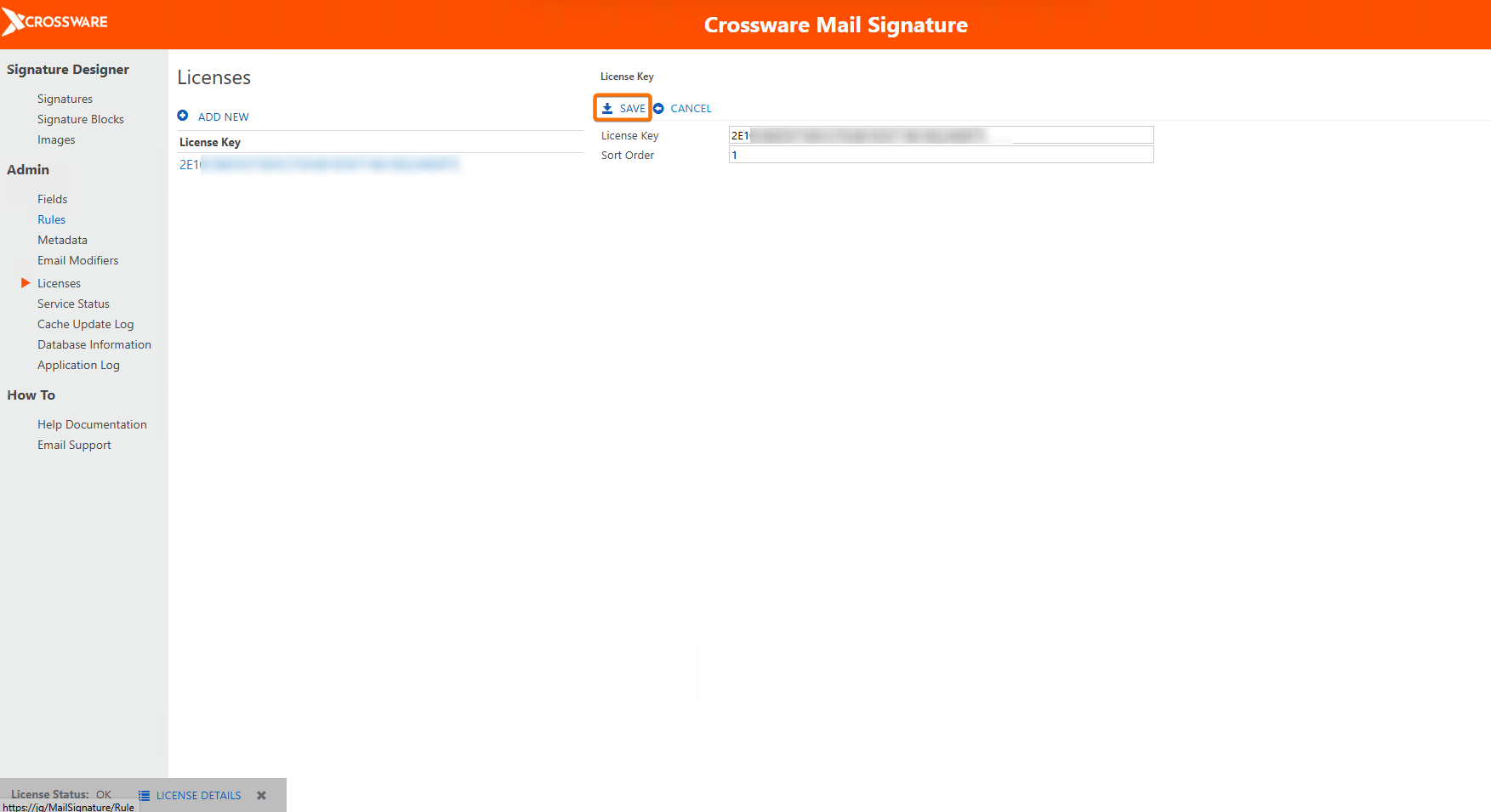
Click SAVE.
-
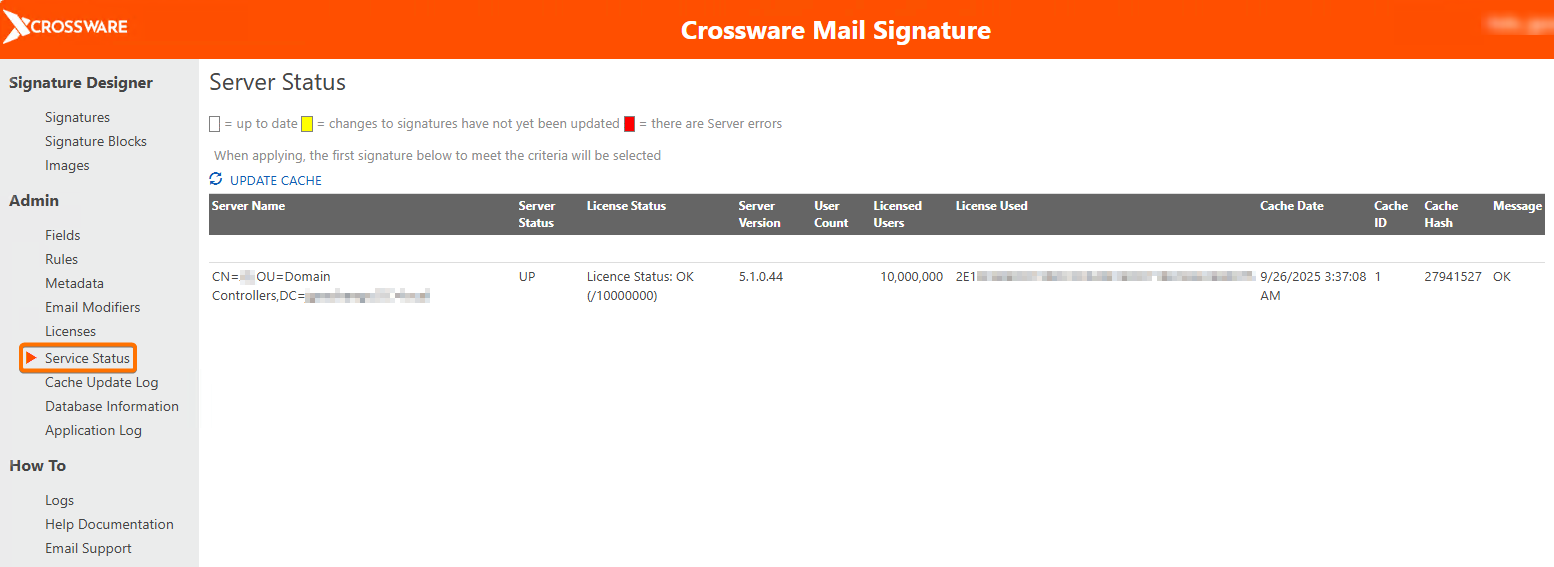
Go to Server Log under the Log section to confirm the new license is displayed in the License Used column.
License Validation
Home Screen Status
-
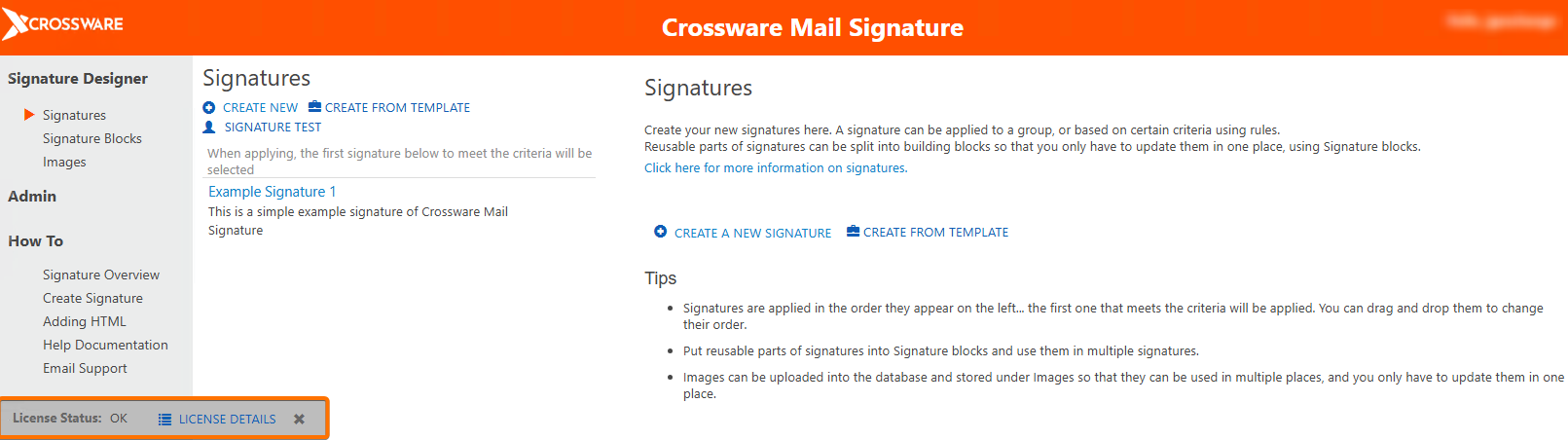
OK – License is valid.
-
Error/Warning – Issues are detected and will be shown on screen.
Detailed View
-
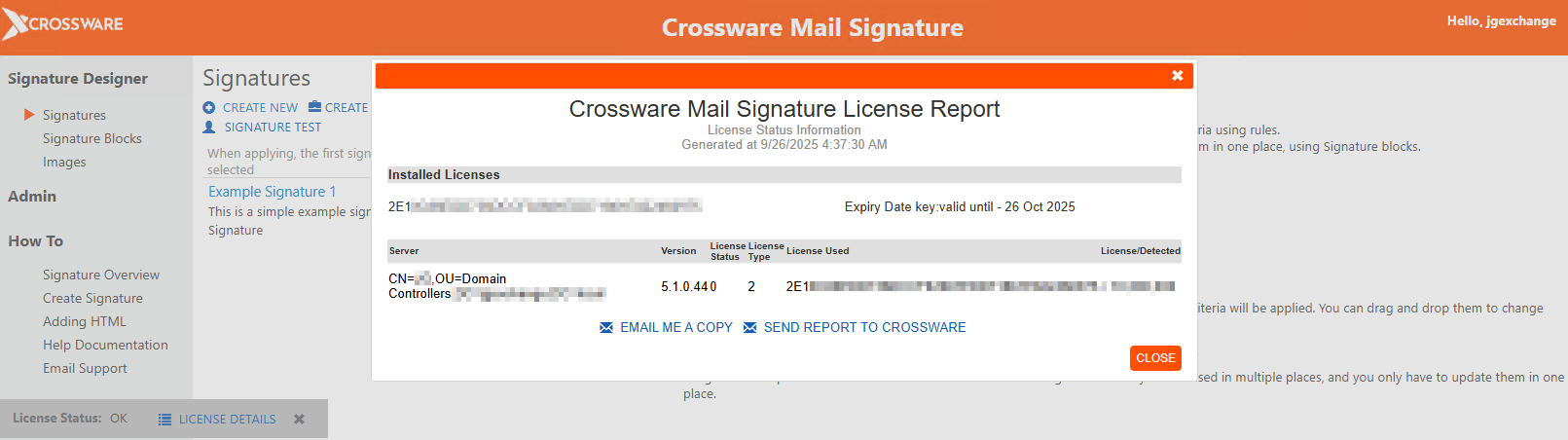
For more information, click License Details to see status across all servers.