
Crossware Email Signature is capable of performing lookups in other databases.
An example would be a separate HR database.
In the database you are looking up, there must be a view containing all variations of a user's name similar to $Users in your address book.
Emails passing through your server may contain any number of valid 'From' addresses. e.g.
-
LB
-
Les Battersby
-
Les Battersby\Company
-
CN=Les Battersby\O=Company
Domino will see all of the above addresses and deliver the email correctly.
Normally, when performing lookups, the signature application will extract the 'From' field from the email and perform a lookup against the $users view. This will return the user's Person document, and the field will be extracted (see Signature Configuration).
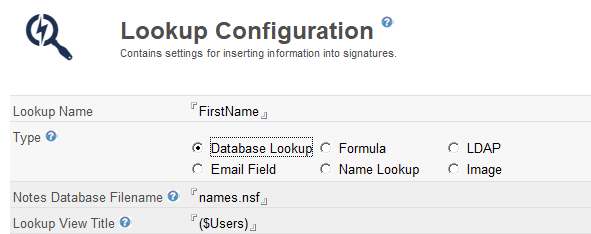
When lookups are performed against another database, the look-up view may not have all possible variations on a name.
Therefore, you may need to:
-
Modify your look-up view to provide all the alternatives listed above.
This has the downside that you may have to redesign your look-up database.
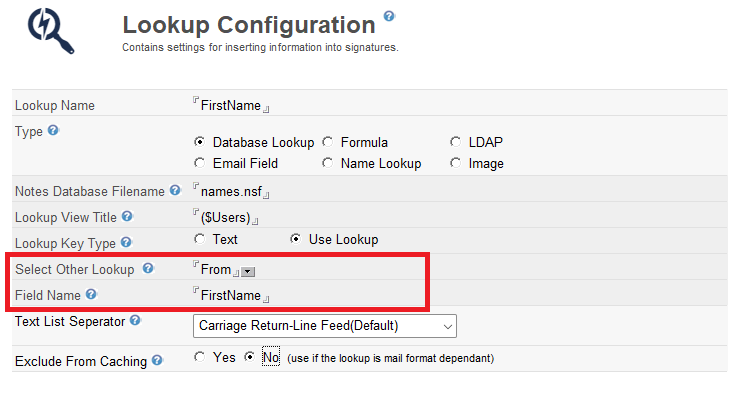
-
Modify the 'From' formula in the application.
This method uses a @Name on the from field and therefore may not work correctly on all addresses.
strFrom:=@If(@Contains(From;'<');@Middle(From ;'<' ;'>' );@Name([CN];From));@If(Principal='';strFrom;@Name([CN];Principal))
Once you have made the changes you must run the 'Refresh all Documents' action from the Lookup Configurations view.

Remember to test all configuration changes and check the server logs for any error messages.