
You can assign a signature configuration to a specific group if required.
For example, a sales team, marketing department, or project group running a special campaign signature.
Steps
-
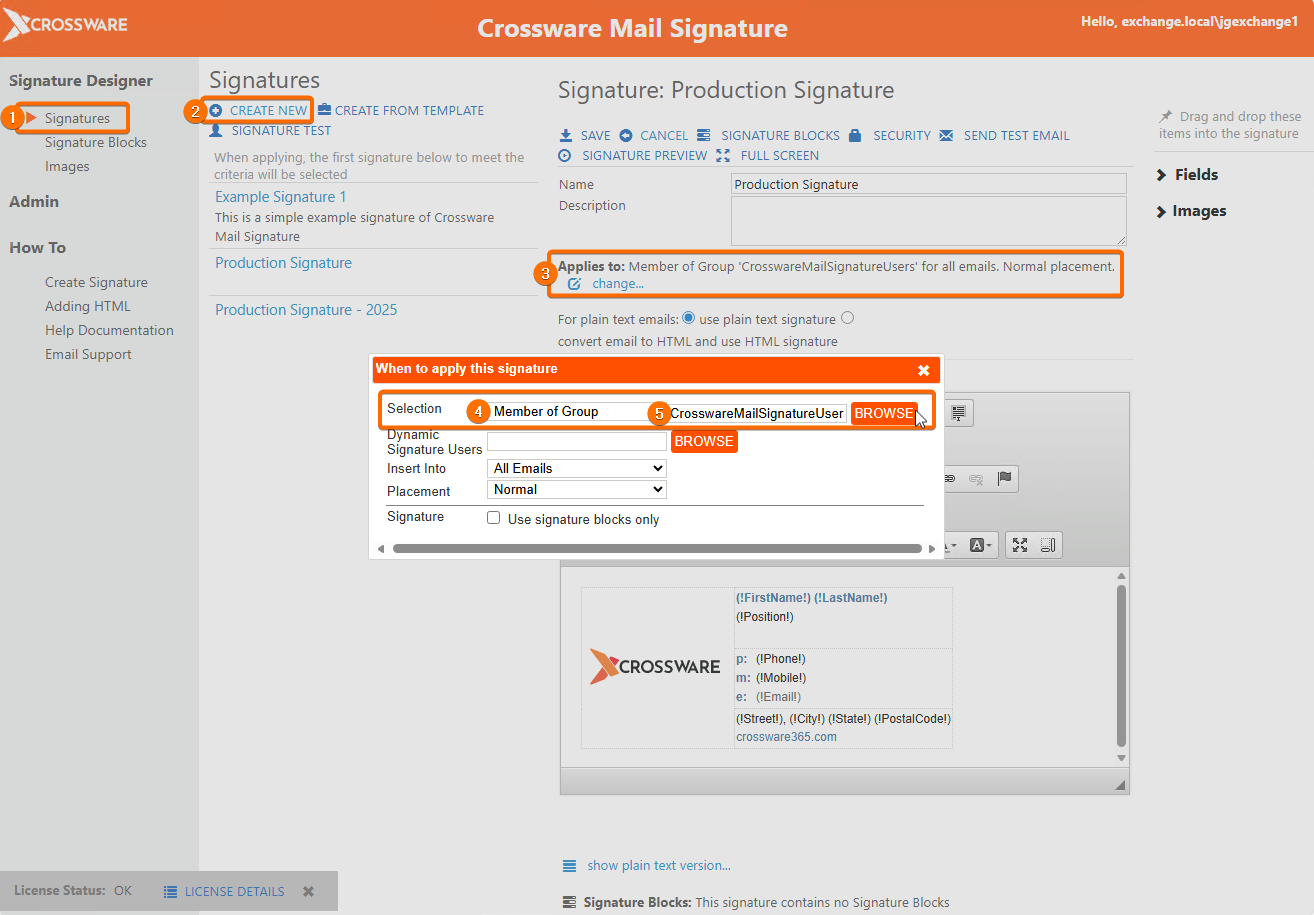
In the left side menu Under Signature Designer, click Signatures or Signature Blocks (whichever you want to configure).
-
Create a new Signature Configuration document.
-
In the Applies to section, click Change.
-
Under Selection, select Member of Group.
-
Click BROWSE, search for the Group, and select the group name.
The following line will appear in the Signature Design:
Applies to Member of Group CrosswareMailSignatureUsers for All Emails
-
Click the X and then save your signature.
Your signature has now been applied to your chosen Group.
PLEASE NOTE: If your Signature contains Signature Blocks that already have their own Applies to rules added, these will also apply.