
To remove Crossware Email Signature permanently, complete the following steps in your Google Admin Console.
Remove the Content Compliance Rule
-
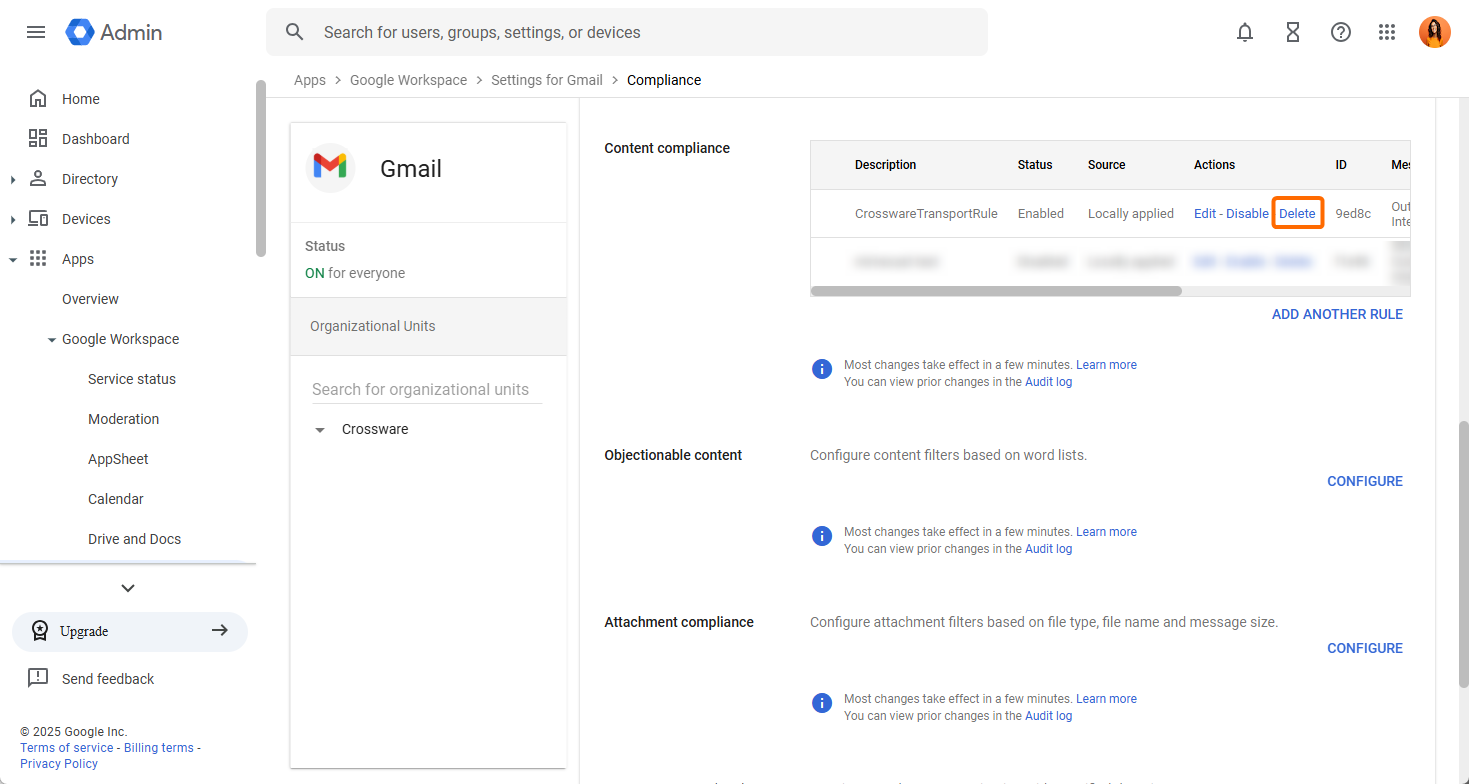
In Google Admin, go to Apps → Google Workspace → Gmail → Compliance.
-
Find the CrosswareTransportRule under Content compliance and delete it.
Remove the Host (SMTP Relay)
-
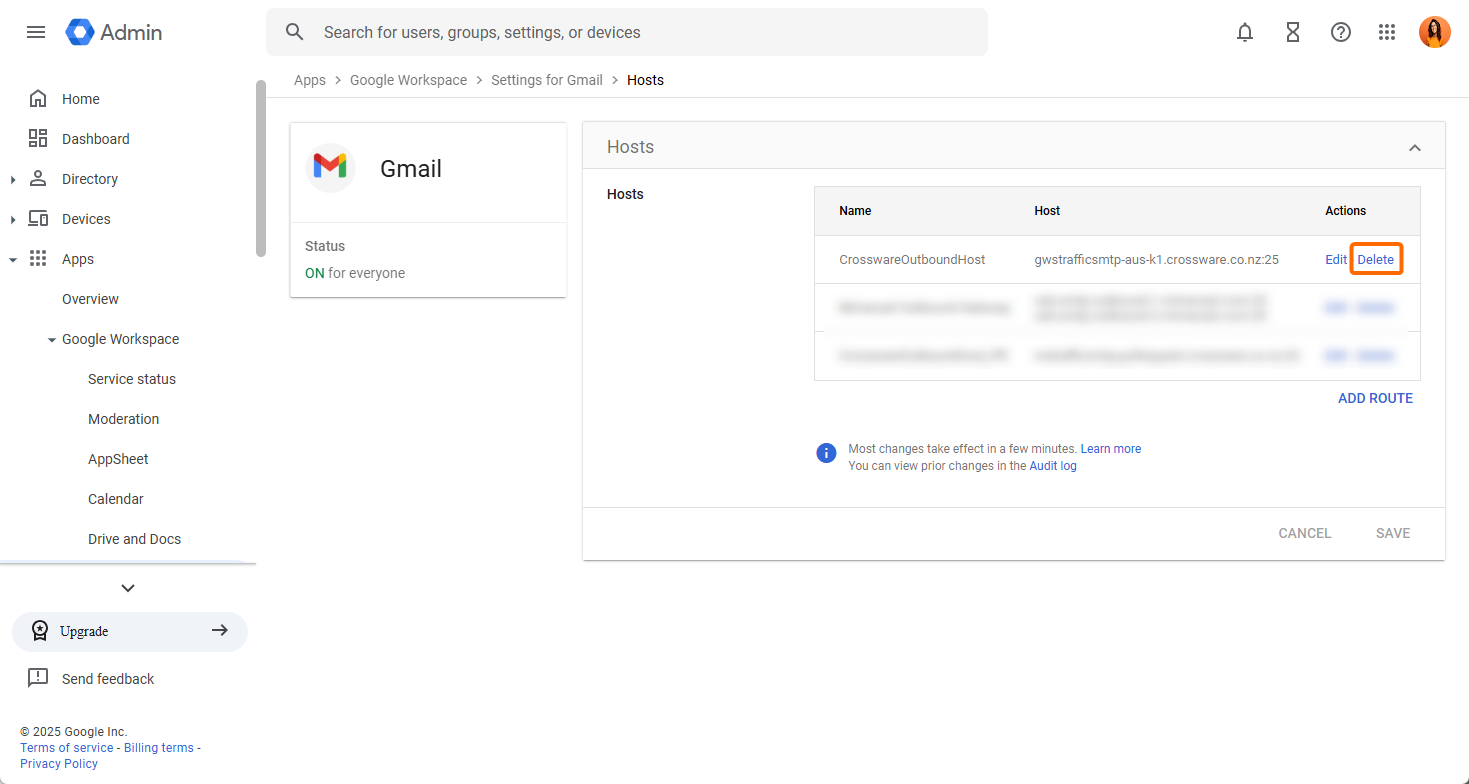
Navigate to Apps → Google Workspace → Gmail → Hosts.
-
Locate the CrosswareOutboundHost and delete it.
Remove the SMTP Relay Service
-
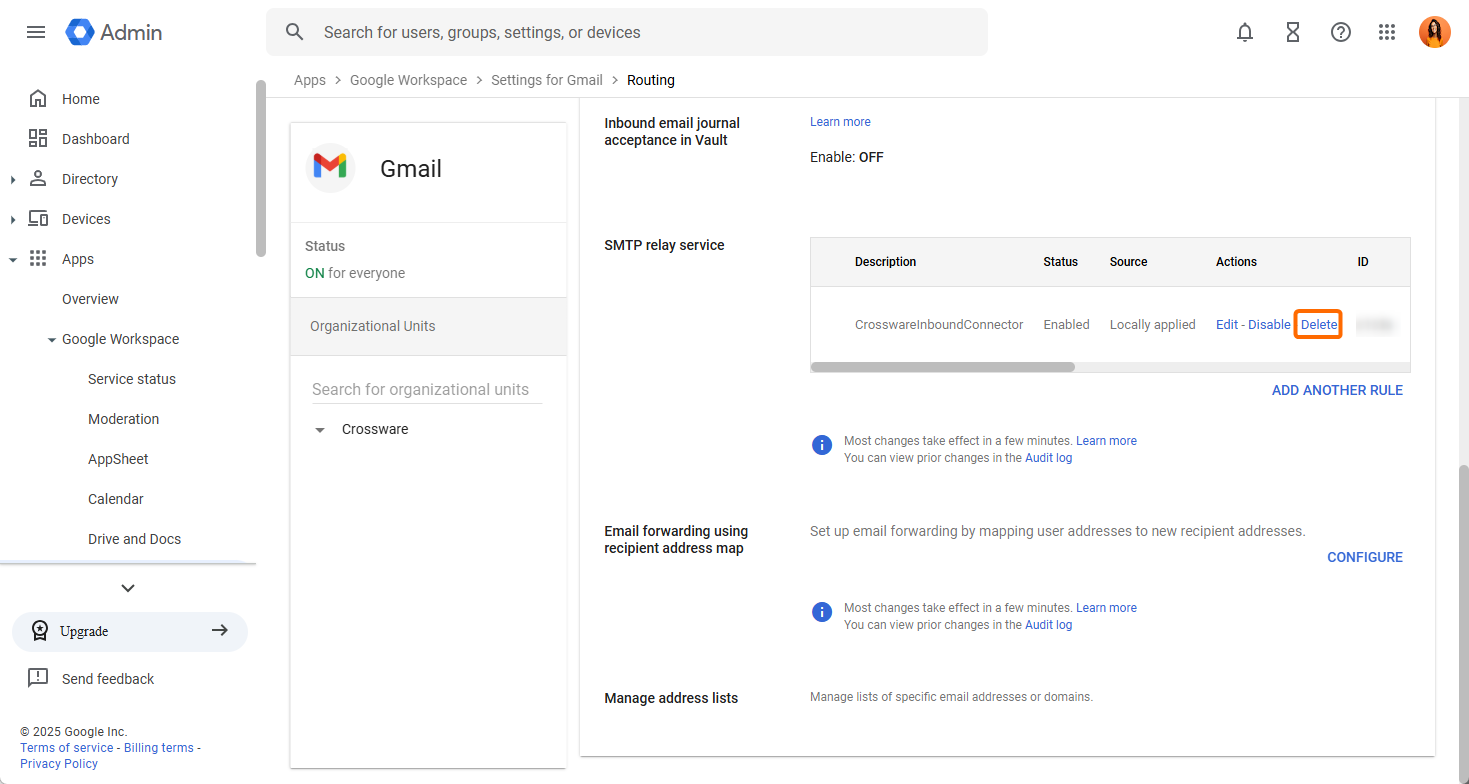
Navigate to Apps → Google Workspace → Gmail → Routing.
-
Under SMTP relay service, find the CrosswareInboundConnector and delete it.
Delete the Crossware Groups
-
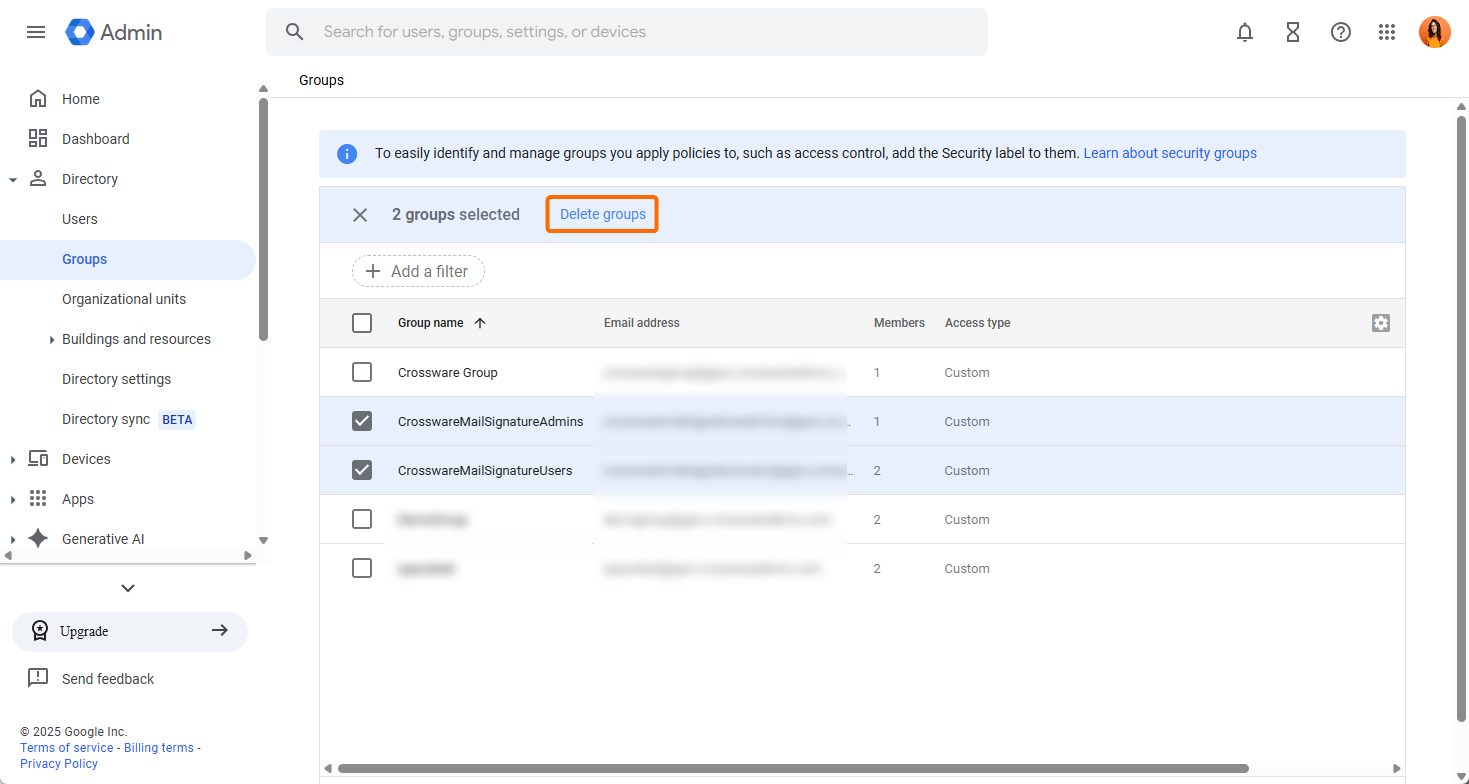
In the Admin Console, expand Directory → Groups.
-
Find and delete the CrosswareMailSignatureUsers and CrosswareMailSignatureAdmins groups.
Once you've completed these steps, Crossware Email Signature and all associated configurations will be permanently removed from your Google Workspace environment. Be sure to notify users of the change and verify that email signatures are handled by your preferred alternative method moving forward.