Metadata documents extend the functionality of Crossware Email Signature by defining rules that detect forwarded/reply to emails and specifying internal domains.
Types of Metadata Documents
-
HTML Forward/Reply Strings
Detects specific markers in HTML emails that indicate a forward or reply. -
Plain Text Forward/Reply Strings
Detects forward/reply to markers in plain text emails. -
Other Internal Domains
Allows you to specify additional internal domains (e.g.,crossware365.com).-
These domains are used to determine whether an email is internal or external.
-
Signature blocks and rules can be configured as Internal Only or External Only, based on this setting.
-
Forward/Reply Markers
Forward/reply strings are used to identify when an email is a forwarded message or a reply. You can add strings for either HTML or Plain Text emails.
To Add Forward/Reply Strings:
-
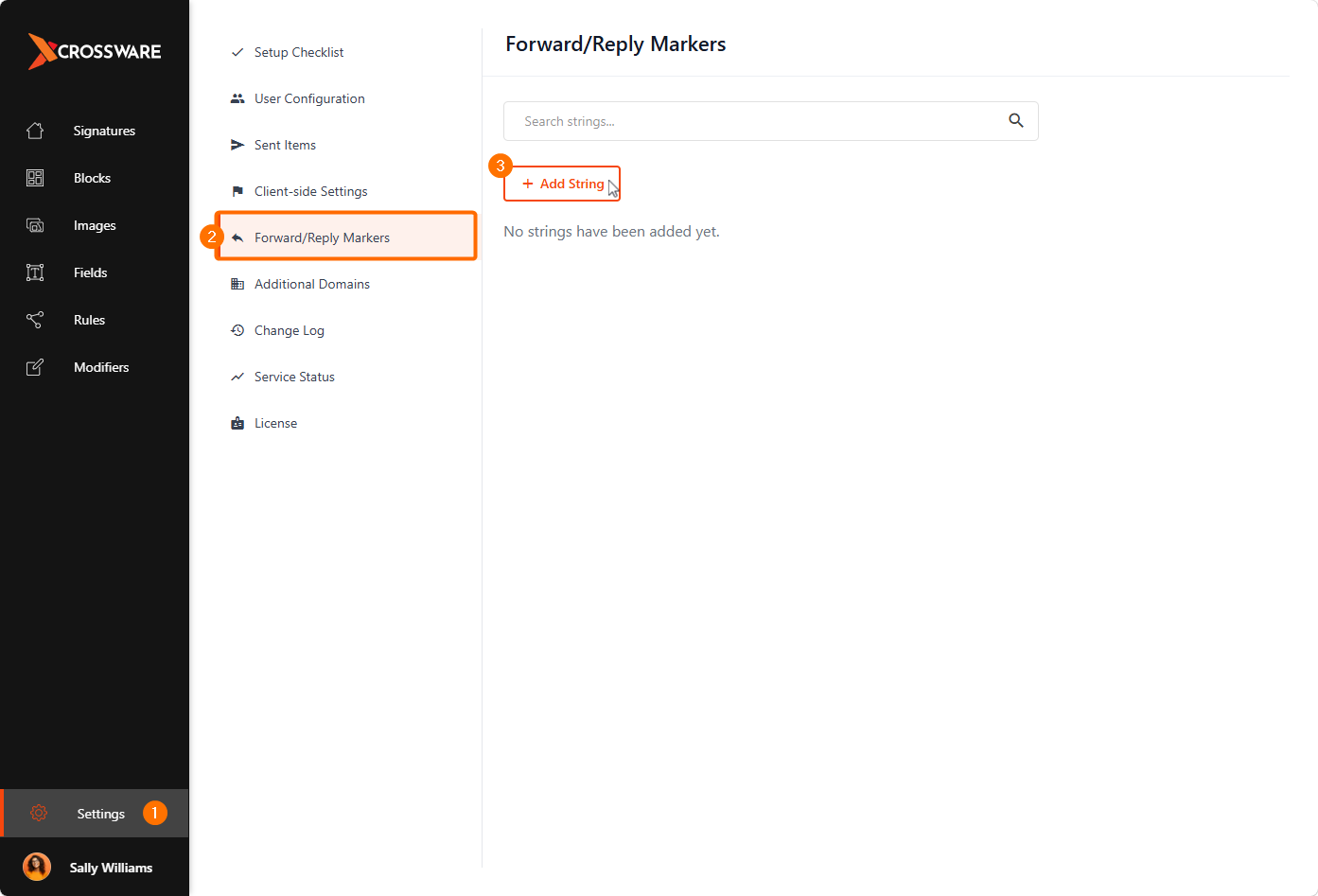
From the Crossware Portal, Click on Settings.
-
Select Forward/Reply Markers.
-
Click Add String.
-
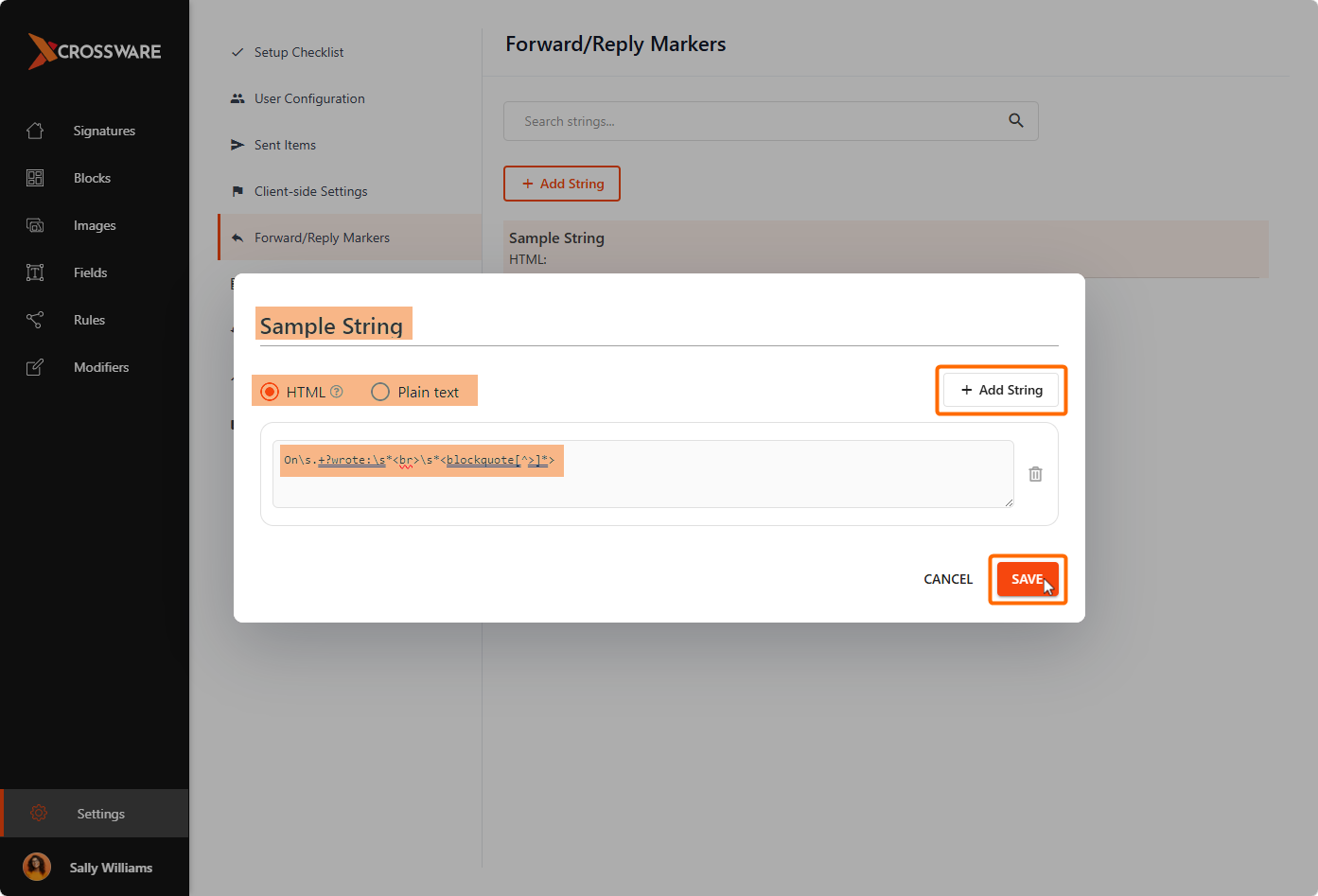
Enter a name, choose HTML or Plain Text, then enter the forward/reply string. Click Add String to add additional strings if required.
-
Click Save to confirm your changes.
Additional Domains
Add any additional internal domains used by your organisation. These domains help Crossware determine whether an email should be treated as internal or external.
To Add Internal Domains:
-
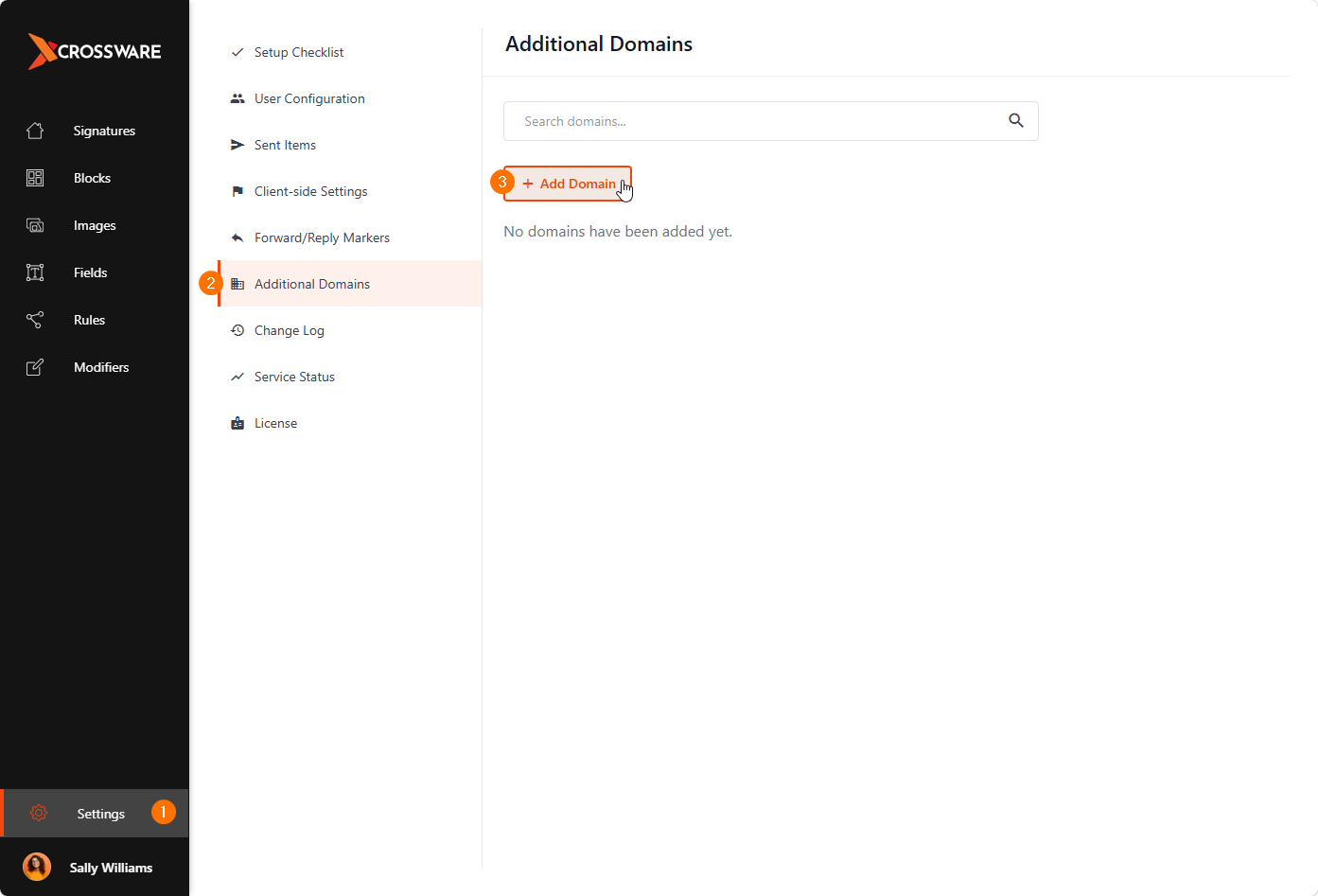
From the Crossware Portal, Click on Settings
-
Select Additional Domains.
-
Click Add Domain.
-
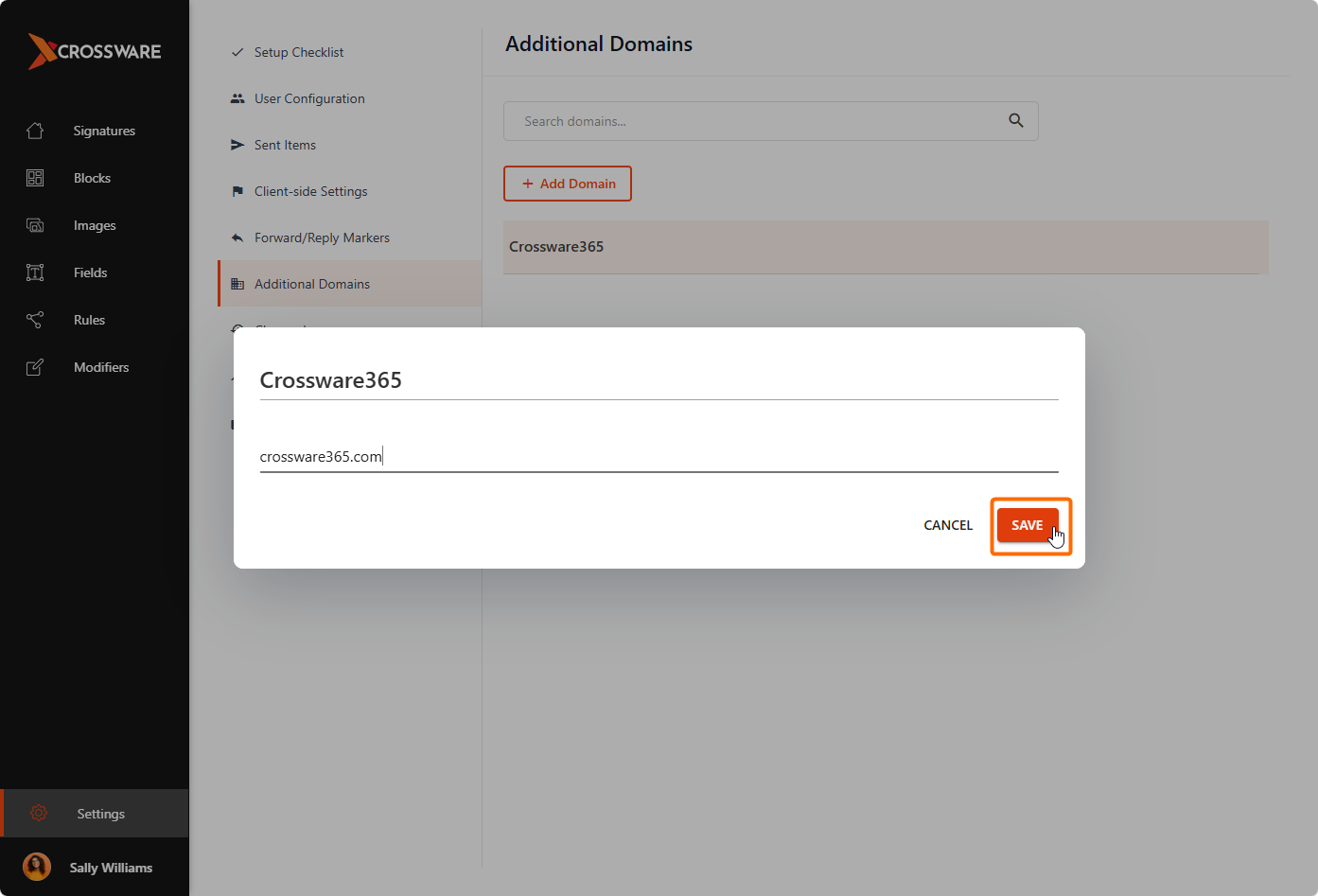
Enter a Name and the Domain Name (for example, crossware365.com)
-
Click Save.