
The Crossware Email Signature service is showing we are processing emails for more users than your subscribed number.
Why this happens & how to fix it
You have increased the number of users requiring email signatures
Purchase subscriptions for the additional users by contacting our Sales team here
Some users are counted in the service but don’t actually need a signature
Update your Content Compliance Rule in Google Admin Console so it is using a group that only contains users that require a Crossware Email Signature Subscription.
-
Open the Google Admin Console.
-
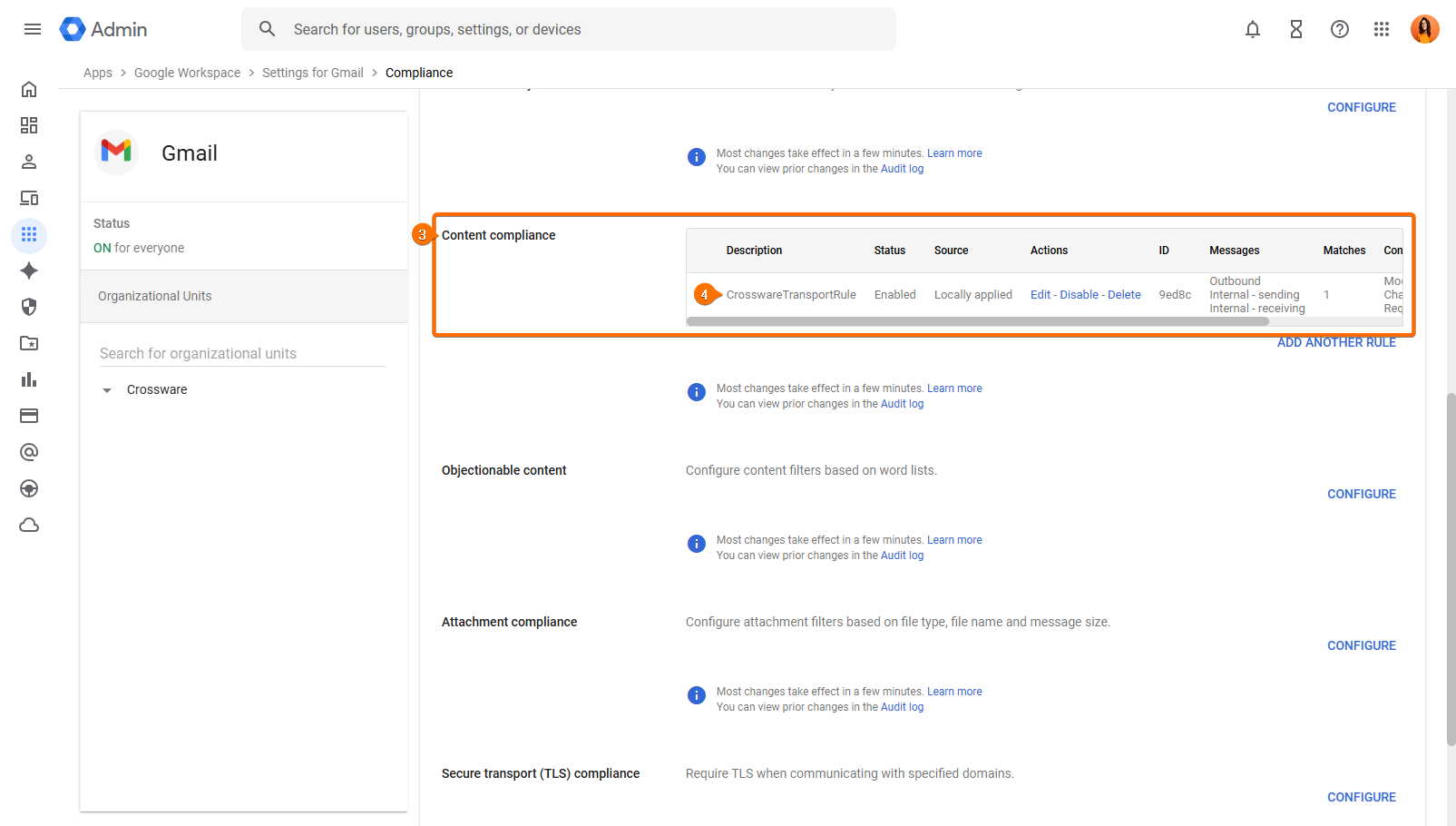
Navigate to Apps > Google Workspace > Gmail > Compliance.
-
Scroll to the Content compliance section.
-
Edit the rule used for Crossware processing, commonly named
CrosswareTransportRule.
-
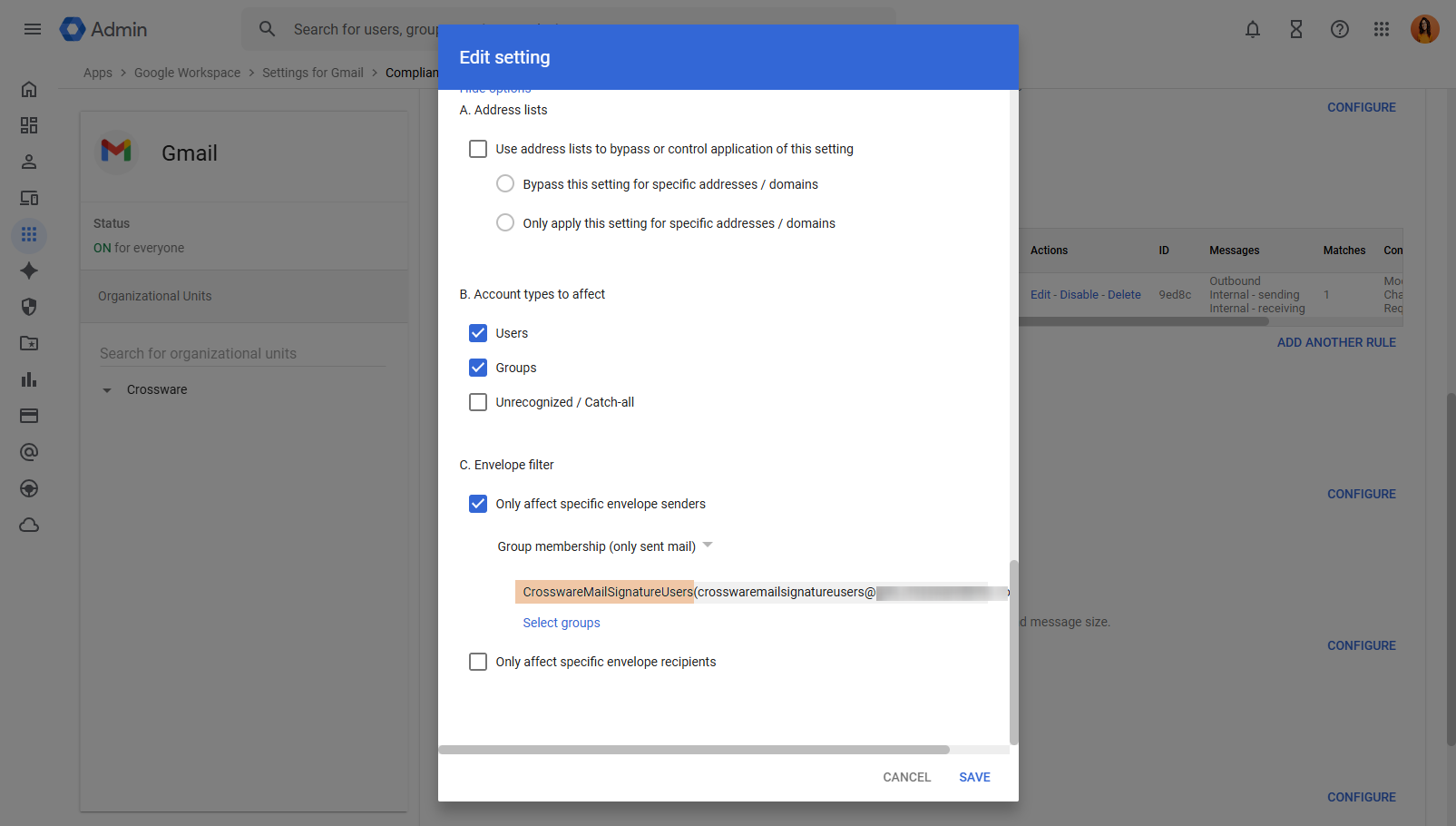
Select Show options to view the envelope filter settings.
-
Identify the group or groups specified in the rule.
-
Count all users within those groups, including any nested groups.
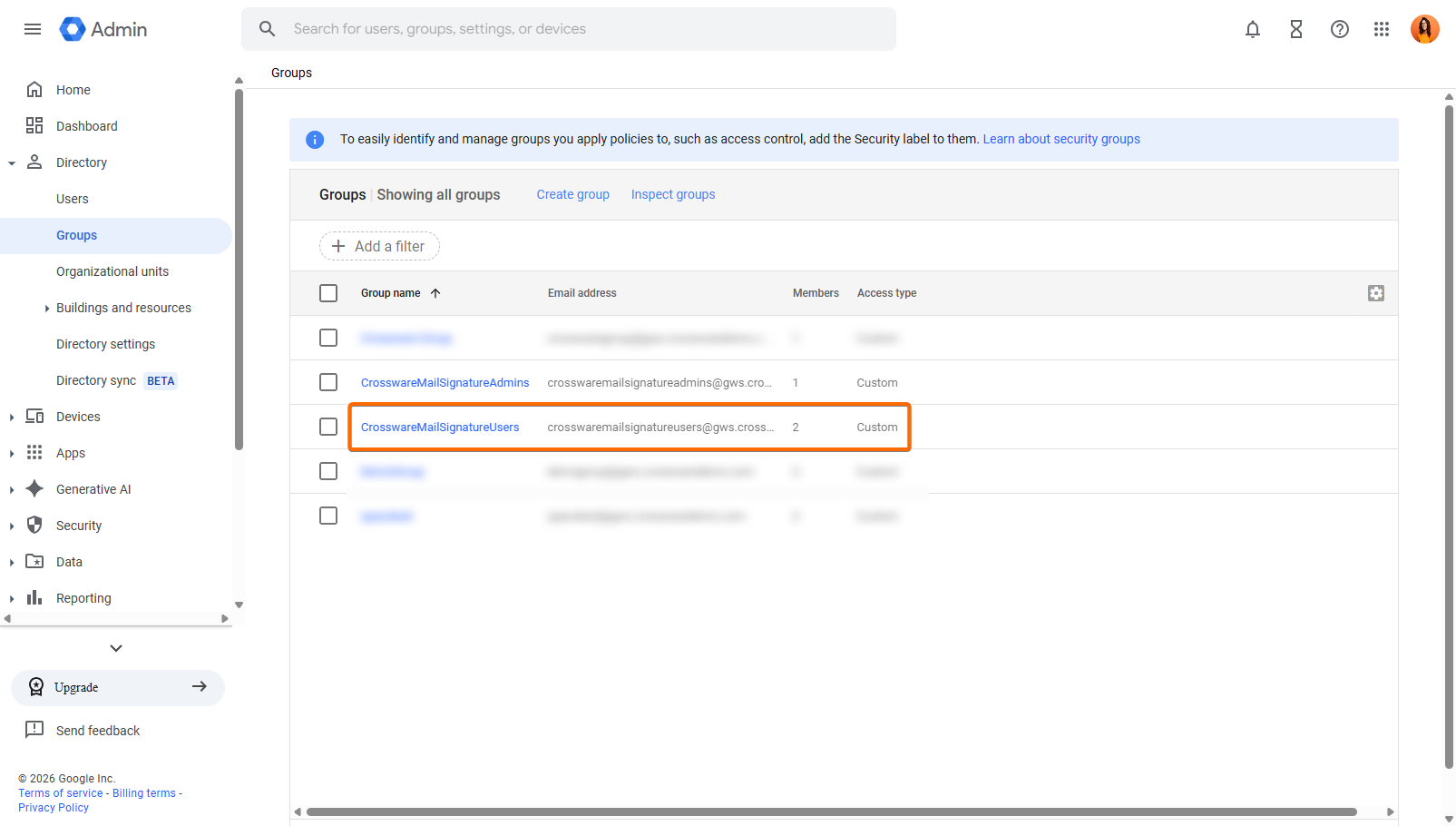
The total number of users represents your current Crossware usage.